Our visit in New Zealand is soon over; after Christmas we will start packing and then return to the land of snow.
The visit has been an inspiring and memorable experience. Many thanks to Gareth Schott and his colleagues in the department of Screen and Media Studies of the University of Waikato for hosting the visit. Thanks also to the Nokia Visiting Professor grant and the Marsden Fund for making the visit possible.
In addition to Hamilton we have visited several other places in New Zealand, particularly in the North Island. Volcanoes, hot springs, geysers, waterfalls, kiwi birds and kiwi fruits – we have seen it all.
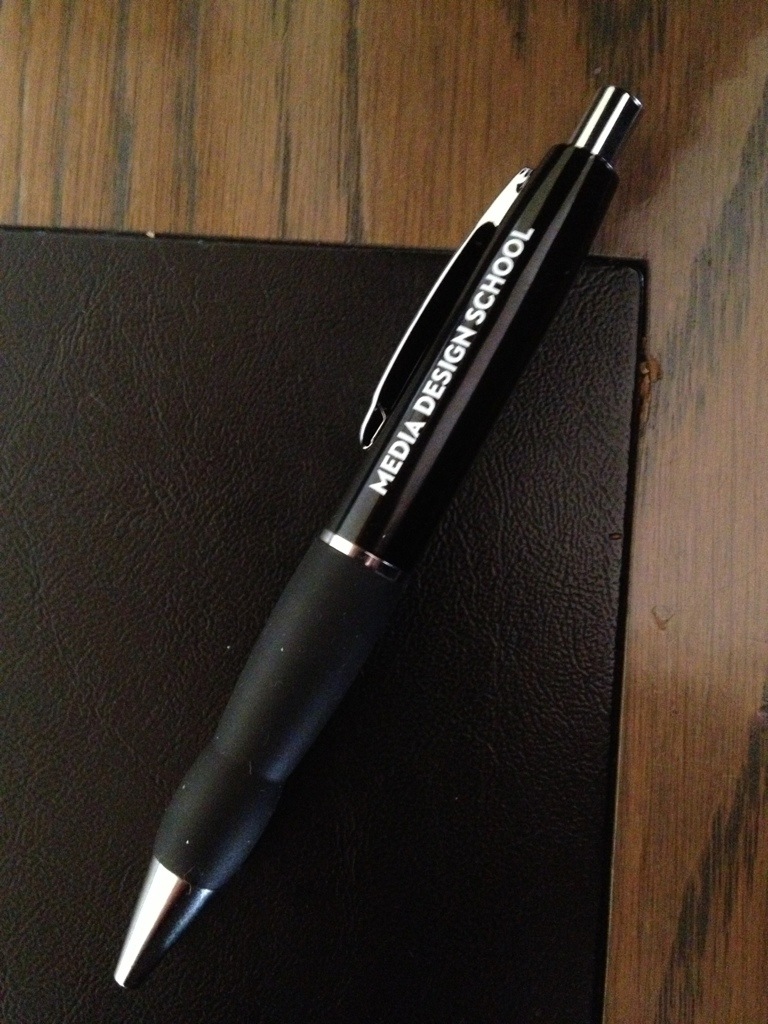
There has been a couple of special visits: I gave a talk about the game research in the Classification Office and we took the opportunity to do sight-seeing in Wellington for a couple of days. Another major trip was to the South Island: we flew to Queenstown via Christchurch, with the aim to do a day-trip and cruise to Milford Sound. Unfortunately the road to Milford was closed and our day-trip cancelled. We spent two days in Queenstown instead. Finally, there was kind invitation to come and see the work of game art and programming students in Media Design School in Auckland. Interesting demonstrations and a lively, interesting city.
There is much to write from all kinds of interesting experiences in New Zealand, but since I am typing this with the small iPhone keyboard, I have to stop now. (Good and affordable Internet connections are not among the strengths of this country.)
Merry Christmas – Meri Kirihimete ki a koe me te whānau!
On the road again. This time I will speak first in Lastensuojelupäivät (The Finnish child welfare professionals’ conference, taking place in Finlandia Hall in Helsinki) with Juho Karvonen about Player Barometer and how game playing is a part (in good as well as in bad) of adult as well as children’s lives today, and how we should respond to games’ many potentials responsibly. Then, also in Helsinki, speaking in the executive strategy seminar of YLE, the public broadcasting company about playfulness and gamification in a transmedial, increasingly play-literate culture. Finally, tomorrow I will head to Oulainen for Ilona Seminar (the Southern Oulu region librarians’ seminar) where I will speak about games as culture and the relation of game play and libraries. And then back to home for some busy days there.
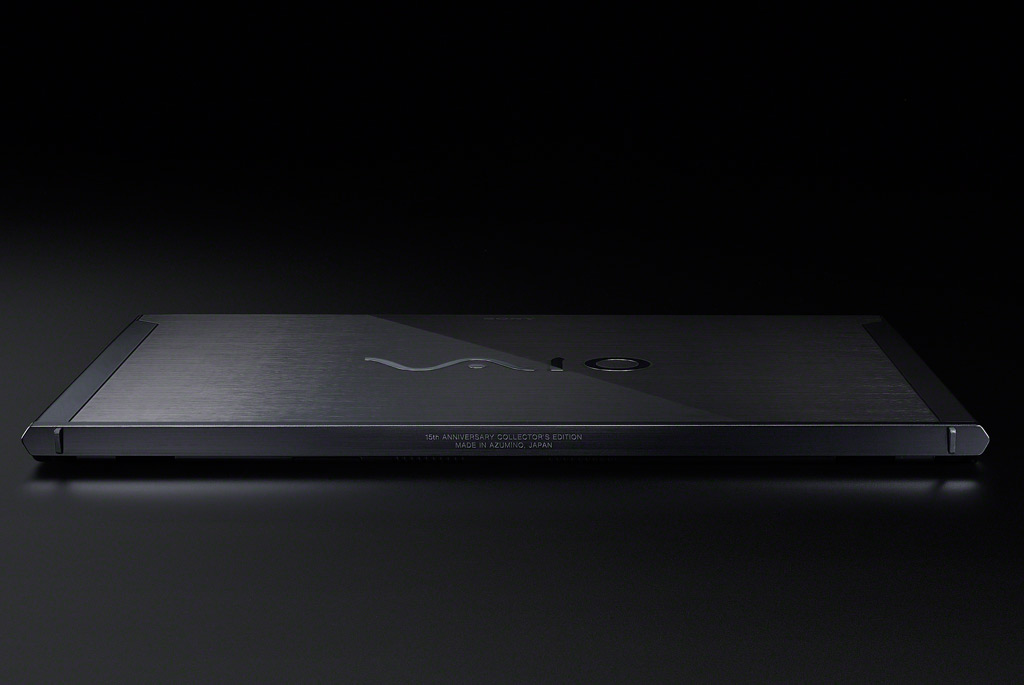
Sony Vaio Z (mid 2012 model, with Power Media Dock)
My new workhorse, Vaio Z (3rd generation), arrived today. It is bit early to say anything conclusive yet, but mostly my first impressions are positive. The overall build quality is better than in the first generation “Z” that I have been using so far. The Full HD screen is very sharp and colours are vivid. The laptop is very light, even while after the long-duration sheet battery has been added the weight goes up a bit. The keyboard feel is pretty good even while the key travel is so short it takes some time getting used to. But luckily the “click” (tactile-auditive feedback) you get from the keys is ok.
My main concerns right now relate to the touchpad. On the other hand it is a clear upgrade from 1st generation Vaio Z’s touchpad that did not properly support multitouch. Here you can do all the scrolling and rotating gestures you most usually need. But touchpad is rather small, and most serious thing is the nonreponsive left mouse button. There must be something wrong with its mechanical construction – getting it to register button clicks is pretty frustrating hit and miss thing. Really unacceptable from a laptop of this caliber. I still need to check whether this could be something that a driver upgrade could fix.
Things that I have not yet got any chance to test include the discrete graphics chip in the Power Media Dock, in Blu-ray as well as gaming modes. It is also interesting to see how long the battery will actually last: since the sheet battery is installed on top of the regular one, there is two of them, and it seems that when the power brick is not plugged in, Z3/Win7 first starts draining the long-life battery and the regular one will stay in 100%. Sony promises 14 hours of usage, but I will see this in the real life later.
Also, I have not found yet where to insert SIM card (this thing should come with 4G/LTE mobile data module). Maybe it is buried underneath the battery compartment like in the old Z1.
I have sometimes used that my office is in the Tampere-Helsinki train, and this week it has felt to be true. Three consecutive travel days:
Tuesday: Skene games program start event in Korjaamo
Wednesday: short talk about contemporary game studies and discussion in the Suomi 2015 panel in Digi.fi event, Palace
Thursday: short talk about playfulness & gamification in business simulation game (Liikkeenjohdon SM), Kämp Kansallissali.
The discussion is the salt of these kinds of quick visits, and luckily there were opportunities for that during this week. It is interesting to see what kind of different perspectives to games and play there are among game developers, researchers and business people from non-games related fields, for example. On the other hand, these discussions are also opportunities to get updated on how awareness of games and playful ways of doing things are spreading in new and different fields of society.
Lewis Mumford, a critic and historian of technological civilization, has written that art and engineering were separated in the fourteenth century. Before that, engineers were artists, and vice versa. (See his Technics and Civilization, p. 219.) Yesterday, Apple registered a win in courtroom over Samsung for copying too much of Apple’s design of iPhone and iPad. (That, how much Apple originally had taken inspiration/copied from other manufacturers was not decided upon.) What remains clear is that the tools we use have a deep impact on our actions, and on our thinking and finally also to our societies. It is good to think about our tools sometimes, and also consider how tools figure in our thinking.
My two main daily tools are my smartphone (I use actively both Apple iPhone 4S and Samsung Galaxy S2, not taking sides in that argument) and my laptop. It is difficult to say which I use more. The smartphone is probably taken up more often, for small things, quickly checking up something, for checking in somewhere, for checking other people’s check-ins or statuses. But laptop is the one I would not get very far without during the working day. My correspondence, my main calendar interface, all my projects, documents and materials reside in its memory, waiting to be reorganised and recombined and expanded upon with a few touches and key-presses.
In May 2009 I started to use Vaio Z series laptop (Vaio Z31WN, to be precise), and have not looked back since. The art of engineering that is put into Vaio laptops is probably not going to evoke similar degrees of cult following like that of Apple ones, but for a person who prefers Windows OS over the Mac/OS X one, there did not use to be a better option. Today, there are dozens of ‘ultrabook’ portables which all claim to have good combination of light, solid construction, long battery life, fast SSD storage, bright screens and speedy processors. Working on ‘state of the art’ on that edge has thus got more interesting – if you are into that kind of things, that is.
After some comparison work, I have concluded that for my particular needs, the new version of Vaio Z series is probably the best option still. I travel a lot so light design is a priority, and I work with videos, photos and other media in the production side (in addition to the basic Word, Excel and web design stuff), and then there are also all those games I should be analysing. My eyes are not as good as they should be, so a really sharp screen that has wide viewing angles is also a must. Apple’s MacBook Pro with Retina Display is sure an interesting machine, but it is too heavy for me, and as I said, I do not like OS X as a work environment (I get stuff done in a PC, but keep hitting on walls while on a Mac). Thinkpad X1 Carbon has solid build, and is thin and light, but the tests tell also that its screen is so-and-so, as also is the battery life. Vaio Z has its own issues (the keyboard and trackpad for example are not the best you can find), but its combination of good screen with lightness and capable performance fits my needs best.
The mid-2012 Vaio Z has been tested here and there, but there are some exiting options that have not been addressed in review so far. One of them is 4G/LTE connectivity option that is interesting to an active traveller. (According to this German page, it appears to support 800, 1800 and 2600 MHz, as well as 2100 and 900 MHz bands: http://m.heise.de/mobil/meldung/Subnotebook-mit-integriertem-LTE-1576015.html?from-classic=1.) The premium screen option is Full HD and the long life battery claims to keep going for 14 hours (depending on use, of course).
My original plans were to do the Vaio upgrade in 2013, but there are reasons (both push and pull, financing and research needs) that suggest earlier date. I have been in talks with Sony Europe (really talking with them multiple times, which was not my original plan), and it is interesting to see whether we are able to close a deal on a specified system at all. The experiences so far have not been exactly promising. The Sony web store gives me cryptic errors regardless of the browser used, calls to the customer service go to Belgium where they tried to recover (unsuccessfully) my Sony account, then resorted to taking the specs of the Vaio over the phone. In the next step, their system was unable to process our EuroCard (MasterCard). They did send me an invoice by email. The invoice needs to be processed by due course through the university administration, which takes at least a week. Sony informed me that the order will expire after ten days. Placing an order to a web store need not be quite this exciting, I think.
Vaio Z, Mid-2012: Power Media Dock
It might be that the 15th Anniversary Edition of Vaio Z laptop is the proud paragon of Japanese electronics engineering, but there are still gaping holes in their overall customer experience, unfortunately.
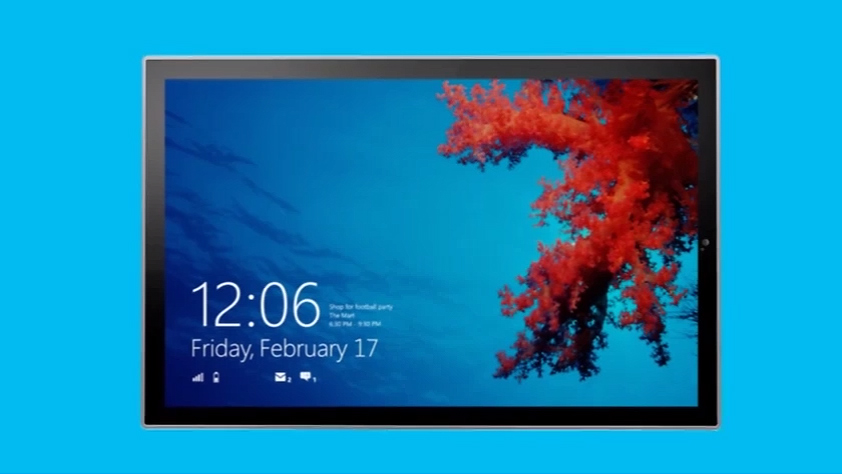
It seems a beta version is “Consumer Preview” these days, well that is just fine for me. I installed the new pre-release version of Windows 8 to an extra partition in my workstation last night, and a couple of notes:
I ran into problem that appeared to be related to BIOS settings. The error code was “Windows cannot install required files. The file may be corrupt or missing. Make sure all required files for installation are available and restart the installation. Error code 0x80070570.” Actually, what you needed to do was downgrade the SATA settings in the BIOS from “AHCI” to “IDE” (may also appear as “ATA”) to get the installation running.
Also, the new graphical boot loader of Windows 8 may not play nice with your graphics card. It took me some trial and error to find out that the bootloader insisted on giving the graphics output only through the DVI adapter of the motherboard, not from the graphics card. And, on the other hand, when the Windows 8 booted for the first time, the image could only be found through the HDMI connector in the graphics card, not from the motherboard DVI. Some tweaking may thus be in order.
The new OS itself looks promising — it makes good use of usability and user experience innovations that are coming from mobile devices and Metro UI of Windows Phone 7 OS. The downside of backwards compatibility is that since there are effectively two versions — touch oriented Metro, and traditional Desktop one — of most features and tools in the OS, things can get somewhat confusing. It will be interesting to see how things will look like in about a year, after some new, touch-enabled PC hardware have come out. There are nice videos, and the download area available at the Microsoft site here: http://windows.microsoft.com/fi-FI/windows-8/consumer-preview
Here are some retro- and introspective reflections on the occasion of PC upgrade at Christmas 2011. After three days (and one night) of installation, hacking and re-installation, I have again a personal play/workstation that is pretty pleasing to use. (My apologies to the family, who have been surprisingly long-suffering towards daddy’s immersion in computer assembly.) Even while I seem to blog about some ‘upgrade’ or another every other month or so, this kind of major, component-based PC upgrade is something that I thought already was a thing of the past, but now seems more like part of the “five-year plan”. After all, manufacturer assembled laptop systems, gaming consoles, tablets and smartphones have taken up much of the role that used to belong exclusively to a “computer”. But apparently we still need also the PC – the loved and hated general-purpose device that celebrated its 30th anniversary earlier this year. (http://www.pcmag.com/anniversary-of-the-pc)
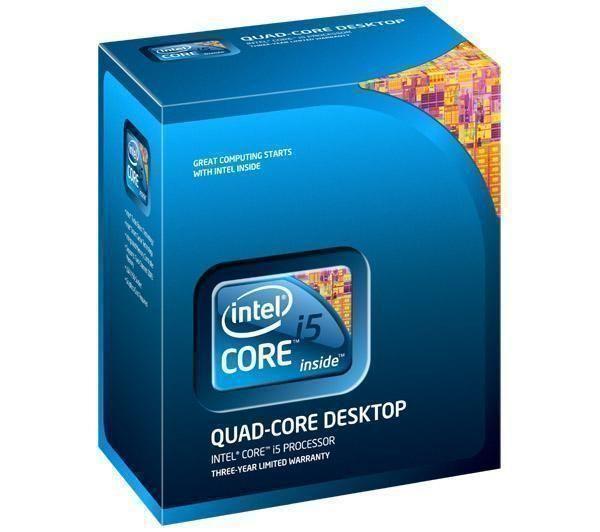
I will not go to the art or culture of engineering, even while immersing inside a contemporary personal computer allows one ample opportunities to reflect on the character and evolution of both. Also, the history of hackers and their role in the creation of not only the first personal computers, but also in the software and computing and gaming cultures that have driven much of the evolution of personal computing from its early days has been well documented elsewhere, e.g. in Steven Levy’s classic (http://en.wikipedia.org/wiki/Hackers:_Heroes_of_the_Computer_Revolution). My first ‘home computer’ was Commodore 64, which has gained a cult status over the years. That computer had c. 1 MHz processor – my Intel Core i5 2500K does computations at 3,3 GHz speed, which translates to 3300 times speed increase I guess (over 4 GHz is rather easy to reach in overclocking), and this does not take into account what has taken place in the graphics processing units between 1983 and 2011. (The actual, cross-platform speed comparisons are a much trickier, of course, and it has been claimed that the original 8088 based PC was actually slower than the C64, even while the PC run at nearly 5 MHz: http://trixter.oldskool.org/2011/06/04/at-a-disadvantage/.) Yes, the PC games are not necessarily “better” today (but they look fancier, and are generally much more complex), and you could do word processing or go online with Commodore 64 as well, so nothing extremely radical in those areas. But even incremental quantitative change translates eventually into qualitative ones – the user experience of today’s personal computer hobbyist is rather different from that of the 1980s counterpart.
The actual problems today are a sort of ‘embarrassment of riches’: both the hardware and software developers are providing so many opportunities for the user, that only the most dedicated ones are actually able to make full use of them. Also, some features are still so difficult to set up that few regular PC owners will ever actually be able to get them running, while their system nominally supports them. For example, in my case I had a system (motherboard, processor, hard disks and a processor) that could support something called “Intel Rapid Storage Technology” (RST). (http://en.wikipedia.org/wiki/Intel_Rapid_Storage_Technology.) In practice, however, I ended up carrying out a series of multiple full Windows installations, trying out different ways to make the Windows boot from my SSD in the required Raid BIOS configuration, having only OS crash after a crash. Now I have the system all set up and stable, but this is with BIOS set to AHCI rather than the Raid mode, and I will not want to waste another three days to try yet another way to make it work. Also a new technology called Ludic Virtu appeared a bit tricky (in BIOS/Advanced Menu/System Agent Configuration/Initiate Graphic Adapter needs to be set into iGPU rather than PCIE/PCI to get the Virtu drivers to install at all). I still remain puzzled by the precise benefits that the two different options (d-mode / i-mode) allow in terms of gaming performance, power consumption and video transcoding. My new video card is ASUS GTX 560 Ti DirectCU II TOP model and together with bundled Asus software it also allows claimed real-time overclocking benefits, automatic temperature monitoring and ‘Smartcooling’, which keeps the system quiet in normal use and then gradually speeds up the CPU fans when 3D gaming graphics heat things up. (http://www.asus.com/Graphics_Cards/NVIDIA_Series/ENGTX560_Ti_DCII_TOP2DI1GD5/) My initial tests show that all this overclocking power and cooling is a mixed blessing: yes, I can now run Skyrim at the Ultra High graphics settings, and perceive all the minor details in dragon’s skin and character clothing that artists had put there, have the system sensors at cool area (the Arctic Freezer Pro 13 CPU cooler I installed to replace the stock Intel one also helps here) – but this also means that the GPU fans sound a bit like a jet engine when all those textures, shaders and millions of polygons hit the screen.
To sum up, here are some of the advertised technologies, most of which I have had no time to test to verify whether they are genuinely useful:
Asus P8Z68-V/GEN3:
Fully PCI-Express 3.0 Ready, Intel Z68 motherboard. USB 3.0 Boost includes world’s first UASP support
Dual Intelligent Processors 2 with DIGI+ VRM Digital Power Design
UEFI BIOS (EZ Mode) – Flexible & Easy BIOS Interface
LucidLogix® Virtu (Universal Switchable Graphics) – Auto Switching between Integrated Graphics and NVIDIA/AMD Cards
Intel® Smart Response Technology – SSD Speed with HDD Capacity
BT GO! (Bluetooth) – Diverse BT Enjoyment, New Technology Lifestyle
GPU Boost – Push the Limits with iGPU Level Up!
Quad USB 3.0 Support – Double Access, Double Convenience
Quad-GPU SLI and Quad-GPU CrossFireX Support
Intel Core i5 2500K:
Intel® Turbo Boost Technology 2.0
Intel® Virtualization Technology (VT-x)
AES New Instructions
Intel® 64
Idle States
Enhanced Intel SpeedStep® Technology
Thermal Monitoring Technologies
Intel® Fast Memory Access
Intel® Flex Memory Access
Execute Disable Bit
ASUS GTX 560 Ti DirectCU II TOP:
overclocked graphics card for superb 3D Vision™ gaming
Top-selected and overclocked to 900MHz, 80MHz higher than reference for faster and smoother performance
Speed up heat dissipation with doubled airflow via exclusive DirectCU dual fan design
Pump up graphics performance with Super Alloy Power delivering a 15% performance boost, 2.5 longer lifespan and 35C cooler operation
Crank up 50% faster clock speeds with exclusive Voltage Tweak
ASUS Smart Doctor: Your intelligent hardware protection and powerful overclocking tool
ASUS Gamer OSD: Real-time overclocking, benchmarking and video capturing in any PC game
Splendid™ Video Intelligence Technology: Optimizes colors in various entertainment scenarios with five special modes — standard, game, scenery, night view and theater
GeForce CUDA™: Unlocks the power of GPU’s processor cores to accelerate the most demanding system tasks
NVIDIA® SLI™: Supports multi-GPU technology for extreme performance ode
NVIDIA PhysX™: Dynamic visual effects like blazing explosions, reactive debris, realistic water, and lifelike characters
NVIDIA® 3D Vision™: Immersive yourself in 3D gaming world
DirectX® 11 Done Right: Brings new levels of visual realism to gaming on the PC and get top-notch performance
D-Sub Output : Yes x 1 (via DVI to D-Sub adaptor x 1)
DVI Output : Yes x 2 (DVI-I)
HDMI Output : Yes x 1 (via Mini HDMI to HDMI adaptor x 1)
HDCP Support : Yes
The world of competitive technology development and particularly the world of tech advertisement are truly worlds of wonders.
There are some more photos that document the components and assembly work in Flickr:
The aim here is to make the OS (mostly 64 bit Win7, plus some Linux stuff) run smoothly. Gaming upgrade will focus on a new graphics card, but more about that later.
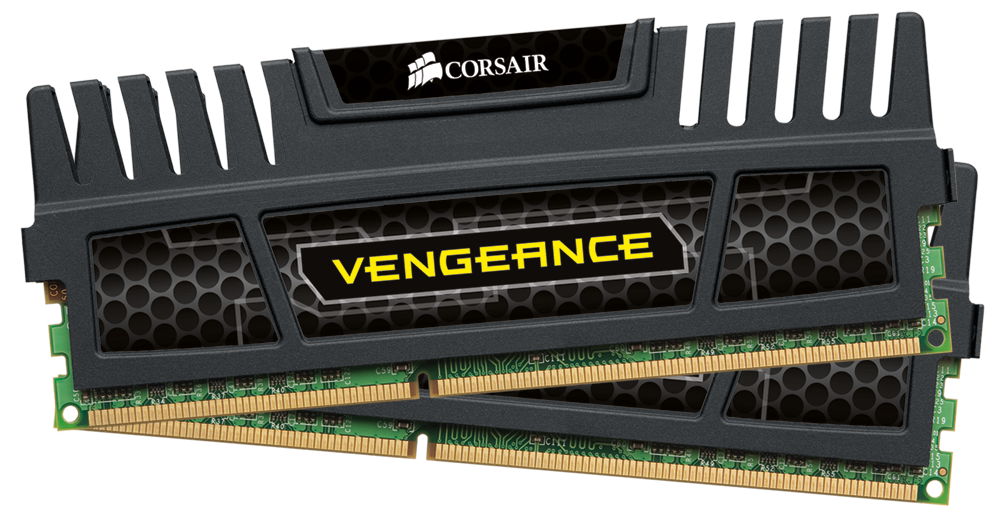
I bought my previous workstation/gaming pc in spring 2007, which would be five years next May — an eternity in terms of how pc and gaming hardware in particular evolves. As I do not have much of a budget for this (a family man has surprisingly plenty of money outlets), I’d be happy to just get the utility software and OS to run more speedily; the current situation is so laggy it is just unacceptable. The most efficient way to achieve this would be to install an SDD. Checking my old hardware, I realized I should upgrade also the motherboard in order to get SATA III bus, which is necessary if upgrade to SSD would make any sense. In a modern motherboard there would be a new CPU socket, thus: a CPU upgrade. My old DIMM memory modules would no longer be a match to the new CPU; thus: a memory upgrade. At that point, it also becomes apparent that the old GeForce 8800 GTS would be the bottleneck of the new system — thus: also a graphics card upgrade.
Something like ten years ago I would still had loved the challenge, and been eager to build spreadsheets to run various comparisons to gain the ultimate value for money and a future-proof solution. Today, the workload to do such an operation properly just depresses. There will always be some incompatibility or driver issues when you set up a PC system from separate components. Yet, getting a pre-installed box from HP, Apple, or some other major manufacturer does not make much sense either. Recycling the best components (like the Blu-ray optical drive, case, possibly the power source) from the old machine would mean that the “half-new” setup would be c. half the price of comparable manufacturer-made PC. Paying the premium on the other hand would pay towards some kind of peace of mind — perhaps, depending on the quality of system and its guarantee. Having two, three grand extra, I would go for a readymade, high-end setup, no questions asked. Trying to be thrifty while still being able to game and edit videos means that one should be able to invest plenty of time into tweaking — another scarce resource these days. Sigh…
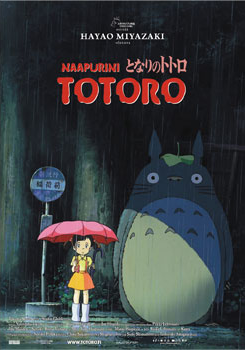
I watched My Neighbour Totoro today with my boys (all three of them, while the youngest had some troubles in concentrating, he is only 5 months old). I sometimes wonder how does it affect your imagination and perception of the world to have access to such nuanced, beautiful works of fantastic art from very early age. I was reading Famous FIve by Enid Blyton and then, at the age of seven, was watching Batman (the campy tv series) and Thunderbirds doll animations from Finnish, black-and-white television. No wonder I grew up to become a gadget geek.
I should write more of Hayao Miyazaki’s work some time. I mentioned it briefly in my 2009 talk, and the related short paper, Japanese Fantasy and the East-West Dialectic(2010), but watching how traces of Eastern Shintoism mix freely with the great tradition of fantastic imaginary and storytelling (elements folk tales, even Alices Adventures in Wonderland are evident in Totoro), there is so much more to be said.







 frans goes blog
You must be logged in to post a comment.