
Another new project that we have started working on even before Christmas is RYM/Future Learning Environments, where our Gamelab team is joining forces with indoors building experts and educational researchers to look into the future of playful collaboration particularly in the lives of students and researchers in our own campus environment, but also aiming for more generalizable findings. More: http://www.rym.fi/
Category: technology
New possibilities for print media and packaging – combining print with digital
I was a co-applicant in a new COST initiative “New possibilities for print media and packaging – combining print with digital”, coordinated by Anu Seisto/VTT, and the proposal was accepted and is now starting. I am looking forward to networking and organising interesting activities around the increasing hybridization of games and playful media.
The goal of this Action is to promote discussion on the benefits that may be achieved from novel combinations of print and digital. It will also be used to enhance innovations that will make use of the benefits of both print and electronic media as well as innovations where print and electronic media are combined. Several examples exist where successful combinations have been achieved e.g. through the use of image recognition, augmented reality or printed electronics to bring interactivity into fiber based products. To give the forest industry a competitive edge this Action will focus on new innovations by combining knowledge of the end users with most recent technological achievements. New models of ongoing change in social interaction and in the cultural products of paper and electronic media will be elaborated and proposed. The results will promote critical and theoretical discussion on the changing meanings of contemporary media culture. The Action will explore new business opportunities for the fiber based products and the value chains of print media and packaging through novel, innovative uses. It will also serve as a channel for communication between industry and academia, thus contributing to the development of new commercial applications.
The five-year upgrade plan
Here are some retro- and introspective reflections on the occasion of PC upgrade at Christmas 2011. After three days (and one night) of installation, hacking and re-installation, I have again a personal play/workstation that is pretty pleasing to use. (My apologies to the family, who have been surprisingly long-suffering towards daddy’s immersion in computer assembly.) Even while I seem to blog about some ‘upgrade’ or another every other month or so, this kind of major, component-based PC upgrade is something that I thought already was a thing of the past, but now seems more like part of the “five-year plan”. After all, manufacturer assembled laptop systems, gaming consoles, tablets and smartphones have taken up much of the role that used to belong exclusively to a “computer”. But apparently we still need also the PC – the loved and hated general-purpose device that celebrated its 30th anniversary earlier this year. (http://www.pcmag.com/anniversary-of-the-pc)

I will not go to the art or culture of engineering, even while immersing inside a contemporary personal computer allows one ample opportunities to reflect on the character and evolution of both. Also, the history of hackers and their role in the creation of not only the first personal computers, but also in the software and computing and gaming cultures that have driven much of the evolution of personal computing from its early days has been well documented elsewhere, e.g. in Steven Levy’s classic (http://en.wikipedia.org/wiki/Hackers:_Heroes_of_the_Computer_Revolution). My first ‘home computer’ was Commodore 64, which has gained a cult status over the years. That computer had c. 1 MHz processor – my Intel Core i5 2500K does computations at 3,3 GHz speed, which translates to 3300 times speed increase I guess (over 4 GHz is rather easy to reach in overclocking), and this does not take into account what has taken place in the graphics processing units between 1983 and 2011. (The actual, cross-platform speed comparisons are a much trickier, of course, and it has been claimed that the original 8088 based PC was actually slower than the C64, even while the PC run at nearly 5 MHz: http://trixter.oldskool.org/2011/06/04/at-a-disadvantage/.) Yes, the PC games are not necessarily “better” today (but they look fancier, and are generally much more complex), and you could do word processing or go online with Commodore 64 as well, so nothing extremely radical in those areas. But even incremental quantitative change translates eventually into qualitative ones – the user experience of today’s personal computer hobbyist is rather different from that of the 1980s counterpart.

The actual problems today are a sort of ‘embarrassment of riches’: both the hardware and software developers are providing so many opportunities for the user, that only the most dedicated ones are actually able to make full use of them. Also, some features are still so difficult to set up that few regular PC owners will ever actually be able to get them running, while their system nominally supports them. For example, in my case I had a system (motherboard, processor, hard disks and a processor) that could support something called “Intel Rapid Storage Technology” (RST). (http://en.wikipedia.org/wiki/Intel_Rapid_Storage_Technology.) In practice, however, I ended up carrying out a series of multiple full Windows installations, trying out different ways to make the Windows boot from my SSD in the required Raid BIOS configuration, having only OS crash after a crash. Now I have the system all set up and stable, but this is with BIOS set to AHCI rather than the Raid mode, and I will not want to waste another three days to try yet another way to make it work. Also a new technology called Ludic Virtu appeared a bit tricky (in BIOS/Advanced Menu/System Agent Configuration/Initiate Graphic Adapter needs to be set into iGPU rather than PCIE/PCI to get the Virtu drivers to install at all). I still remain puzzled by the precise benefits that the two different options (d-mode / i-mode) allow in terms of gaming performance, power consumption and video transcoding. My new video card is ASUS GTX 560 Ti DirectCU II TOP model and together with bundled Asus software it also allows claimed real-time overclocking benefits, automatic temperature monitoring and ‘Smartcooling’, which keeps the system quiet in normal use and then gradually speeds up the CPU fans when 3D gaming graphics heat things up. (http://www.asus.com/Graphics_Cards/NVIDIA_Series/ENGTX560_Ti_DCII_TOP2DI1GD5/) My initial tests show that all this overclocking power and cooling is a mixed blessing: yes, I can now run Skyrim at the Ultra High graphics settings, and perceive all the minor details in dragon’s skin and character clothing that artists had put there, have the system sensors at cool area (the Arctic Freezer Pro 13 CPU cooler I installed to replace the stock Intel one also helps here) – but this also means that the GPU fans sound a bit like a jet engine when all those textures, shaders and millions of polygons hit the screen.

To sum up, here are some of the advertised technologies, most of which I have had no time to test to verify whether they are genuinely useful:
Asus P8Z68-V/GEN3:
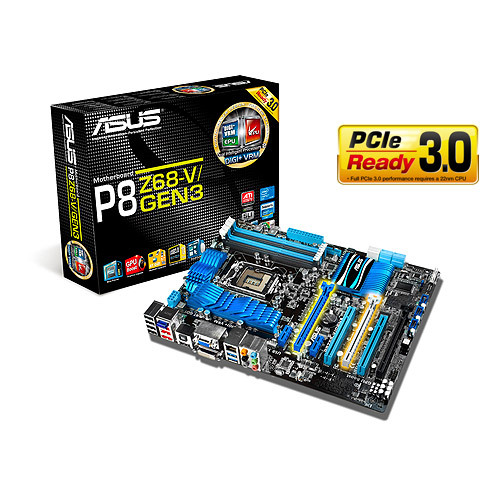
- Fully PCI-Express 3.0 Ready, Intel Z68 motherboard. USB 3.0 Boost includes world’s first UASP support
- Dual Intelligent Processors 2 with DIGI+ VRM Digital Power Design
- UEFI BIOS (EZ Mode) – Flexible & Easy BIOS Interface
- LucidLogix® Virtu (Universal Switchable Graphics) – Auto Switching between Integrated Graphics and NVIDIA/AMD Cards
- Intel® Smart Response Technology – SSD Speed with HDD Capacity
- BT GO! (Bluetooth) – Diverse BT Enjoyment, New Technology Lifestyle
- GPU Boost – Push the Limits with iGPU Level Up!
- Quad USB 3.0 Support – Double Access, Double Convenience
- Quad-GPU SLI and Quad-GPU CrossFireX Support
Intel Core i5 2500K:
- Intel® Turbo Boost Technology 2.0
- Intel® Virtualization Technology (VT-x)
- AES New Instructions
- Intel® 64
- Idle States
- Enhanced Intel SpeedStep® Technology
- Thermal Monitoring Technologies
- Intel® Fast Memory Access
- Intel® Flex Memory Access
- Execute Disable Bit
ASUS GTX 560 Ti DirectCU II TOP:
- overclocked graphics card for superb 3D Vision™ gaming
- Top-selected and overclocked to 900MHz, 80MHz higher than reference for faster and smoother performance
- Speed up heat dissipation with doubled airflow via exclusive DirectCU dual fan design
- Pump up graphics performance with Super Alloy Power delivering a 15% performance boost, 2.5 longer lifespan and 35C cooler operation
- Crank up 50% faster clock speeds with exclusive Voltage Tweak
- ASUS Smart Doctor: Your intelligent hardware protection and powerful overclocking tool
- ASUS Gamer OSD: Real-time overclocking, benchmarking and video capturing in any PC game
- Splendid™ Video Intelligence Technology: Optimizes colors in various entertainment scenarios with five special modes — standard, game, scenery, night view and theater
- GeForce CUDA™: Unlocks the power of GPU’s processor cores to accelerate the most demanding system tasks
- NVIDIA® SLI™: Supports multi-GPU technology for extreme performance ode
- NVIDIA PhysX™: Dynamic visual effects like blazing explosions, reactive debris, realistic water, and lifelike characters
- NVIDIA® 3D Vision™: Immersive yourself in 3D gaming world
- DirectX® 11 Done Right: Brings new levels of visual realism to gaming on the PC and get top-notch performance
- D-Sub Output : Yes x 1 (via DVI to D-Sub adaptor x 1)
- DVI Output : Yes x 2 (DVI-I)
- HDMI Output : Yes x 1 (via Mini HDMI to HDMI adaptor x 1)
- HDCP Support : Yes
The world of competitive technology development and particularly the world of tech advertisement are truly worlds of wonders.
There are some more photos that document the components and assembly work in Flickr:
http://www.flickr.com/search/?q=%22PC+upgrade%22&w=21506315%40N00&z=e
System speed upgrade
Ok, I have now submitted my order for the following PC components:
- Asus P8Z68-V/GEN3 Intel Z68 LGA1155 ATX motherboard
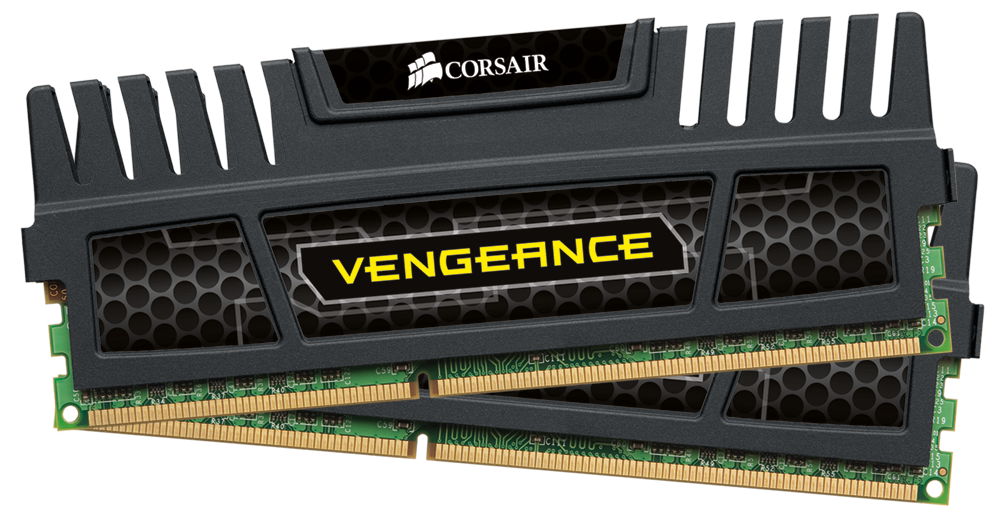
- Corsair Vengeance 8 GB Kit PC3-15000, 1866 MHz, 2×240 DIMM 8 GB Kit(2×4096 MB) system memory
- OCZ Agility 3 120 GB 2.5″ SSD SATA III SSD
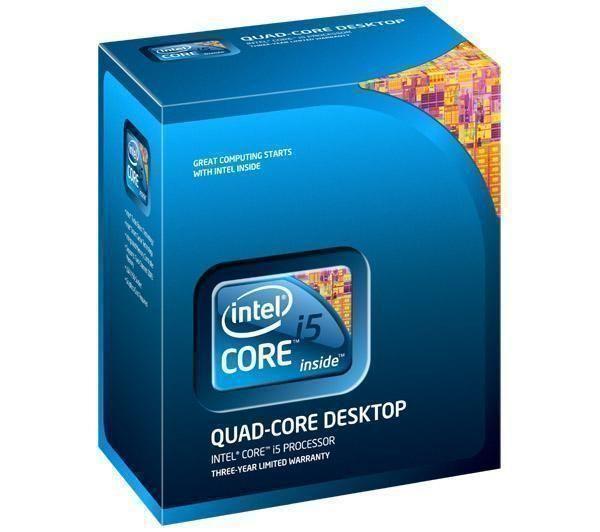
- Intel Core i5 2500K 3,3 GHz LGA1155 CPU
The aim here is to make the OS (mostly 64 bit Win7, plus some Linux stuff) run smoothly. Gaming upgrade will focus on a new graphics card, but more about that later.

iPad as the only computer?

Better battery life, light-weight, connected device — sounds good, but the virtual keyboard of iPad is a major no-no to most business users, so the idea of having iPad as your main computer has not really become mainstream. But there are fellows like Harry from Technologizer who have pulled it through:
http://technologizer.com/2011/12/05/how-the-ipad-2-became-my-favorite-computer/
Zagg case/keyboard for iPad 2 is available also for the Finnish keyboard, so I consider giving it a try. But my previous experiences of working with iPad were not only troubled by the virtual keyboard. Also the lack of access to a proper file system makes thing a bit of a hassle. Wonder if someone has managed to fully integrate e.g. Dropbox to your iPad-PC-team workflow?
Upgrade blues
I bought my previous workstation/gaming pc in spring 2007, which would be five years next May — an eternity in terms of how pc and gaming hardware in particular evolves. As I do not have much of a budget for this (a family man has surprisingly plenty of money outlets), I’d be happy to just get the utility software and OS to run more speedily; the current situation is so laggy it is just unacceptable. The most efficient way to achieve this would be to install an SDD. Checking my old hardware, I realized I should upgrade also the motherboard in order to get SATA III bus, which is necessary if upgrade to SSD would make any sense. In a modern motherboard there would be a new CPU socket, thus: a CPU upgrade. My old DIMM memory modules would no longer be a match to the new CPU; thus: a memory upgrade. At that point, it also becomes apparent that the old GeForce 8800 GTS would be the bottleneck of the new system — thus: also a graphics card upgrade.
Something like ten years ago I would still had loved the challenge, and been eager to build spreadsheets to run various comparisons to gain the ultimate value for money and a future-proof solution. Today, the workload to do such an operation properly just depresses. There will always be some incompatibility or driver issues when you set up a PC system from separate components. Yet, getting a pre-installed box from HP, Apple, or some other major manufacturer does not make much sense either. Recycling the best components (like the Blu-ray optical drive, case, possibly the power source) from the old machine would mean that the “half-new” setup would be c. half the price of comparable manufacturer-made PC. Paying the premium on the other hand would pay towards some kind of peace of mind — perhaps, depending on the quality of system and its guarantee. Having two, three grand extra, I would go for a readymade, high-end setup, no questions asked. Trying to be thrifty while still being able to game and edit videos means that one should be able to invest plenty of time into tweaking — another scarce resource these days. Sigh…
iCloud backup runs out of space

I got my first “out of space” error from iCloud today. It took some googling around to get more light to the inner life of how iCloud backups work. It looks like the service is configured by default to backup all your photos and videos, in addition to all applications, calendar, contacts etc. It does not waste bandwidth and backup space to produce copies of your music files, or OS files, though – supposedly you have access to those bytes otherwise. But in my case it was recorded videos and photos that had bloated the size of backup so that it run over the free 5 gigabyte space limit. If you have also iOS5 Photo Stream turned on like me, you do not probably want to produce yet another copy to the iPhone backup in iCloud. Some more talk, and instruction: http://themacmob.com/icloud-backup-explained/ .
Fixing crashing iPhone’s camera app
iOS 5 and the new iPhone 4S are not without their bugs, even while mostly being on the ‘it just works’ department. One rather nasty one that just jumped on me is the iPhone camera & camera roll application crash issue: the monent you try to access any of your photos, or when you try to shoot a new one, the app just crashes. This issue has been around in various forms for more than a year now, it appears, so I am not sure this is related to iOS 5 or recent hardware. Apple care appears to either recommend totally wiping your device to factory settings, or they have even replaced the malfunctioning phone with a new one. There appears to be a fix, however, that solved the issue at least in my case. You need to download software (e.g. iExplorer) that you can use to delete any ‘sqlite’ marked metadata files related to your photos, and then let iOS rebuild its photo database. I am not sure what is going wrong, but I truly hope Cupertino will take notice and fix their OS soon. For more detailed instructions, and thanks for spreading the word, please visit the iPhoneInCanada site:

Vaio VPC-Z13Z9E

Ever hunting for the perfect tools, the perfect laptop being the crown jewel of them all, I try to keep an eye on the new versions of Vaio Z series, my choice in the past. Here is an interesting review of Vaio VPC-Z13Z9E, a subnotebook with great colour range, four SSDs, i7 processor:
http://www.notebookcheck.net/Review-Sony-Vaio-VPC-Z13Z9E-i7-FHD-Quad-SSD-subnotebook.45351.0.html
Carr, Pinnalliset (book review)

Here is my book review of N. Carr’s Pinnalliset (The Shallows) in Tieteessä tapahtuu /
Kirja-arvioni Carrin Pinnalliset-kirjasta on julkaistu Tieteessä tapahtuu -lehdessä:
 frans goes blog
You must be logged in to post a comment.