Magic Trackpad on Vaio

I have chronic wrist pains, like too many other active computer users, and I have been testing various mouse replacements in order to alter the movements that cause repetitive strain. Laptops and touchscreen devices are nice since they allow for more flexibility in manipulation, and also since you need not reach far looking for the mouse. Touch interface gestures are also powerful and after you have got used to them, a regular mouse starts to feel awkward and a bit antiquated.

The Apple hardware is often of high quality, but I do not like the restrictions of the Mac OS. Today I have been experimenting with connecting the Apple Magic Touchpad with my Sony Vaio Z series computer. Extracting and installing the required drivers to Windows is a bit tricky, but not too complicated (see the instructions here), and after that, the bluetooth trackpad appears to be working just fine. The sensitivity and feel of Magic Touchpad is great; however, you do not get the full set of multitouch gestures you could use on Mac OS X. But even with the limited single, and two-finger gestures this is a very nice peripheral, and great for example in home theatre use – I would not want to use a regular mouse while browsing and clicking through content while lying on a couch.

Magic Trackpad with Sony Vaio

ZTE Blade battery

I have been using the Chinese, entry/economy-level android phone ZTE Blade as my main work phone (all my actual work phones are Nokia ones, and broken in various ways, this was a free side-offering to my iPad data plan from Saunalahti). I have been pretty happy with the small, light-weight smartphone — proving that the latest and greatest is not needed for every need (I carry my personal iPhone for most media needs), but now we have a problem. I have kept the Blade pugged into a charger every night, but suddently the battery has started dying out really fast, and even after hours of charging, the battery can be at 10-20 percent level.

I have tried out the battery reset/calibration instructions, see e.g. here:

http://android.modaco.com/content/zte-blade-blade-modaco-com/323487/battery-recalibration-protip/

I do not seem to get the battery reset to work in the way it should; maybe the battery is just almost dead, maybe there is something wrong in the phone’s electronics, don’t know. Probably it would be possible to get the phone fixed by the professionals, but I am not sure if it is worth it. There are some pretty serious usability problems due to the inprecise touch screen and sub-standard processor — ZTE Blade is successful enough to convince you that Android is interesting and viable as an OS and a software ecosystem, but this might be the time to have another work phone. Maybe Samsung, like the new Galaxy S II? My actual needs require the phone to have a fast and responsive keyboard (a good virtual one might do as well), reliable phone and calendar functions (both my contacts and calendar are Google-synchronized) and email are the things that me, like I guess most business users value in their work phones. But it would be nice to be able to access the application sphere that I am actually researching using also the same device I use for daily communications. Currently it is my personal iPhone where I run all the games, read my Twitter and Facebook streams and do the Foursquare check-ins. I had installed all those apps to the Blade, too, but it was too uncomfortable and unresponsive to actually be usable as a rich media/gaming mobile internet device. But I suppose the best current Android devices are up for the challenge?

CloudMagic, with offline search

Another interesting tool/service: CloudMagic is a Chrome/Firefox browser plugin that provides enhanced search functionality in Gmail, Google Docs and Contacts. With the latest release they also added the ability to do searches offline, which is a great benefit if you rely on Google services a lot, and also travel. I have not tested the offline side yet, but the search seems to work fine, even though it might take some time to do the indexing, if you have massive amounts of mail. Download from the main page: http://cloudmagic.com/. The release details: http://blog.cloudmagic.com/category/releases/.

Wuala, a Dropbox alternative

There is an interesting alternative to do cross-platform / cloud file syncing, Wuala. I haven’t used it myself, would love to hear comments of its positive sides and potential weaknesses. Here is a story: http://lifehacker.com/#!5798179/wuala-is-a-powerful-cross+platform-file-syncer-with-lots-of-tricks-for-extra-free-space

Flip Phone futures

This is a really cool video and vision for future, worth sharing:

What is being creative? from Kristian Larsen on Vimeo.

LinkStation, TwonkyMedia, and PS3 video streaming

After getting LinkStation Duo 2TB NAS as the backup disk for our home network, I realised that it also had a built-in, DLNA  compliant media server. Since we had hundreds of video clips and thousands of photos, this sounded like a great opportunity to get all those family memories to the Sony Bravia TV screen. But: nothing is so simple, in these days of IT and media “standards”. Far too large part of this weekend has been spent trying to get different parts of this new media equation to communicate with each other. A firmware update to the LinkStation produced almost usable Twonkymedia server setup (the shipped version of Twonkymedia was apparently uncompatible with the NAS firmware, making it useless). I say “almost”, since it seems that some media player clients are able to access something from this media server, some nothing. E.g. Windows Media Player in Win7 seems to show parts of the disk media contents, and you can navigate the folders. In the Sony Bravia built-in media browser you can see a few videos, but not navigate the folder structure. The best results come from using PlayStation3, where the folder navigation seems to work fine, and quite a few video files play ok. Unsurprisingly, it was those older videos we had shot with a Sony video camera that play fine in PS3, but when the videos turned into those recorded with Canon cameras, they became “unknown data”. I explored various conversion options, if I’d take the leap and produce a converted version of all those HD video files, but the video and audio codecs and file formats are a real jungle. I hoped in vain there would a single-button solution that would make the suitable conversion possible, without all that “muxing” and “demuxing” that the real digital video people seem to be doing all the time. Late at night, I finally found some kind of solution that seems to work: if you install the latest version of Windows Live Movie Maker (I also installed Expression Encoder 4, just to be sure), you can save imported Canon MOV files into various types of WMV files – and finally the “Save Movie … for Burn into DVD” option produced a file that successfully streamed from LinkStation’s TwonkyMedia server to the PS3, displaying both video and audio. The result is not comparable to the HD original, but it is the best conversion method that I could find that is almost at “single-button” level of simplicity. Hopefully someone can find something even more simple — and better quality? For a regular consumer, the entire DLNA “standardization” appears almost like a joke — I have installed and tested numerous media servers, and tried to access them from a variety of clients and players, and none had actually worked like they should. The era of interoperability is not yet here.

SSD upgrade


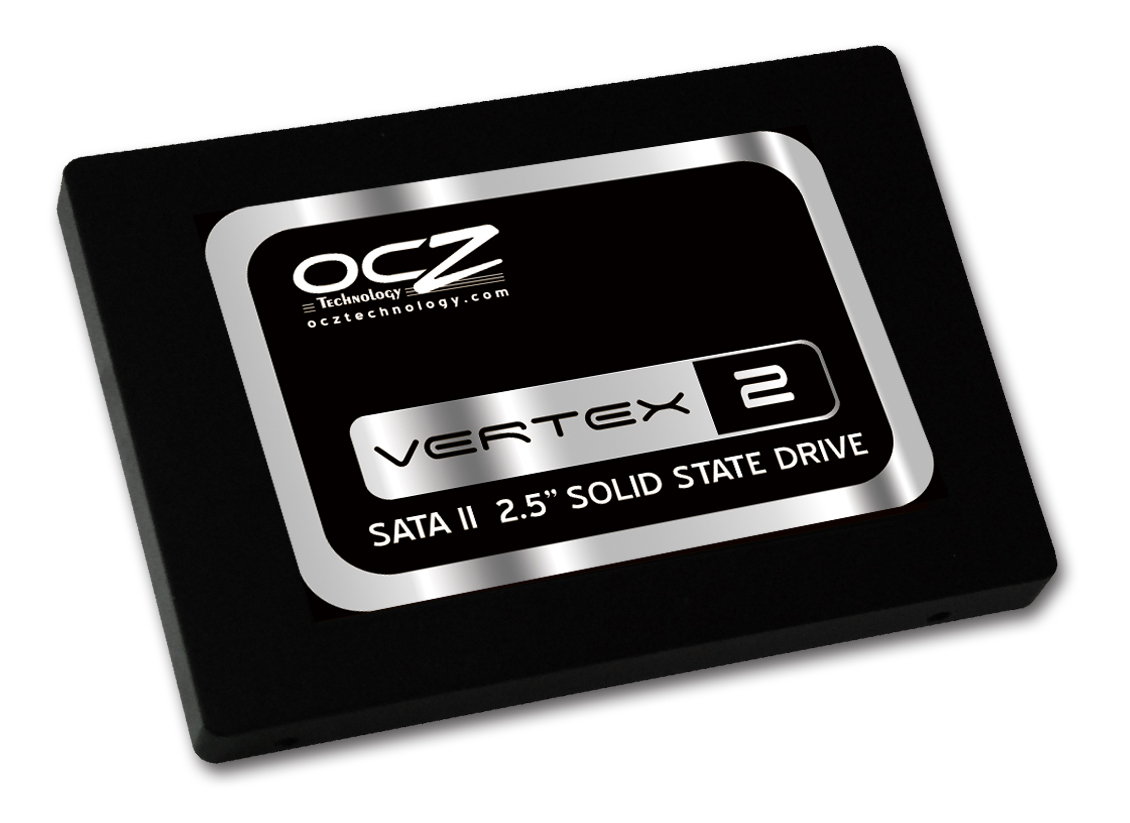
OSZ Vertex 2

Originally uploaded by FransBadger

I have now OSZ Vertex 2, a 240 GB SSD drive, installed into my main workhorse, the Sony Vaio Z31WN, and I have to say I am impressed. The laptop feels totally different, much faster, more responsive — a system shutdown that could take minutes (or never complete totally) happens now in a few seconds. Much of the stability, speed and better user experience is related to the OS change: along with the new hard drive, also the old Vista was replaced with Windows 7, 64 bit ultimate/enterprise edition. But the step into solid state disk is nevertheless a major one. There is new life in the old machine. I have not yet tested the new setup completely, and there were areas like getting the 3G Gobi drivers to work with my Finnish operator’s network that were rather difficult (I ended up using the “WebToGo OneClick Internet” utility). And getting the old hard drive replaced with the new one is very difficult without professional help due to the complex Vaio Z series internals, so I cannot recommend this is as a DIY project. But having an SSD as the main memory device is clearly the way of the future for mobile computing.

The most amazing 450 page presentation ever

I used to think Google Docs was a pretty limited tool; after seeing this, I do not think so any more (at least in much more skilled hands than those of mine). Something put together by three animators working together at Google’s Demo Slam project:

OCZ Vertex 2

My work laptop is slowly but gradually getting slower, and with Vista, the power management and battery duration are not the best either. As one solution, installing SSD (solid state) hard-drive should get a system a boost. We have put in an order for OCZ Vertex 2 250 GB model, lets see when it arrives how installing it to Sony Vaio Z31 turns out, will keep you posted.

OCZ Vertex 2

Link: http://www.ocztechnology.com/products/solid-state-drives/sata-ii/2-5–sata-ii/performance-enterprise-solid-state-drives/ocz-vertex-2-sata-ii-2-5–ssd.html

ZTE Blade & Android


ZTE Blade & Android

Originally uploaded by FransBadger

I haven’t owned an Android phone before, but I decided to give it a try as Saunalahti/Elisa (a Finnish telcom operator) provided a nice deal with an unlimited dataplan, and I needed one for my iPad. They even provided me with a micro-sim so that I could put the new sim into the iPad and use the phone with whatever sim I preferred (it was not operator locked). The phone, a Chinese thing called ZTE Blade, is an interesting gadget: it claims to have a 5 mega-pixel camera, but camera quality is pretty crappy. I have not yet managed to tweak the touch input into a setting that would really work well – either I am using wrong input methods (Android supports several), or the delay and sensitivity issues in the capacitive screen ruin the typing experience. On the other hand, Android links very easily with the Google services that I am already using, so my Google calendar and contacts were instantly synced as soon as I entered my account details. Gmail works fine, as well as Google Maps and other standard G-services. The standard browser is pretty ok, but since the WiFi is breaking down every hour or so (there is some reported bug in Android 2.1 in this, if I remember correctly), I try to avoid using it and continue to use my iPhone 3GS for pretty much everything online/Web. But: the phone is cheap (or free, if you are after the dataplan like I was), Android has a lot of different downloadable applications, and it provides more room for tweaking and hacking than iOS devices, for example. If that is what you are after, ZTE Blade might be an interesting thing worth checking out.