Quantified Self & Withings Pulse

Withings Pulse
Withings Pulse

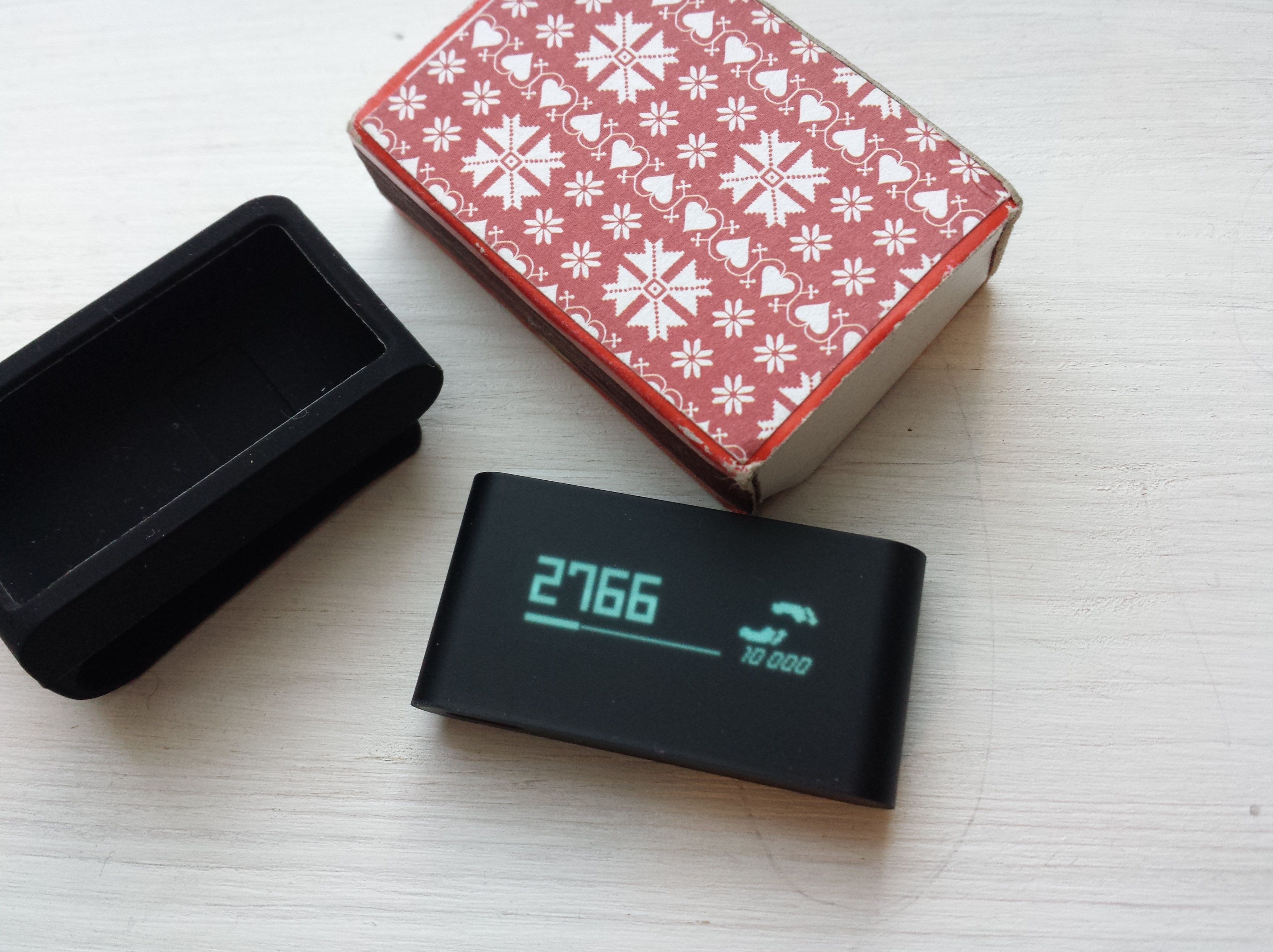
Pictured: Withings Pulse device, smaller than a third of a matchbox. – I have had my doubts about the “Quantified Self” movement (or just a vogue), but there are also some promising aspects in the concept of increasing information and awareness about your health and fitness. The obvious downsides include the potential for increased self-focus, obsession, stress, and data deluge. The (gamification-style) counter-argument is that when you get clear and immediate feedback on the relevant aspects of your life, it becomes more motivational, and it becomes easier to cajole yourself into doing stuff that you’d really want to do, in the first place.

Withings Pulse is the device that I am testing at the moment. Small, 8 gram marvel of miniaturization, it has sensors to measure movement, elevation, acceleration and many similar things — it even has a heart rate monitor that can be used to capture heart beat values every now and then — and connects via bluetooth to the smartphone app few times a day so that you can get nice, illustrative graphs and stats from the free Withings app. Withings is one part of the mushrooming new health data industry, with scales, blood pressure monitors, baby monitors as well as activity trackers in its connected-devices ecosystem. For a user, the crucial question is how well the supposed use style of these smart things actually fits with one’s lifestyle. Simply carrying the passive measuring device in your pocket is not too much a burden, but in order to fully benefit from this technology, one really should regularly start and stop the sleep recorder, step to the smart scale for body monitoring, then remember to set the relevant apps and sensors in the correct configuration, depending on whether one is following a particular training program, or just tries to see how many steps one takes during a regular working day.

It is perhaps too early to say how mainstream these technologies will become, in the end. But I see signs of a science-fictional future emerging: one where we are constantly getting readouts about the (previously pretty opaque) internal doings of our bodies, and personal health assistants alarming us in good time before any life threatening issues have time to develop. It is important also to keep track on how the individual freedom, protection of privacy and the voluntary character of such, highly sensitive data collection will work out in the future “culture of transparency”.

Link, Withings Pulse web page: http://www.withings.com/pulse

Contextual apps

S4 with the Cover app lock screen

There are digirati who claim that the era of contextual apps and services is here and that it will transform our daily lives (the recent, app-cataloguing book Age of Context by Robert Scoble and Shel Israel is one example). Since the mobile media experimentation and development really took off in the late nineties, there has been much talk and few real breakthroughs in this area. However, some recent developments have brought the “contextual revolution” a bit closer to reality. Particularly all the information industry giants like Google and Apple are collecting is making it easier to use algorithms and sensor data to identify various locations and provide estimates on what the user would be interested in doing in that particular spot. I have been test driving e.g. Cover, the contextual lock screen app, and Aviate, the contextual home screen app (currently in beta) in my Android device (Samsung Galaxy S4). While there is obvious promise in making the mobile operating system and user experience more adaptive, providing the most used applications in my particular locations seems still a bit hit-and-miss affair for these apps, at least. I suppose they will get better by learning from what I am actually doing, but currently I end up manually configuring the app shortcuts in the various “Spaces” that Aviate serves me, for example. And that is not exactly making the life easier than having a static home screen where I can immediately find my most used apps, always reliably in the same place. Having this “lively interface” where things are dynamically moving around can be also confusing, so my mind is stil divided about the actual usefulness of this, first generation. But I can definitely see that this kind of functionalities could come built-in some of the next versions of Android, for example. When these services start to know you better than yourself, the holding power of such apps can obviously grow to remarkable (or frightening, depending on the perspective) degrees. A really insightful recommendation system can really affect your behaviour (think about all those Amazon.com recommendations, for example), and when something similar is always making suggestions to you while you are going around and deciding upon the directions and activities in your daily life, the effect is potentially vastly greater.

Links:

Smaug the Movie

I saw Hobbit 2 (Desolation of Smaug) yesterday. It was a bit perplexing experience, thereby worth a short note at least. On one hand, it was a decent fantasy action movie, filled with impressive landscapes and striking visualizations (I saw the 3D HFR version). As to this being part of Hobbit, there was a bit of a challenge to adapt the expectations. There was a hobbit, a wizard and thirteen dwarves ok. Smaug, the dragon itself was also impressive and parts of its dialogue with Bilbo were actually something that Tolkien had written – I think it pretty much steals the show. But most of what was going on was not familiar dialogue. An old, cranky Tolkien-fan could judge the movie just on the basis of its taking too many liberties with the source material. I actually appreciate the effort to explain, for example, why Gandalf and the dwarves set into the hazardous journey to the Lonely Mountain in the first place (hint: war against the rising Darkness, the Arkenstone). The ethically suspicious character of our “heroes” sneaking in to the mountain, waking the dragon, and then cowardly waiting while Smaug hits the mountainside, then flies to burn down Esgaroth, the Lake-town. In this version they actually put up a rather decent fight against the mighty dragon, which is entertaining to follow, but not exactly the most realistic battle in the film history. (I think that the brave handful would probably survived only a few minutes if Smaug would have been himself…) The character of elves is perhaps the most inconsistent element in this version. Thranduil, the Elvenking of Mirkwood is a made into a pretty nasty person, and this relates to Legolas, who is introduced into Hobbit (as we learned from Lord of the Rings that Legolas was king’s son). Then there is Tauriel, the new female warrior character who has to carry the burden of being the love-interest of not only Legolas, but also of Kili, the dwarf! The orcs are also made into much active party, and they actively pursue Thorin and his companions first into the gates of Elvenking (I wonder how they made it there unnoticed?) and then deep inside Esgaroth, where they attack the house of Bard, where Bard’s children are treating dying Kili (hit by an arrow with a Morgul blade, of all things). When Legolas and Tauriel arrive to recue at that very moment, the poor Tolkien fan has lost almost all track of where this story is heading.

There are stuff in the Appendices of LoTR that provide interesting materials to explore, and it is clear that Peter Jackson & co. have made good use of it, while filling in some of the most obvious gaps between the Hobbit and LoTR. The stylistic challenge nevertheless remains – this is a children’s book, after all, here adapted to become a much more somber tale of ambition, empathy, greed and hunger of power, and it only just about sticks together as a logical whole. Sometimes I wonder what Jackson would make out of Silmarillion, if he would get the filming rights to that, truly epic treasure trove of material. But watching Hobbit: Desolation of Smaug makes one suspect that such film would over-emphazise the action elements so much that the more philosophical and lyrical elements would be severely downplayed. And that would be a real shame. But, I must underline, Hobbit 2 is pretty ok as an action fantasy movie, one just perhaps needs to adapt one’s expectations a bit.

Blog comment spam

For a long time already, pretty much the only comments that my blog sites receive are coming from spammers. I have the setting that all new commenters’ comments go for moderation, and I manually delete them all, so they do not serve any purpose for a spammer, either. The original character of blogs as social sites of discussion have long been replaced by social network services, most notably by Facebook, Twitter and Google+. These days, the comments that a note like this one receives, take place in these various services, where original content is being linked to, “liked” and circulated. This is not a particularly good thing if you consider gathering together the various discussion threads, or would like to return to those comments at some point in the future. All those comments will be lost in the constant status update stream of social media, unfortunately. I am now seriously considering closing the comment function altogether from my blogs, and will most likely implement this change in the near future. It will be possible to send me comments via email, of course, and my preferred social network site for public discussion today is Google+ (there are links to my profile in this blog), but any comments, in any platform, are really welcome.

Tablets, the Next Generation

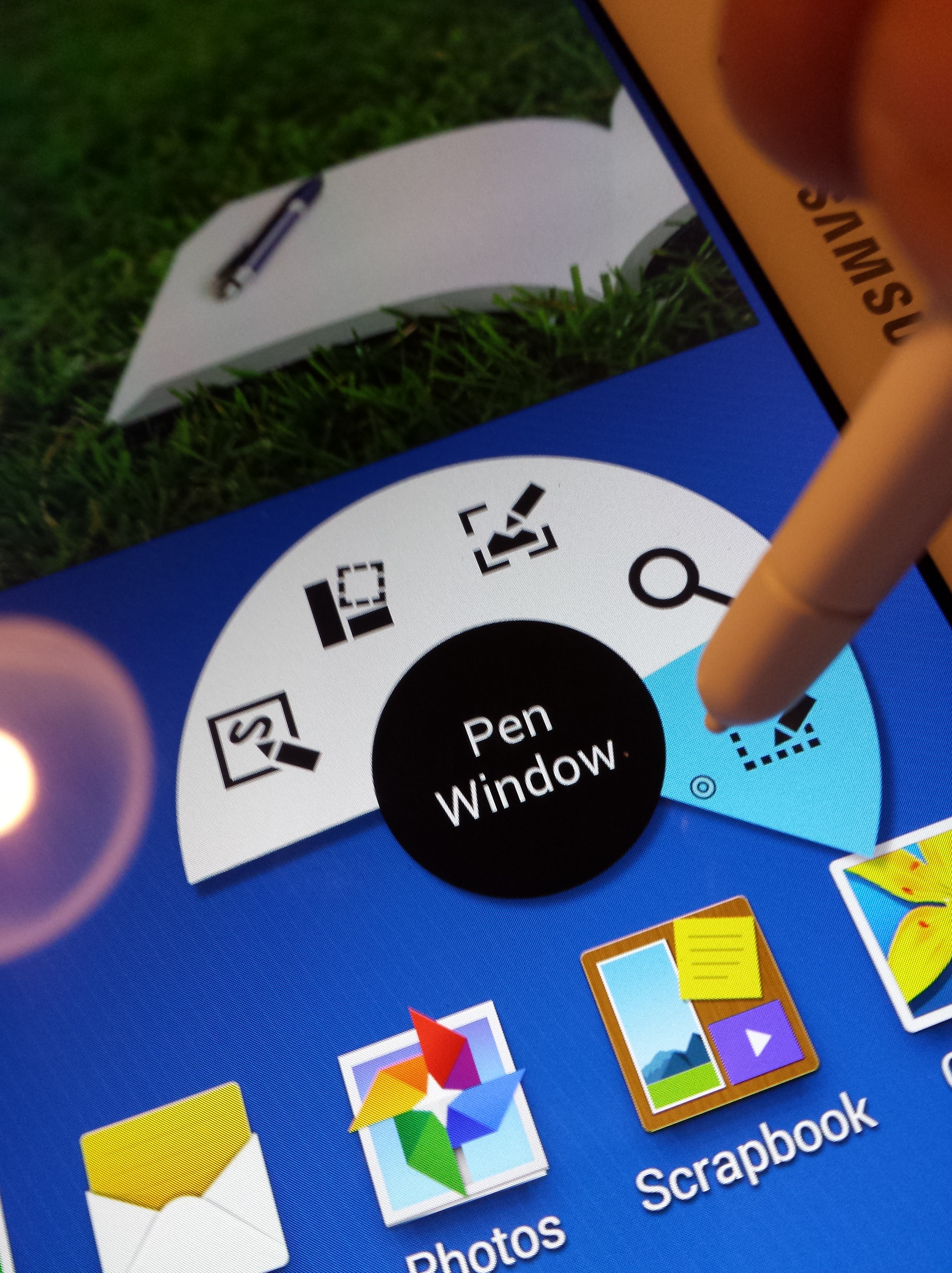
Samsung Galaxy Note 10.1, with S Pen

I have been testing two very good tablets recently: iPad Mini with Retina Display (Cellular) and Samsung Galaxy Note 10.1 (2014 Edition, LTE). In principle I would say that if you already are using a large-screen, phablet-style smartphone (like the Samsung Galaxy S4 I am using daily), and also carry around a powerful and light-weight laptop for the serious work stuff, tablet has a rather tight spot to cover. It is mostly too large to fit into your pocket (maybe a 7″ model like Nexus 7 can do that, however) so it not always available in the same way your smartphone is. And since the tablet does not have a full, dedicated keyboard and multitasking-oriented OS like your laptop has, it is not as efficient in the actual work, either. What to think about the continuing success of tablets, then?

When Apple introduced the original iPad, there were many who were sceptical about the actual benefits of again introducing the third, “middle category”, and there had been previous attempts to implement and market tablet computers and those had not been particularly successful. Apple’s virtue has been in the combination of extremely polished user experience with straightforward access to the key contents that most people actually care about. iPad proved that music, movies, photos, web and email can be rather well be handled also with a responsive, nicely designed tablet device.

iPad Mini with Retina Display continues the tradition of design excellence in Apple products. It is absolutely one of the most beautiful products of industrial design I have ever beheld. The care to the detail is admirable, and it is pleasure to touch and study this mini marvel. I have also been testing the new iPad Air and the new Mini has all the bells and whistles like its bigger brother, and it also boasts the same display resolution, just squeezed into significantly smaller frame. (There are some rather minor differences in processor power and in colour accuracy, in addition to size, to iPad Air’s benefit.) The iOS app ecosystem is the best in the mobile universe, and this concerns particularly the quality of applications. Many of the best iOS apps are just pleasure to use, so most games, lifestyle and productivity apps work best in the iOS environment. The main limitations, however, are at the growingly clear lack of innovation: iOS7, the newest version of Apple’s mobile operating system is prettier and in some areas clearly better than older versions of iOS. But the live titles and more flexible control scheme of Windows Phone provide more information at a glance, and Android is much more flexible and comes in myriad variations, with tools that a power user in particular can appreciate.

Google’s Nexus line of “stock Android” tablets and phones is perhaps the best example of the benefits that a modern mobile OS can provide, but there were important reasons why I wanted to turn my attention to a Galaxy Note this time. Most important of them was the “S Pen” stylus and its associated operating system enhancements.

Samsung’s S Pen is equipped with the state-of-the-art technology by Wacom, long-time leader in stylus and digitizing solutions. It is fascinating to see the fast reaction of tablet to the approacing tip of the small stylus, and writing and controlling of the tablet is effortless with the S Pen. It feels nice to be able to scribble handwritten text into a search box or straight into a document, and see the software automatically recognise and transform it into text. With Galaxy Note 10.1, I can take a PDF contract document, sent my a publisher, for example, and simply sign it with the S Pen, and email it back. This kind of common task has involved frustratingly complex negotiations between the hybrid worlds of print and digital documents, and now, with the help of S Pen and the magic of Evernote Skitch (a premium, paid feature), annotating PDFs is finally made natural and easy.

The downsides of Android’s increased capabilities include that often there is higher threshold of learning all the various features that manufacturers have made available to the user. iPad and its apps usually do less, but do it better. When I want to play games or consume content, I definitely lean more towards iPad Mini or iPad Air than an Android device. But when I today consider which device to pack with me for that next work trip, the choice is much harder. There is much B-quality bloatware and superfluous stuff in Samsung’s tablet, but also some really unique and genuinely useful features that make the life of a power user much easier. It is difficult to say what will be the outcome of the mobile competition in the long run, but the latest generation of tablets provide delightful and great user experiences, making a compelling case for the continuous existence of tablets as a device category.

MacBook Pro

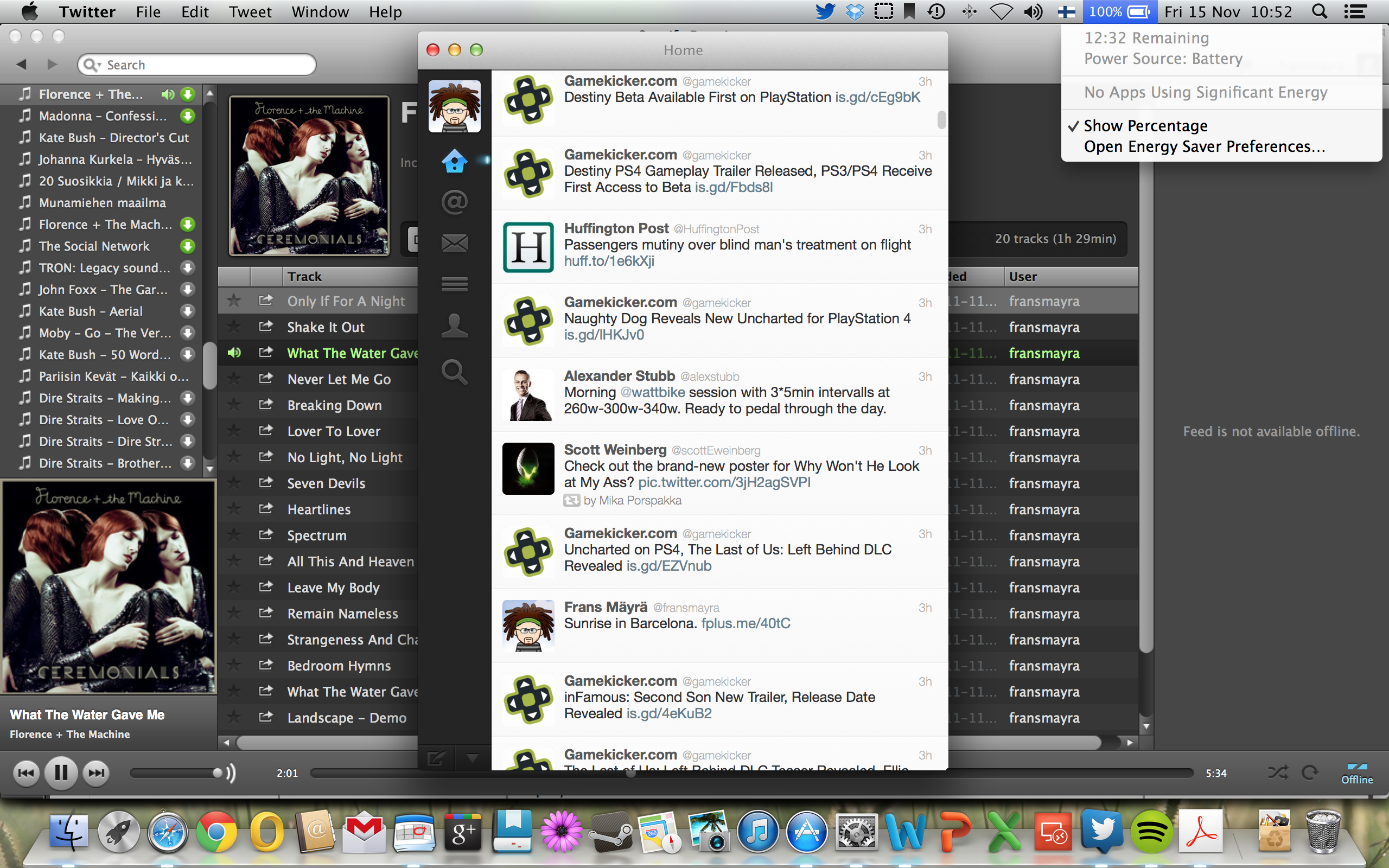
The battery life of the new, Haswell+Retina display version of MacBook Pro is pretty wonderful. The Engadget tests marked it at 11 hours 18 minutes run life, and while I was today working in the airplane with Wi-Fi turned off, it promised to deliver even more.

Screenshot, MacBook Pro battery life

Mac is not a perfect thing, of course. I have got my share of kernel panic/crashed apps (Steam, for example), and the first thing when out of box, this thing had was to completely hang up the touchpad and keyboard (there was a fix by Apple for that particular bug). But there are clear benefits of manufacturing hardware in intimate connection with the software, like this battery example proves. In the Windows ecosystem it is difficult to achieve anything similar, since no one one party controls the hardware, applications and drivers that make all of them come together. There is much less choice, and OS X is very much a “walled garden”, but if you are willing to take the leap, there are clear benefits to reap. Now, if I only could re-educate the 20 years of muscle memory to reprogram new keyboard shortcuts to come automatically from my fingers…

Vivobook SSD upgrade

My ASUS Vivobook X202E is an excellent little machine – I really appreciate it’s compact form factor, good keyboard and bright multitouch screen. However, with the slow HDD, display driver and processor it has also its clear limitations. There is not much I can do with the processor or display driver – the reality is that as more and more of people will adopt laptop computers as their primary home PCs, rather than desktop ones, the fixability and maintainability of ICT keeps going down. However, I wanted to try upgrading the HDD into a SSD, since there was evidence online that this could be done.

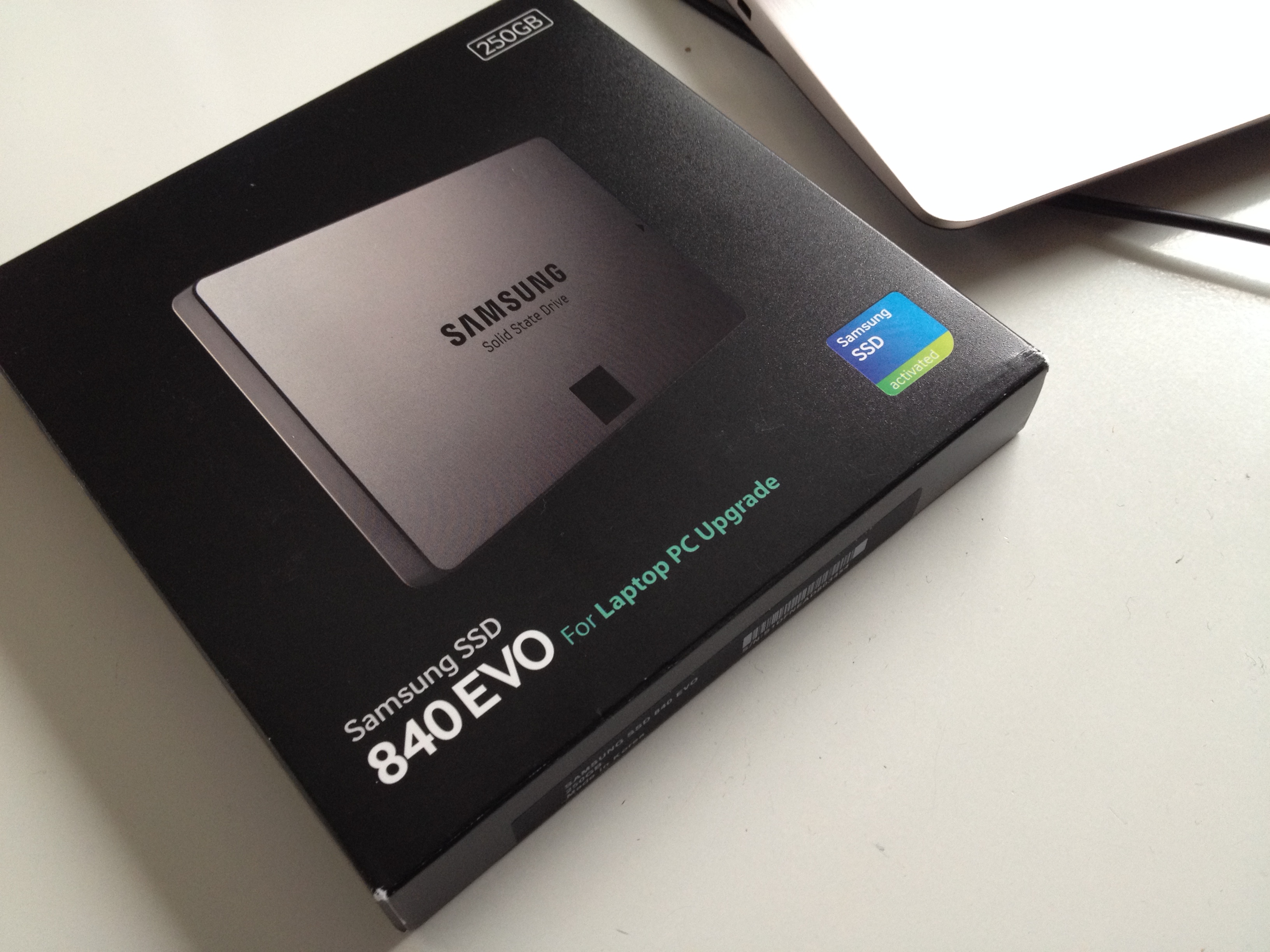
The first choice concerned identifying the right Solid State Drive to fit the purpose. Samsung’s 840 EVO series was finally an obvious choice, since it was 7 mm thin, so it did fit physically, it was rather fast, and also optimized in terms of power efficiency, so that it did suit the purpose as a laptop upgrade. I picked the 250 GB version, while being tempted also with the 500 GB one; I did consider the cost, however, still being prohibitive in the larger model. Smaller than 250 GB on the other hand did not make sense in terms of fitting in my OS, applications and the necessary working documents.

Samsung 840 EVO SSD
Samsung 840 EVO SSD

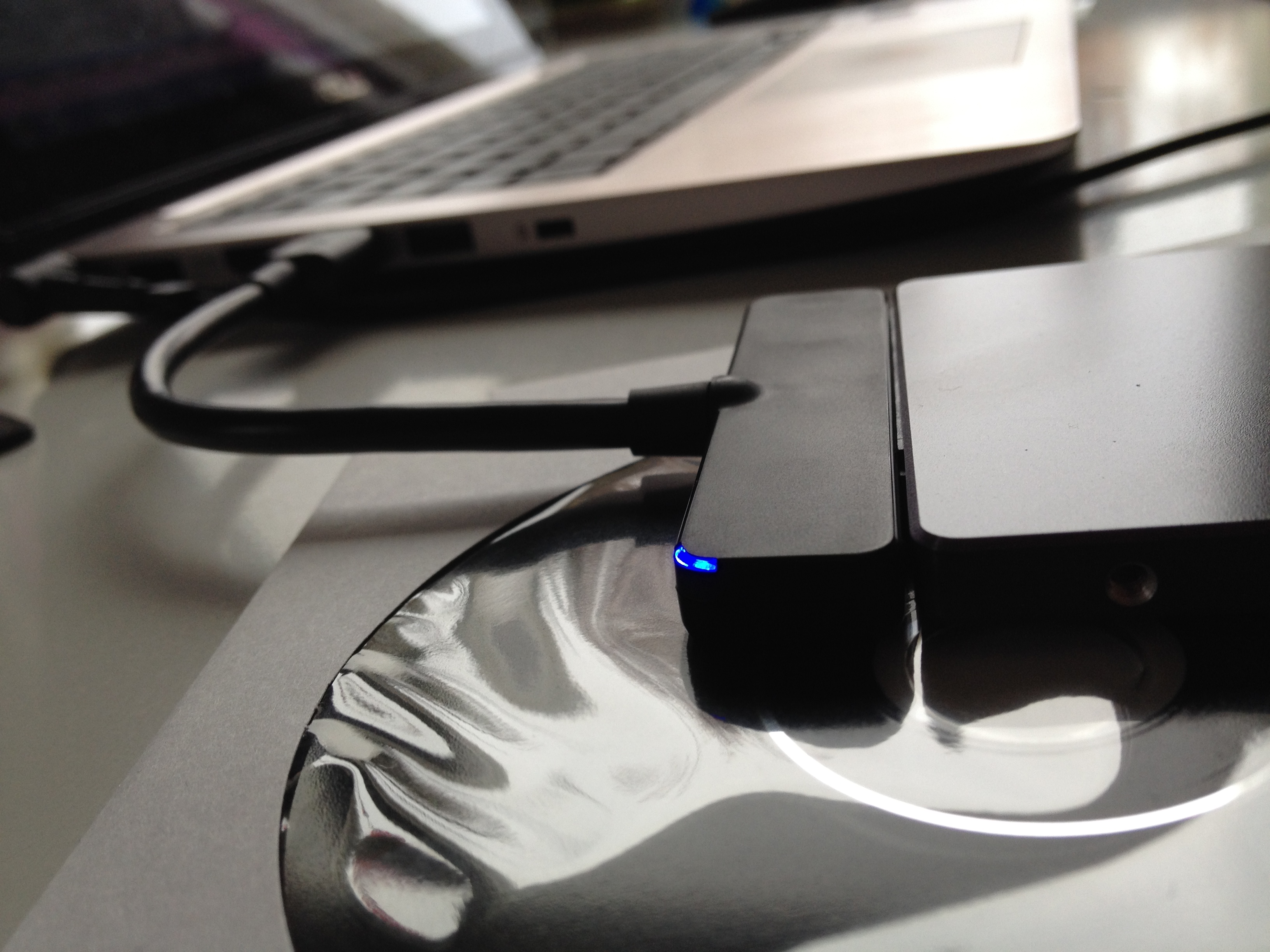
The first steps involved re-partitioning the original HDD so that it could be cloned to the SSD. I removed all data that I could later sync from our home server or from the cloud services, deleted the data partition entirely, and tried moving the recovery partition to the middle of the disk. I installed and used the free version of “EaseUS Partition Master” (be careful to deselect all freebie crapware options during its installation, though). As to the actual data or disk cloning, Samsung EVO SSD comes with the necessary SATA-USB3 adapter cable and “Samsung Data Migration” software that seemed to do it job (I have not yet tested the recovery partition, though, so I am not sure whether it made through the cloning). But the new SSD disk boots, it is recognized automatically by the UEFI (Windows 8 BIOS system), and the Windows as well as Office 2013 installations still authenticate as legitimate.

Samsung 840 EVO SSD
Samsung 840 EVO SSD

If your goal is not to clone the old system with its Windows 8 Starter Edition, but rather to install another, more featured OS, Linux, OS X or some multiboot setup, then I recommend doing some further research before going ahead with the SSD operation. People have had mixed success and you need to start by disabling UEFI, disabling “Secure Boot”, then enabling “Legacy Boot” in the BIOS. I am also not sure whether e.g. Linux will have all the drivers to get the touchscreen, touchpad, hotkeys and all the other features working as intented – but I am interested to hear about the experiments in those directions.

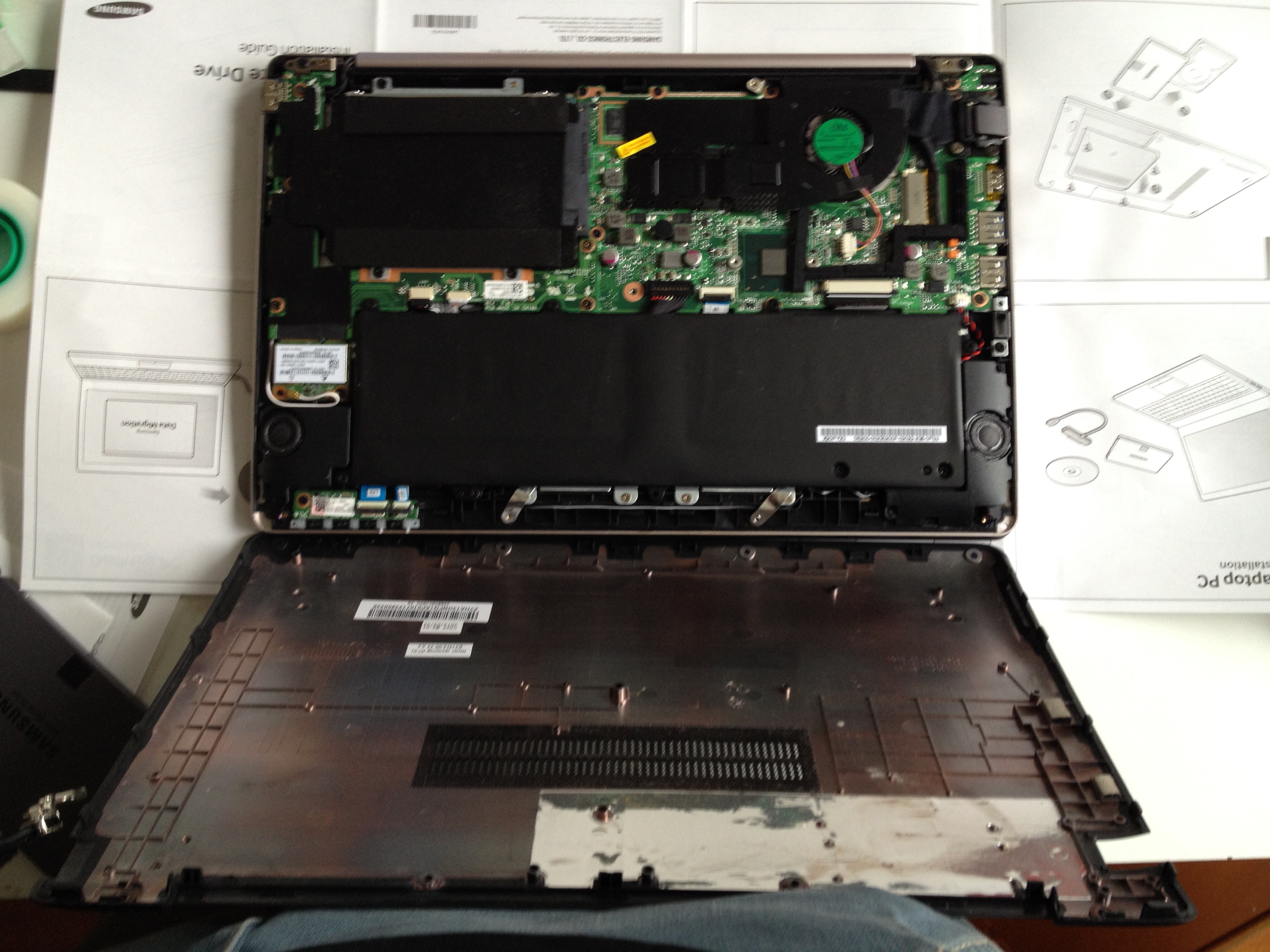
Opening the case of Vivobook

As to the actual physical part of opening the Vivobook, removing the old HDD and installing the SSD, there is a good visual guide by Neil Berman here: http://www.durhamcomputerservices.com/theonbutton-blog/asus-vivobook-x202e-s200e-q200e-ssd-hard-drive-upgrade.html

Opening the case of Vivobook

After putting everything back in, the reboot will kick Windows into a prolonged startup phase during which it will apparently install some SSD related drivers or settings. I did also install and run the “Samsung Magician” tool, which claims to provide various optimization options for running the Windows OS over a SSD.

The actual speed gain is noticeable, and the relevant figure in the Windows experience index showed the rise from c. 5 to over 8 when tests were re-run after the SSD installation. But this will not of course magically trasform the 500 euro budget laptop into a 1500 euro ultrabook. The slow processor, bit clumsy form factor, lack of keyboard backlight – all those issues still remain. But the upgrade will definitely make the Vivobook more usable and responsive, which was the main goal at least in my case.

Vivobook X202E with Samsung 840 EVO SSD

Vaio Z3 Windows 8 upgrade

I did the Windows 8 upgrade to my workhorse Vaio Z3 (short for Vaio, Z Series, 3rd Generation) today. My experiences from testing with the Asus Vivobook had been mostly positive, and as I had started getting bluescreens to Windows 7 in Vaio, it crashed if it went to sleep mode, the PMD discrete Radeon card was no longer recognised, etc., it would had been necessary to reinstall its OS in any case.

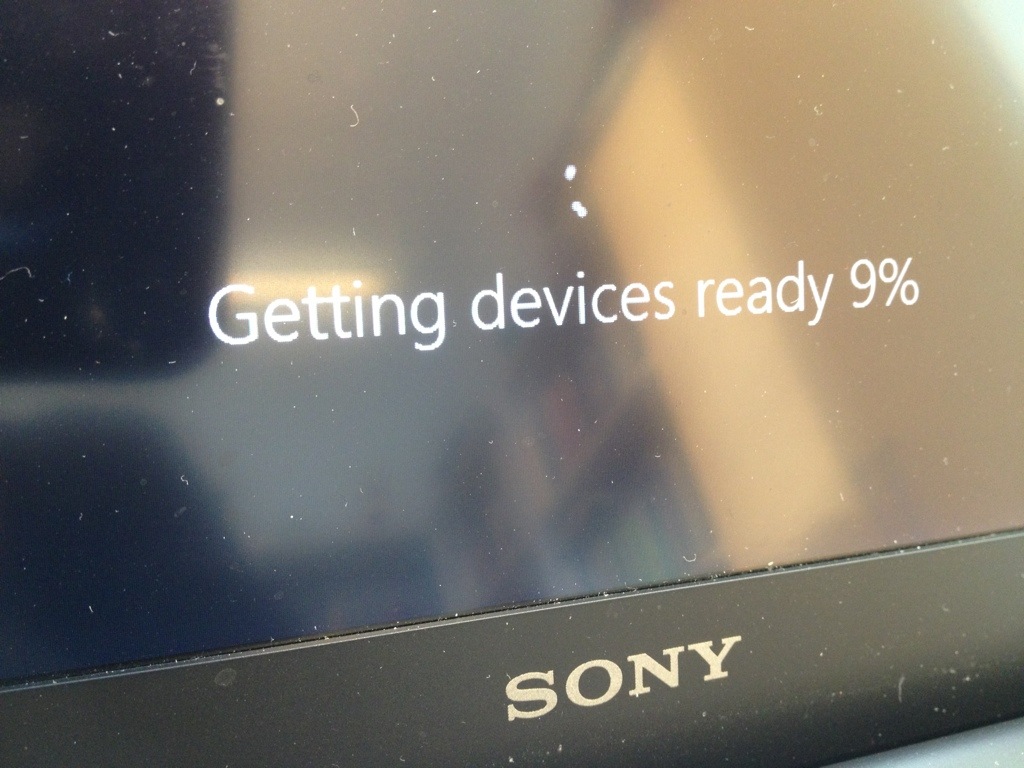
It was necessary to unplug the PMD during the installation, as that peripheral meant that Windows 8 would get stuck into the adding devices phase. And that meant borrowing another external DVD drive to access the installation media from, but otherwise the process was pretty straightforward. Some drivers had to be removed prior to installation and loads of drivers for Windows 8 were available from the Sony support page for Windows 8 upgrade. The only thing missing was the display driver for the hybrid Radeon/Intel display system Vaio Z3 is using. I try to post the link for that later, it is an unofficial beta thing, but seems to work fine with the PMD.

20130118-181953.jpg

Windows 8 is for touch (Vivobook X202E)

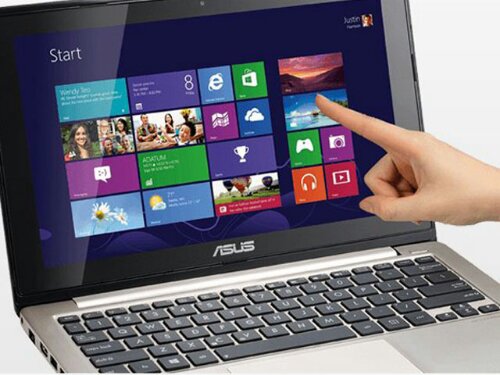
I just placed an order for Asus Vivobook X202E – a small and affordable, touchscreen-enabled Windows 8 mini-laptop. This will be an upgrade to the Samsung N220 netbook I got in March 2010. Windows 8 does not make much sense without touchscreen, and it’s success will be related to how fast people will move to hybrid, touch-enabled paradigm. Working (at home) with the Vivobook should provide opportunity for some experimentation. Its battery is not good enough for serious on-the-road use, but for home it should be ok, we will see…

X202E is not a high-end device, but if you update the touchpad driver and do a few other tweaks, it should be enough for most things. There are good tips in the Amazon.com reviews: http://www.amazon.com/VivoBook-X202E-DH31T-11-6-Inch-Touch-Laptop/product-reviews/B009F1I1C4/

image

Pervasive Media without Borders

Having spent some time travelling to the other side of the world recently, I have come to think about the role of Internet, content and technology a bit differently than before. The key lesson has been how useless the promises of various media and service ecosystems are, if you cannot access them. You might have bought access to a streaming media service that would be really useful for you and your family while you are away from your friends and family, but you cannot use it, since streaming media is just extremely expensive. Or you might go out and buy a DVD or Blu-ray, but you cannot play it on your device, since it is coming from another “Area” than that of the content you just bought. It is no matter if you try using your iTunes content, something that you could buy from Google Play, or from Microsoft – all those shiny devices and smart services are inherently fragile, dependent on whether there is an open Wi-Fi hotspot somewhere (probably with a 50 megabyte/30 minutes download cap), where you could try to make them run for a moment.

Having to admit that living with unlimited Internet broadband in a well-connected Western country definitely frames this issue as a “First World Problem”, but the lack of a global, pervasive Internet backbone is an issue larger than that. As long as our network technologies are based on high-speed access that is restricted to few urban centres, the true usefulness and radically democratizing potential of Internet and connected services remains limited at best. We need much more ambitious endeavours to get the entire planed connected: this is an issue that can be backed up by commercial, political and even ecological reasons. Establishing solid, reliable links between people living in their villages in the South and the North as well as in the East and the West, can promote local empowerment as well as global collaboration and exchange that is qualitative leap over the current situation.

Satellite data is prohibitively expensive today, but if the initiatives in this area would be given a high enough priority, there is no stopping us having a truly networked world where the global “infosphere” of sharing and communication would be available on equal basis, regardless of the geographical location.

Merry Christmas and Happy New Year to all readers of this blog!