There are digirati who claim that the era of contextual apps and services is here and that it will transform our daily lives (the recent, app-cataloguing book Age of Context by Robert Scoble and Shel Israel is one example). Since the mobile media experimentation and development really took off in the late nineties, there has been much talk and few real breakthroughs in this area. However, some recent developments have brought the “contextual revolution” a bit closer to reality. Particularly all the information industry giants like Google and Apple are collecting is making it easier to use algorithms and sensor data to identify various locations and provide estimates on what the user would be interested in doing in that particular spot. I have been test driving e.g. Cover, the contextual lock screen app, and Aviate, the contextual home screen app (currently in beta) in my Android device (Samsung Galaxy S4). While there is obvious promise in making the mobile operating system and user experience more adaptive, providing the most used applications in my particular locations seems still a bit hit-and-miss affair for these apps, at least. I suppose they will get better by learning from what I am actually doing, but currently I end up manually configuring the app shortcuts in the various “Spaces” that Aviate serves me, for example. And that is not exactly making the life easier than having a static home screen where I can immediately find my most used apps, always reliably in the same place. Having this “lively interface” where things are dynamically moving around can be also confusing, so my mind is stil divided about the actual usefulness of this, first generation. But I can definitely see that this kind of functionalities could come built-in some of the next versions of Android, for example. When these services start to know you better than yourself, the holding power of such apps can obviously grow to remarkable (or frightening, depending on the perspective) degrees. A really insightful recommendation system can really affect your behaviour (think about all those Amazon.com recommendations, for example), and when something similar is always making suggestions to you while you are going around and deciding upon the directions and activities in your daily life, the effect is potentially vastly greater.
I have been testing two very good tablets recently: iPad Mini with Retina Display (Cellular) and Samsung Galaxy Note 10.1 (2014 Edition, LTE). In principle I would say that if you already are using a large-screen, phablet-style smartphone (like the Samsung Galaxy S4 I am using daily), and also carry around a powerful and light-weight laptop for the serious work stuff, tablet has a rather tight spot to cover. It is mostly too large to fit into your pocket (maybe a 7″ model like Nexus 7 can do that, however) so it not always available in the same way your smartphone is. And since the tablet does not have a full, dedicated keyboard and multitasking-oriented OS like your laptop has, it is not as efficient in the actual work, either. What to think about the continuing success of tablets, then?
When Apple introduced the original iPad, there were many who were sceptical about the actual benefits of again introducing the third, “middle category”, and there had been previous attempts to implement and market tablet computers and those had not been particularly successful. Apple’s virtue has been in the combination of extremely polished user experience with straightforward access to the key contents that most people actually care about. iPad proved that music, movies, photos, web and email can be rather well be handled also with a responsive, nicely designed tablet device.
iPad Mini with Retina Display continues the tradition of design excellence in Apple products. It is absolutely one of the most beautiful products of industrial design I have ever beheld. The care to the detail is admirable, and it is pleasure to touch and study this mini marvel. I have also been testing the new iPad Air and the new Mini has all the bells and whistles like its bigger brother, and it also boasts the same display resolution, just squeezed into significantly smaller frame. (There are some rather minor differences in processor power and in colour accuracy, in addition to size, to iPad Air’s benefit.) The iOS app ecosystem is the best in the mobile universe, and this concerns particularly the quality of applications. Many of the best iOS apps are just pleasure to use, so most games, lifestyle and productivity apps work best in the iOS environment. The main limitations, however, are at the growingly clear lack of innovation: iOS7, the newest version of Apple’s mobile operating system is prettier and in some areas clearly better than older versions of iOS. But the live titles and more flexible control scheme of Windows Phone provide more information at a glance, and Android is much more flexible and comes in myriad variations, with tools that a power user in particular can appreciate.
Google’s Nexus line of “stock Android” tablets and phones is perhaps the best example of the benefits that a modern mobile OS can provide, but there were important reasons why I wanted to turn my attention to a Galaxy Note this time. Most important of them was the “S Pen” stylus and its associated operating system enhancements.
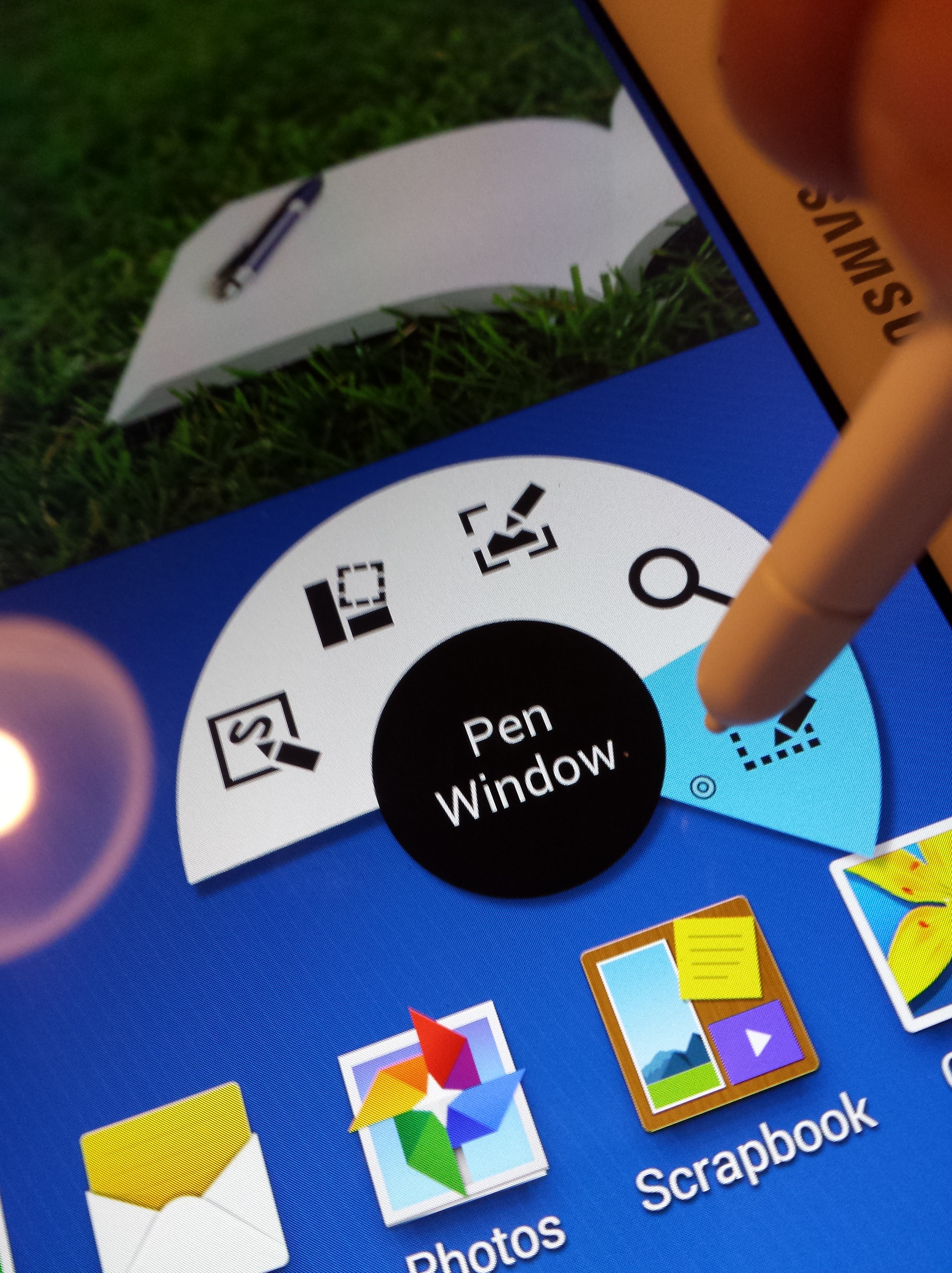
Samsung’s S Pen is equipped with the state-of-the-art technology by Wacom, long-time leader in stylus and digitizing solutions. It is fascinating to see the fast reaction of tablet to the approacing tip of the small stylus, and writing and controlling of the tablet is effortless with the S Pen. It feels nice to be able to scribble handwritten text into a search box or straight into a document, and see the software automatically recognise and transform it into text. With Galaxy Note 10.1, I can take a PDF contract document, sent my a publisher, for example, and simply sign it with the S Pen, and email it back. This kind of common task has involved frustratingly complex negotiations between the hybrid worlds of print and digital documents, and now, with the help of S Pen and the magic of Evernote Skitch (a premium, paid feature), annotating PDFs is finally made natural and easy.
The downsides of Android’s increased capabilities include that often there is higher threshold of learning all the various features that manufacturers have made available to the user. iPad and its apps usually do less, but do it better. When I want to play games or consume content, I definitely lean more towards iPad Mini or iPad Air than an Android device. But when I today consider which device to pack with me for that next work trip, the choice is much harder. There is much B-quality bloatware and superfluous stuff in Samsung’s tablet, but also some really unique and genuinely useful features that make the life of a power user much easier. It is difficult to say what will be the outcome of the mobile competition in the long run, but the latest generation of tablets provide delightful and great user experiences, making a compelling case for the continuous existence of tablets as a device category.
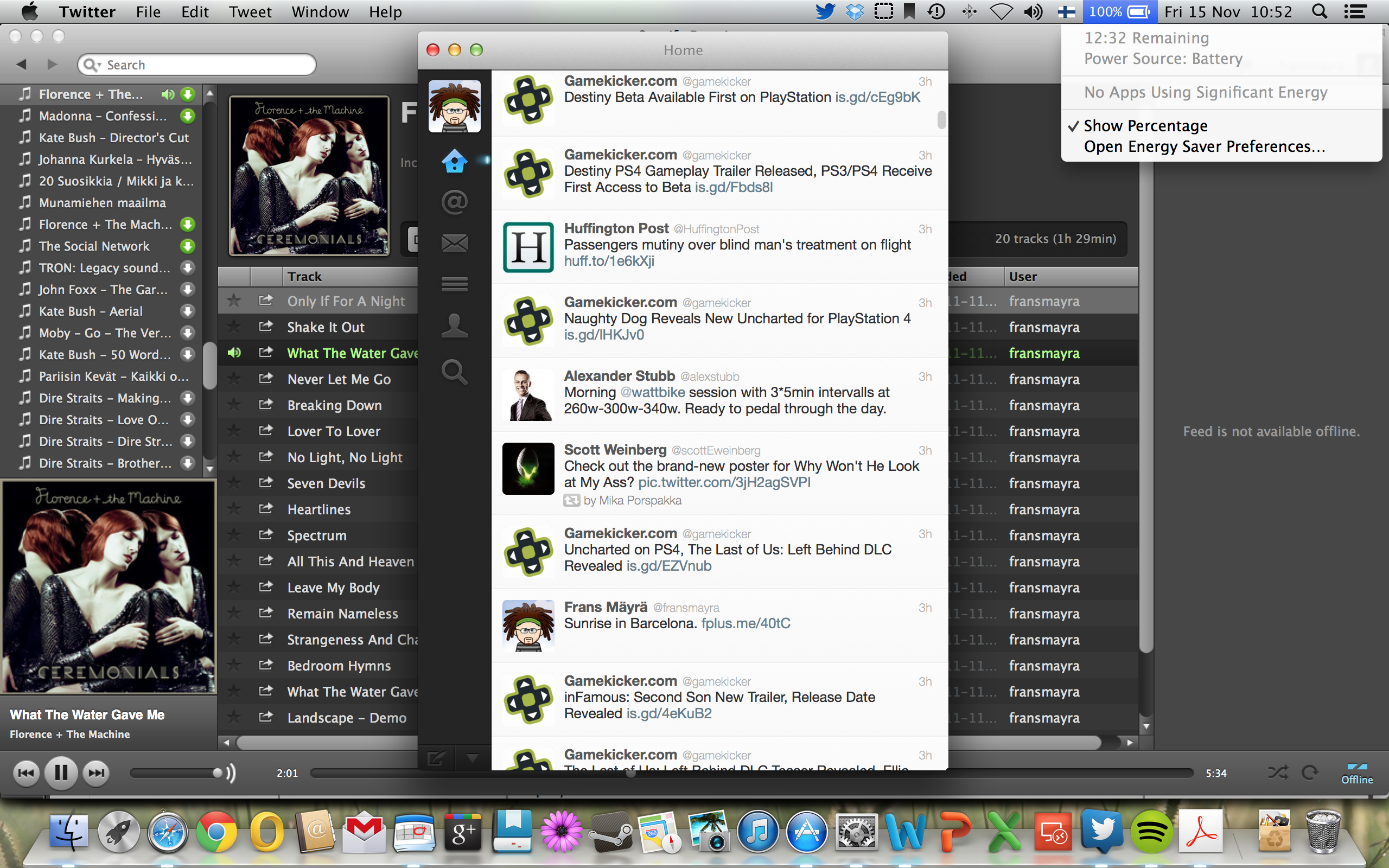
The battery life of the new, Haswell+Retina display version of MacBook Pro is pretty wonderful. The Engadget tests marked it at 11 hours 18 minutes run life, and while I was today working in the airplane with Wi-Fi turned off, it promised to deliver even more.
Screenshot, MacBook Pro battery life
Mac is not a perfect thing, of course. I have got my share of kernel panic/crashed apps (Steam, for example), and the first thing when out of box, this thing had was to completely hang up the touchpad and keyboard (there was a fix by Apple for that particular bug). But there are clear benefits of manufacturing hardware in intimate connection with the software, like this battery example proves. In the Windows ecosystem it is difficult to achieve anything similar, since no one one party controls the hardware, applications and drivers that make all of them come together. There is much less choice, and OS X is very much a “walled garden”, but if you are willing to take the leap, there are clear benefits to reap. Now, if I only could re-educate the 20 years of muscle memory to reprogram new keyboard shortcuts to come automatically from my fingers…
My ASUS Vivobook X202E is an excellent little machine – I really appreciate it’s compact form factor, good keyboard and bright multitouch screen. However, with the slow HDD, display driver and processor it has also its clear limitations. There is not much I can do with the processor or display driver – the reality is that as more and more of people will adopt laptop computers as their primary home PCs, rather than desktop ones, the fixability and maintainability of ICT keeps going down. However, I wanted to try upgrading the HDD into a SSD, since there was evidence online that this could be done.
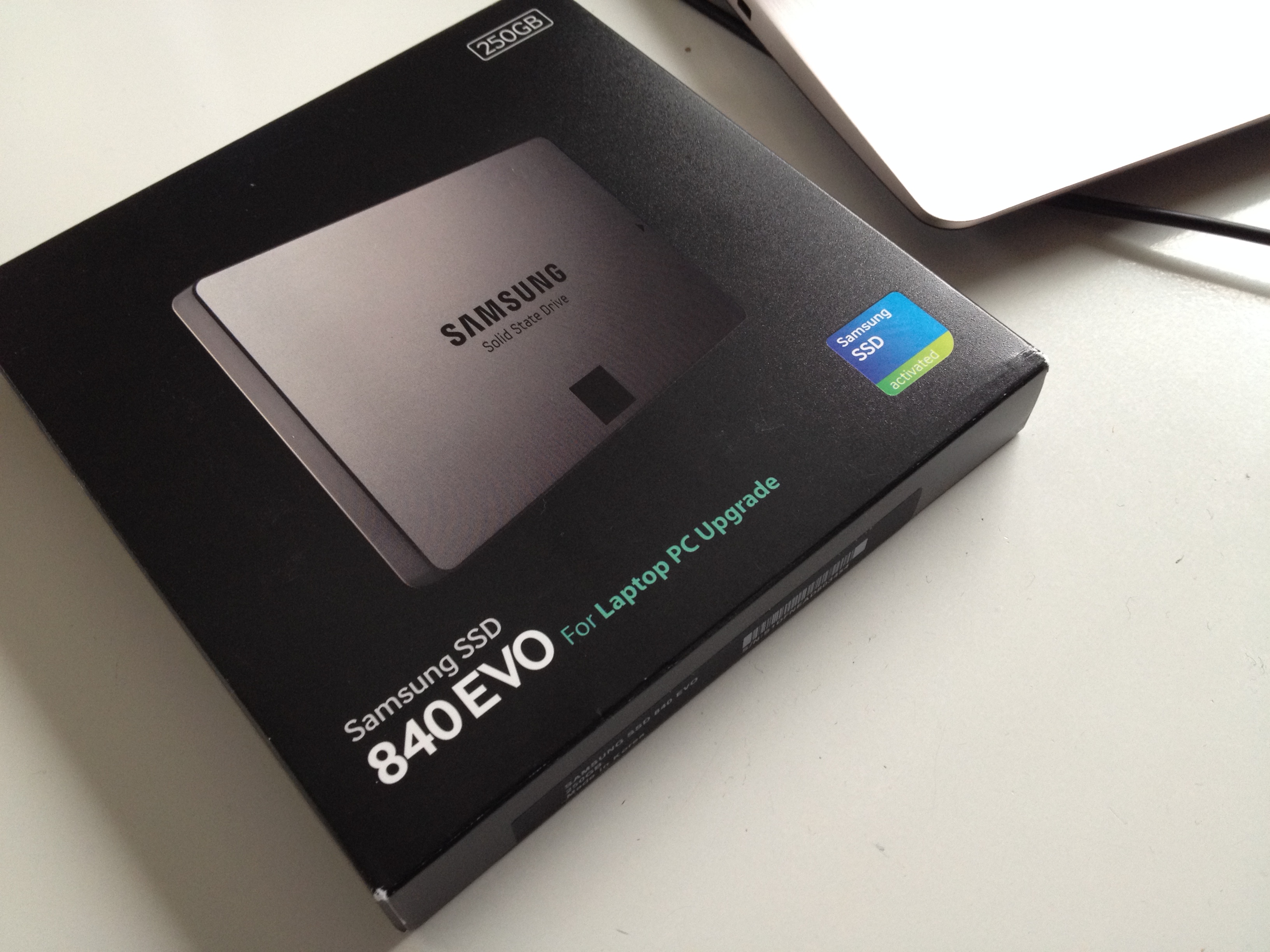
The first choice concerned identifying the right Solid State Drive to fit the purpose. Samsung’s 840 EVO series was finally an obvious choice, since it was 7 mm thin, so it did fit physically, it was rather fast, and also optimized in terms of power efficiency, so that it did suit the purpose as a laptop upgrade. I picked the 250 GB version, while being tempted also with the 500 GB one; I did consider the cost, however, still being prohibitive in the larger model. Smaller than 250 GB on the other hand did not make sense in terms of fitting in my OS, applications and the necessary working documents.
Samsung 840 EVO SSD
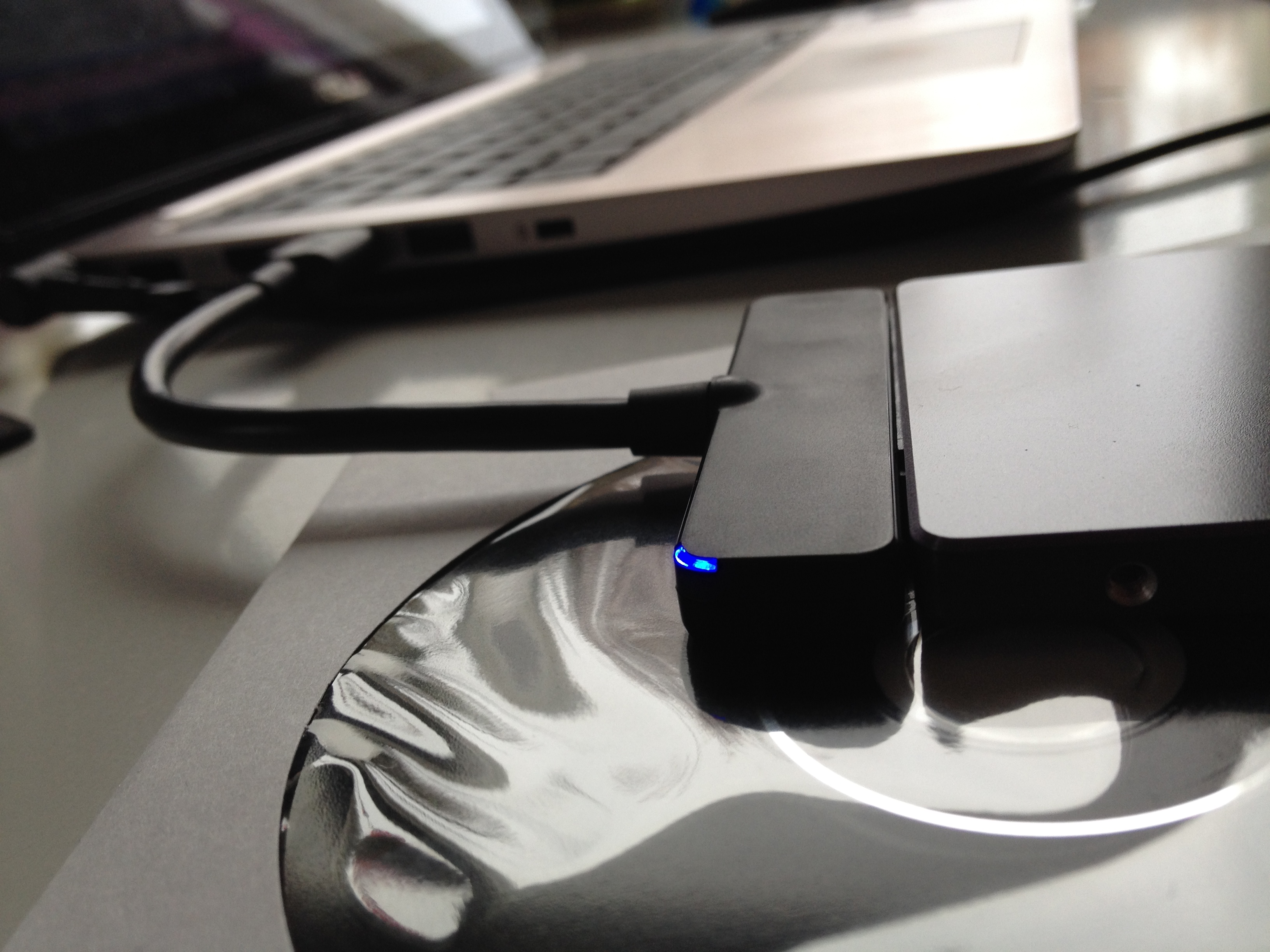
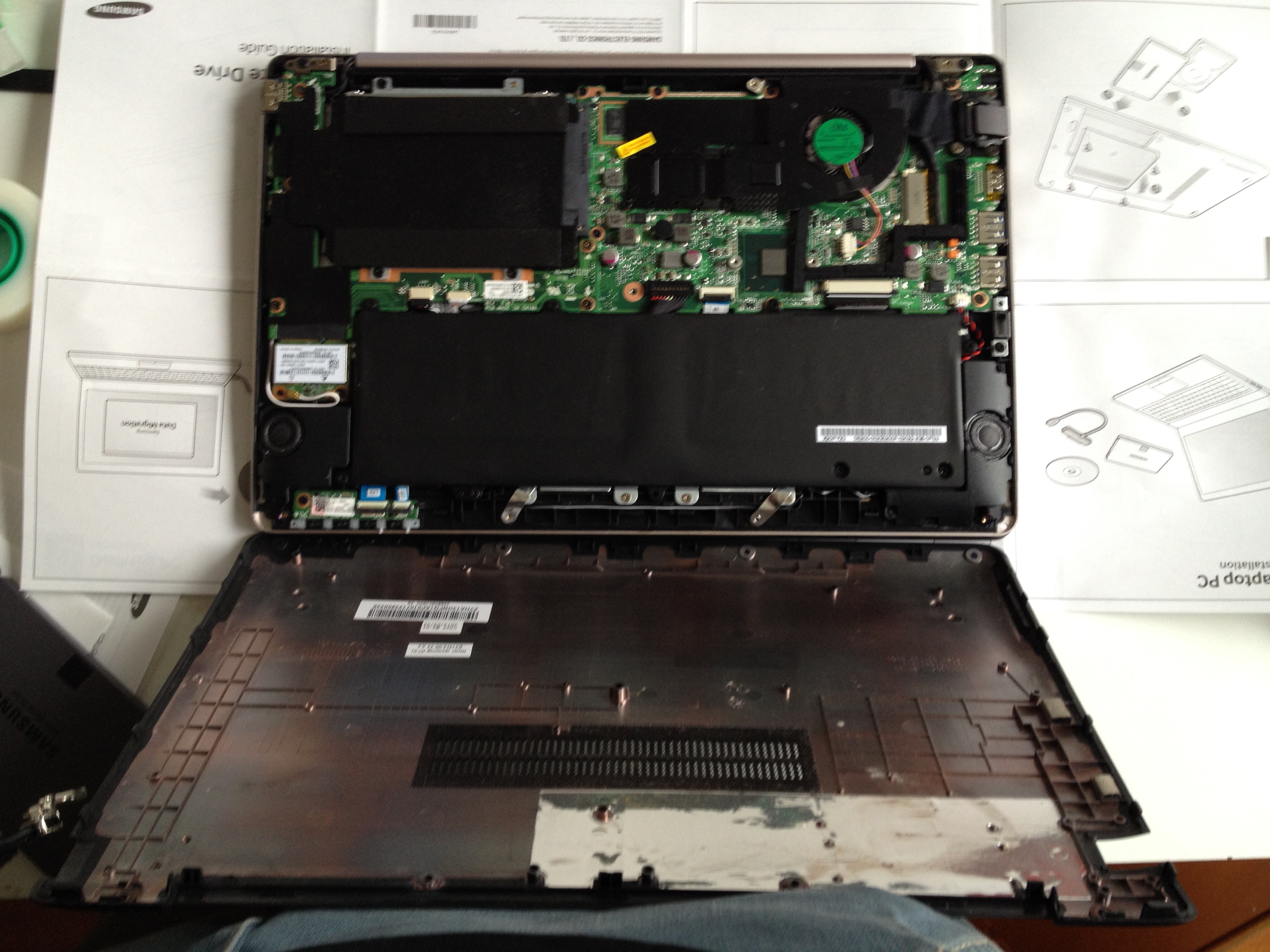
The first steps involved re-partitioning the original HDD so that it could be cloned to the SSD. I removed all data that I could later sync from our home server or from the cloud services, deleted the data partition entirely, and tried moving the recovery partition to the middle of the disk. I installed and used the free version of “EaseUS Partition Master” (be careful to deselect all freebie crapware options during its installation, though). As to the actual data or disk cloning, Samsung EVO SSD comes with the necessary SATA-USB3 adapter cable and “Samsung Data Migration” software that seemed to do it job (I have not yet tested the recovery partition, though, so I am not sure whether it made through the cloning). But the new SSD disk boots, it is recognized automatically by the UEFI (Windows 8 BIOS system), and the Windows as well as Office 2013 installations still authenticate as legitimate.
Samsung 840 EVO SSD
If your goal is not to clone the old system with its Windows 8 Starter Edition, but rather to install another, more featured OS, Linux, OS X or some multiboot setup, then I recommend doing some further research before going ahead with the SSD operation. People have had mixed success and you need to start by disabling UEFI, disabling “Secure Boot”, then enabling “Legacy Boot” in the BIOS. I am also not sure whether e.g. Linux will have all the drivers to get the touchscreen, touchpad, hotkeys and all the other features working as intented – but I am interested to hear about the experiments in those directions.
After putting everything back in, the reboot will kick Windows into a prolonged startup phase during which it will apparently install some SSD related drivers or settings. I did also install and run the “Samsung Magician” tool, which claims to provide various optimization options for running the Windows OS over a SSD.
The actual speed gain is noticeable, and the relevant figure in the Windows experience index showed the rise from c. 5 to over 8 when tests were re-run after the SSD installation. But this will not of course magically trasform the 500 euro budget laptop into a 1500 euro ultrabook. The slow processor, bit clumsy form factor, lack of keyboard backlight – all those issues still remain. But the upgrade will definitely make the Vivobook more usable and responsive, which was the main goal at least in my case.
Our hybrid, playful media, games and toys project Hybridex carried out yesterday a joint workshop in Lisbon on ideating new concepts for future services and products that innovatively combine the strenghts of physical materials with the digital functionalities. Headed by Annakaisa Kultima, c. 40 European researchers from multiple disciplinary backgrounds experimented using the IDECARDS approach – and I think that we got valuable feedback on the method, as well as some very interesting new product or service concepts. Link to the COST Action FP1104 info page is here.
I did the Windows 8 upgrade to my workhorse Vaio Z3 (short for Vaio, Z Series, 3rd Generation) today. My experiences from testing with the Asus Vivobook had been mostly positive, and as I had started getting bluescreens to Windows 7 in Vaio, it crashed if it went to sleep mode, the PMD discrete Radeon card was no longer recognised, etc., it would had been necessary to reinstall its OS in any case.
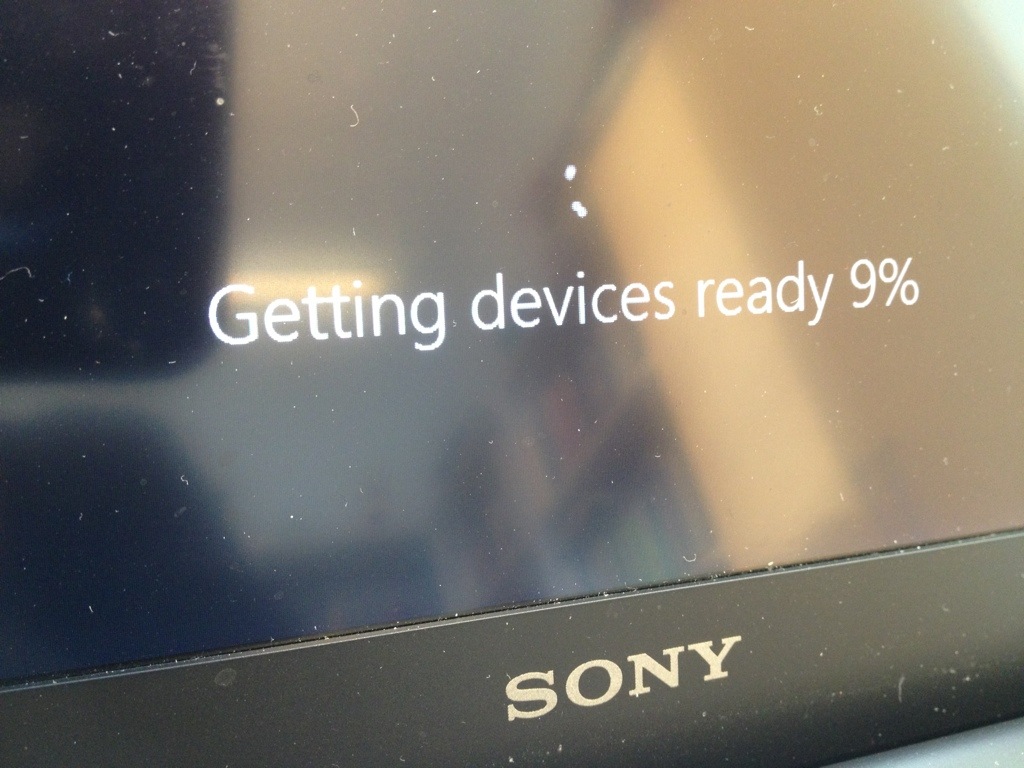
It was necessary to unplug the PMD during the installation, as that peripheral meant that Windows 8 would get stuck into the adding devices phase. And that meant borrowing another external DVD drive to access the installation media from, but otherwise the process was pretty straightforward. Some drivers had to be removed prior to installation and loads of drivers for Windows 8 were available from the Sony support page for Windows 8 upgrade. The only thing missing was the display driver for the hybrid Radeon/Intel display system Vaio Z3 is using. I try to post the link for that later, it is an unofficial beta thing, but seems to work fine with the PMD.
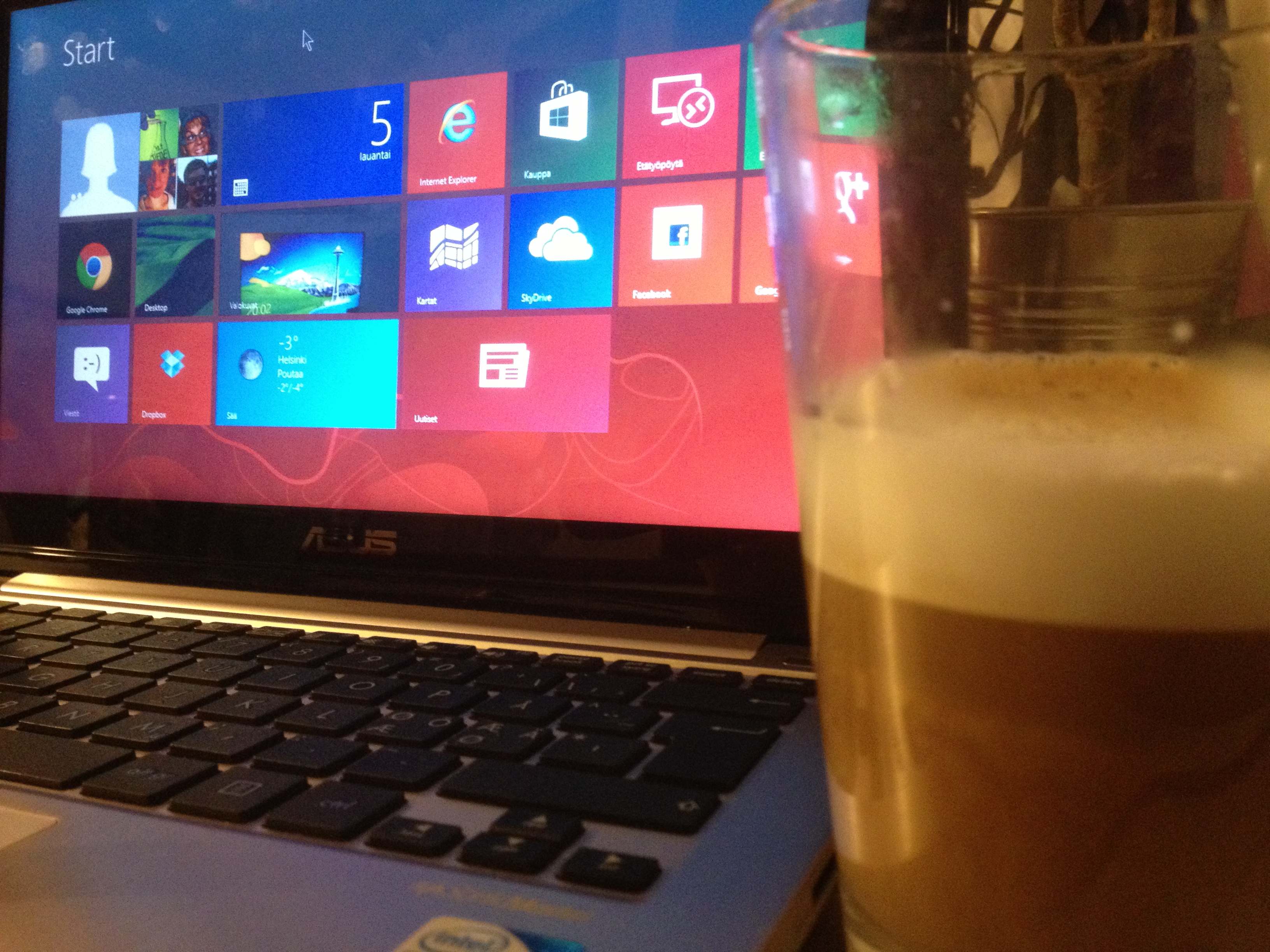
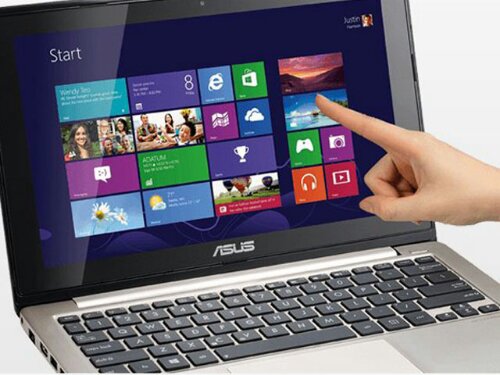
A new Windows laptop with a touch screen is an intriguing proposition. After a couple of days of playing around with my new ASUS Vivobook X202E, I am pretty convinced: there are few obvious challenges, but apart from those, this is clearly the direction our media and information use will be heading in the future.
It is not only about having screen and keyboard and a touchpad as alternative ways of interacting with the same old windows, settings, applications and services. The increased freedom in interaction modalities feels liberating, and having the new (“Metro”) interface and the classic desktop both available is also contributing to the feeling that using a computer is now fundamentally altered. The touch screen is probably just an intermediate step; there are already some systems that come with pattern and movement recognition software that will recognize gestures, and when we are in the millimeter class of precision (see: https://leapmotion.com/), there is nothing stopping developers from coming up with games and utilities that will react to a blink of an eye or wrinkle on a brow. Gestures will feel unnatural in some situations, spoken commands in some others, like mouse, keyboard or touch screen all have their non-optimal use contexts — but all together, all these increasing alteratives will make it more free and more natural to do what we want to do, where-ever we want to do that.
The hybrid interface of Windows 8 is an obvious work-in-progress thing. Sometimes you click something in the Metro tiles and are suddenly taken to the traditional desktop app. Sometimes you will find a Metro-looking UI element stuck in the middle of traditional Windows stuff. It is confusing, to say the least. But I find it exhilarating: finally we have something interesting happening, something new. And it is not obvious what the right solutions to these multiple challenges and problems (of interacting with a plethora of different functionalities, applications and services with multiple different interaction techniques) will be. So: there is going to be interesting times ahead! Already it puts a smile to my face when with a flick of a finger I jump from blog writing to spreadsheet and then into Angry Birds Space, that works beautifully, like many other touch-enabled games that I tested from the Windows Store.
This ASUS laptop itself is also a sort of compromise. If a really optimal, top-of-the-line ultrabook with a fast SSD, touch screen and all the latest bells and whistles costs here perhaps around 1200 euros, this thing was only half of that. The 11,6″ touch screen is fine for me: it is bright, sharp and responsive, even while there is light leaking through from the corners and viewing angles are far from perfect. The processor could be speedier, there could be more memory (there is 4 GB), and the keyboard definitely would profit from backlit keys, but I am not complaining too much. The battery is too small to keep up on the road (it goes for maybe 3-4 hours and cannot be replaced by user), but I will be using this thing in home. The hard drive is larger than your typical SSD (320 GB nominal capacity, divided into two logical drives), but it is of course slower (and makes a bit of noise now and then) as compared to a solid state disk. So, there is one potential upgrade target, if wanted. But reinstalling the OS (and paying for a new licence key, as the preinstalled OEM Windows 8 does not come with a valid, user-accessible product key), all the drivers and all the applications — plus rehearsing all those tweaks and modifications to the OS I have done already — all of that feels too much hassle right now. ASUS has done admirable job in preparing so nice a package to the market in this price. Mechanical construction is solid, keyboard is very good, touchpad also ok, and it is easy to compare this e.g. to Macbook Air, even while I personally would not want to move into using the Mac OS. So, to conclude: small laptop that feels just right for me, right now. An interesting learning and testing environment.
I just placed an order for Asus Vivobook X202E – a small and affordable, touchscreen-enabled Windows 8 mini-laptop. This will be an upgrade to the Samsung N220 netbook I got in March 2010. Windows 8 does not make much sense without touchscreen, and it’s success will be related to how fast people will move to hybrid, touch-enabled paradigm. Working (at home) with the Vivobook should provide opportunity for some experimentation. Its battery is not good enough for serious on-the-road use, but for home it should be ok, we will see…
Having spent some time travelling to the other side of the world recently, I have come to think about the role of Internet, content and technology a bit differently than before. The key lesson has been how useless the promises of various media and service ecosystems are, if you cannot access them. You might have bought access to a streaming media service that would be really useful for you and your family while you are away from your friends and family, but you cannot use it, since streaming media is just extremely expensive. Or you might go out and buy a DVD or Blu-ray, but you cannot play it on your device, since it is coming from another “Area” than that of the content you just bought. It is no matter if you try using your iTunes content, something that you could buy from Google Play, or from Microsoft – all those shiny devices and smart services are inherently fragile, dependent on whether there is an open Wi-Fi hotspot somewhere (probably with a 50 megabyte/30 minutes download cap), where you could try to make them run for a moment.
Having to admit that living with unlimited Internet broadband in a well-connected Western country definitely frames this issue as a “First World Problem”, but the lack of a global, pervasive Internet backbone is an issue larger than that. As long as our network technologies are based on high-speed access that is restricted to few urban centres, the true usefulness and radically democratizing potential of Internet and connected services remains limited at best. We need much more ambitious endeavours to get the entire planed connected: this is an issue that can be backed up by commercial, political and even ecological reasons. Establishing solid, reliable links between people living in their villages in the South and the North as well as in the East and the West, can promote local empowerment as well as global collaboration and exchange that is qualitative leap over the current situation.
Satellite data is prohibitively expensive today, but if the initiatives in this area would be given a high enough priority, there is no stopping us having a truly networked world where the global “infosphere” of sharing and communication would be available on equal basis, regardless of the geographical location.
Merry Christmas and Happy New Year to all readers of this blog!





 frans goes blog
You must be logged in to post a comment.