On Tweakability

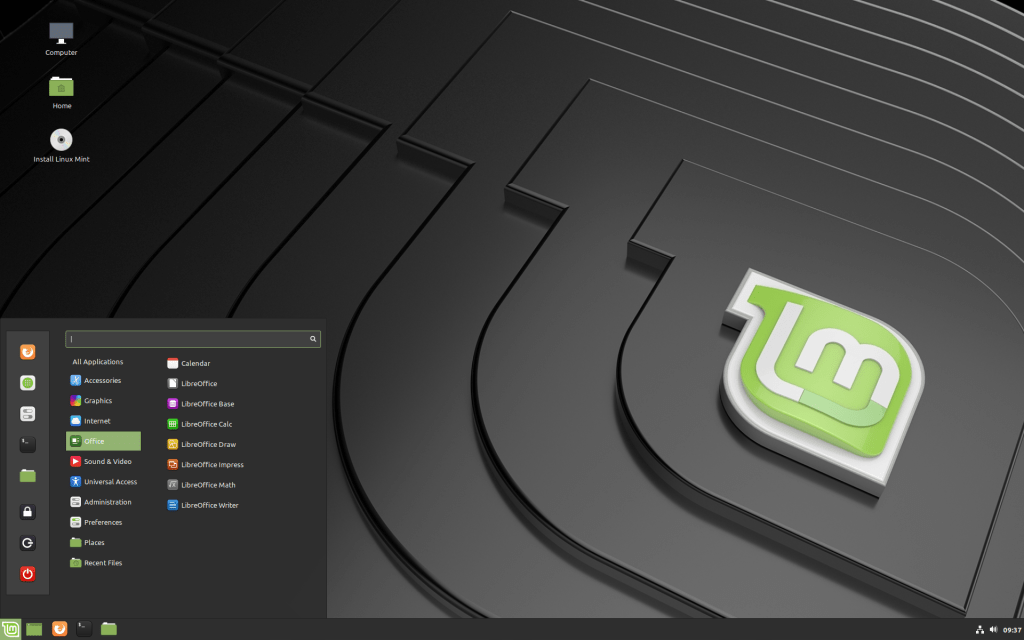
Screenshot: Linux Mint 19.2.
Linux Mint 19.2 Tina Cinnamon Edition. (See: https://www.linuxmint.com/rel_tina_cinnamon_whatsnew.php.)

Two years ago, in August 2017, I installed a new operating system into my trusty old home server (HP Proliant ML110 Gen5). That was a rather new Linux distro called ElementaryOS, which looked nice, but the 0.4 Loki that was available at the time was not an optimal choice for a server, as it soon turned out afterwards. It was optimized for a laptop use, and while I could also set it up as a file & printer server, many things required patching and tweaking to start working. But since I install and maintain multiple operating systems in my device environment partly out of curiosity, keeping my brain alert, and for this particular kind of fun – of tweaking – I persisted, and lived with Elementary OS for two years.

Recently, there had been some interesting new versions that had come out from multiple other operating system versions. While I do most of my daily stuff in Windows 10 and in iOS (or ipadOS, as the iPad variant is now called), it is interesting to also try out e.g. different Linux versions, and I am also fan of ChomeOS, which usually does not provide surprises, but rather steadily improves, while staying very clear, simple and reliable in that it does.

In terms of the particular characteristic that I am here talking about – let’s call it “tweakability”– an iPad or Chromebook are pretty much from the opposite ends of spectrum, as compared to a personal computer or server system running some version of Linux. While the other OSs excel in presenting the user with an extremely fine-tuned, clear and simple working environment that is simultaneously rather limited in terms of personalisation and modification, the bare-bones, expert oriented Linux distributions in particular hardly ever are “ready” straight after the initial setup. The basic installation is in these cases rather just the starting point for the user to start building their own vision of an ideal system, complete with the tools, graphical shells, and/or command-line interpreters etc. that suit their ways of working. Some strongly prefer the other, some the opposite style of OS with their associated user experiences. I feel it is optimal to be able to move from one kind of system to another, on basis of what one is trying to do, and also how one wants to do it.

Tweakability is, in this sense, a measure of customisability and modifiability of the system that is particularly important for so-called “power users”, who have a very definite needs, high IT skill levels, and also clear (sometimes idiosyncratic) ideas of how computing should be done. I am personally not entirely comfortable in that style of operation, and often rather feel happy that someone else has set up an easy-to-use system for me, which is good enough for most things. Particularly in those days when it is email, some text editing, browser-based research in databases and publications (with some social media thrown in), a Chromebook, iPad Pro or a Windows machine with a nice keyboard and good enough screen & battery life are all that I need.

But, coming back to that home server and new operating system installation: as my current printer has network sharing, scanning, email and all kinds of apps built-in, and I do not want to run a web server from my home any more either, it is just the basic backup and file server needs that this server box needs to handle. And a modern NAS box with some decent-sized disks could very well do that job. Thus, the setup of this Proliant server is more of less a hobby project that is very much oriented towards optimal tweakability these days (though not quite as much as my experiments with various Raspberry Pi hobby computers, and their operating systems).

So, I finally ended up considering three options as the new OS for this machine: Ubuntu Server 18.04.3 LTS (which would have been a solid choice, but since I was already running Ubuntu in my Lenovo Yoga laptop, I wanted something a bit different). The second option would have been the new Debian 10 (Buster) Minimal Server (probably optimal for my old and small home server use – but I wanted to also experiment with the desktop side of operating system in this installation). So, finally I ended up with Linux Mint 19.2 Tina Cinnamon Edition. It seemed to have the optimal balance between reliable Debian elements, Ubuntu application ecosystem, combined with some nice tweaks that enhance ease of use and also aesthetic side of the OS.

I did a wipe-clean-style installation of Mint into my 120 GB SSD drive, but decided to try and keep all data in the WD Red 4 TB disk. I knew in principle that this could lead into some issues, as in most new operating system installations, the new OS will come with a new user account, and the file systems will keep the files registered into the original User, Group and Other specifications, from the old OS installation. It would have been better to have a separate archive media available with all the folder structures and files, and then format the data disk, copy all data under the new user account, and thereby have all file properties, ownership details etc. exactly right. But I had already accumulated something like 2,7 terabytes of data into this particular disk and there was no exact backup of it all – since this was the backup server itself, for several devices in our house. So, I just read a quick reminder on how chmod and chown commands work again, and proceeded to mount the old data disks within the new Mint installation, take ownership of all directories and data, and tweak the user, group and other permissions into some kind of working order.

Samba, the cross-platform file sharing system that I need for the mixed Windows-Linux local network to operate was the first really difficult part this time. It was just plain confusing to get the right disks, shares and folders to appear in our LAN for the Windows users, so that the backup and file sharing could work. Again, I ended up reading dozens of hobbyist discussions and info pages from different decades and from different forums, making tweak after tweak in users, groups, permissions and settings in the /etc/smb.conf settings file (followed every time to stop and restart the Samba service daemon, to see the effects of changes). After a few hours I got that running, but then the actual fun started, when I tried to install Dropbox, my main cloud archive, backup and sharing system on top of the (terabyte-size) data that I had in my old Dropbox folder. In principle you can achieve this transition by first renaming the old folder e.g. as “Dropbox-OLD”, then starting the new instance of service and letting it create a new folder named “Dropbox”, then killing the software, deleting the new folder and renaming the old folder back to its own default name. After which restarting the Dropbox software should find the old data directory where it expects one to be, and start re-indexing all that data, but not re-downloading all of that from the cloud – which could take several days over a slow home network.

This time, however, something went wrong (I think there was an error in how the “Selective sync” was switched on at certain point), leading into a situation where all the existing folders were renamed by the system as server’s “Conflicting Copy”, then copied into the Dropbox cloud (including c. 330 000 files), while exactly same files and folders were also downloaded back from the cloud into exact same folders, without the “Conflicting Copy” marking. And of course I was away from the machine at this point, so when I realised what was going on, I had to kill Dropbox, and start manually bringing back the Dropbox to the state it was before this mess. It should be noted that there was also a “Rewind Dropbox” feature in this Dropbox Plus account (which is exactly designed for rolling back in this kind of large situations). But I was no longer sure into which point in time I should rewind back to, so I ended up going through about 100 different cases of conflicting copies, and also trying to manually recover various shared project folders that had become dis-joined in this same process. (Btw, apologies to any of my colleagues who got some weird notifications from these project shares during this weekend.)

After spending most of one night doing this, I tried to set up my other old services into the new Mint server installation in the following day. I started from Plex, which is a media server and client software/service system that I use e.g. to stream our family video clips from the server into our smart television. There is an entire, 2600 word essay on Linux file and folder permissions at the Plex site (see: https://support.plex.tv/articles/200288596-linux-permissions-guide/). But in the end I just had to lift my hands up. There is something in the way system sees (or: doesn’t see) the data that is in the old 4 TB disk, and all my tricks with different users and permission settings that I tried, do not allow Plex to see any of that data from that disk. I tested that if I copy the files into that small system disk (the 120 GB SSD), then the server can see and stream them normally. Maybe I will at some point get another large hard drive, try setting up that one under the current OS and user, copy all data there, and then try to reinstall and run Plex again. Meanwhile, I just have to say that I have got my share of tweakability for some time now. I think that Linux Mint in itself is indeed perfectly nice and capable operating system. It is just that software such as Dropbox or Plex do not play so nicely and reliably together with it. Not at least with the tweaking skills that I possess. (While I am writing this, there are currently still over 283 500 files that Dropbox client should restore from the cloud into that problematic data drive. And the program keeps on crashing every few hours…)

Switching to NVMe SSD

Samsung 970 EVO Plus NVMe M.2 SSD (image credit: Samsung).

I made a significant upgrade to my main gaming and home workstation in Christmas 2015. That setup is soon thus four years old, and there are certainly some areas where the age is starting to show. The new generations of processors, system memory chips and particularly the graphics adapters are all significantly faster and more capable these days. For example, my GeForce GTX 970 card is now two generations behind the current state-of-the-art graphics adapters; NVIDIA’s current RTX cards are based on the new “Turing” architecture that is e.g. capable of much more advanced ray tracing calculations than the previous generations of consumer graphics cards. What this means in practice is that rather than just applying pre-generated textures to different objects and parts of the simulated scenery, the ray tracing graphics attempts to simulate how actual rays of light would bounce and create shadows and reflections in this virtual scene. Doing this kind of calculations in real-time for millions of light rays in an action-filled game scene is an extremely computationally intensive thing, and the new cards are packed with billions of transistors, in multiple specialised processor cores. You can have a closer look at this technology, with some video samples e.g. from here: https://www.digitaltrends.com/computing/what-is-ray-tracing/ .

I will probably update my graphics card, but only a little later. I am not a great fan of 3D action games to start with, and my home computing bottlenecks are increasingly in other areas. I have been actively pursuing my photography hobby, and with the new mirrorless camera (EOS M50) moving to using the full potentials of RAW file formats and Adobe Lightroom post-processing. With photo collection sizes growing into multiple hundreds of thousands, and the file size of each RAW photo (and it’s various-resolution previews) growing larger, it is the disk, memory and speed of reading and writing all that information that matters most now.

The small update that I made this summer was focused on speeding up the entire system, and the disk I/O in particular. I got Samsung 970 EVO Plus NVMe M.2 SSD (1 Tb size) as the new system disk (for more info, see here: https://www.samsung.com/semiconductor/minisite/ssd/product/consumer/970evoplus/). The interesting part here is that “NVMe” technology. That stands for “Non-Volatile Memory” express interface for solid stage memory devices like SSD disks. This new NVMe disk looks though nothing like my old hard drives: the entire terabyte-size disk is physically just a small add-on circuit board, which fits into the tiny M.2 connector in the motherboard (technically via a PCI Express 3.0 interface). The entire complex of physical and logical interface and connector standards involved here is frankly a pretty terrible mess to figure out, but I was just happy to notice that the ASUS motherboard (Z170-P) which I had bought in December 2015 was future-proof enough to come with a M.2 connector which supports “x4 PCI Express 3.0 bandwidth”, which is apparently another way of saying that it has NVMe support.

I was actually a bit nervous when I proceeded to install the Samsung 970 EVO Plus NVMe into the M.2 slot. At first I updated the motherboard firmware to the latest version, then unplugged and opened the PC. The physical installation of the tiny M.2 chip actually became one of the trickiest parts of the entire operation. The tiny slot is in an awkward, tight spot in the motherboard, so I had to remove some cables and the graphics card just to get my hands into it. And the single screw that is needed to fix the chip in place is not one of the regular screws that are used for computer case installations. Instead, this is a tiny “micro-screw” which is very hard to find. Luckily I finally located my original Z170-P sales box, and there it was: the small plastic pack with a tiny mounting bolt and the microscopic screw. I had kept the box in my storage shelves all these years, without even noticing the small plastic bag and tiny screws in the first place (I read from the Internet that there are plenty of others who have thrown the screw away with the packaging, and then later been forced to order a replacement from ASUS).

There are some settings that are needed to set up in BIOS to get the NVMe drive running. I’ll copy the steps that I followed below, in case they are useful for some others (please follow them only with your own risk – and, btw, you need to start by creating the Windows 10 installation USB media from the Microsoft site, and by pluggin that in before trying to reboot and enter the BIOS settings):

In your bios in Advanced Setup. Click the Advanced tab then, PCH Storage Configuration

Verify SATA controller is set to – Enabled
Set SATA Mode to – RAID

Go back one screen then, select Onboard Device Configuration.

Set SATA Mode Configuration to – SATA Express

Go back one screen. Click on the Boot tab then, scroll down the page to CSM. Click on it to go to next screen.

Set Launch CSM to – Disabled
Set Boot Device Control to – UEFI only
Boot from Network devices can be anything.
Set Boot from Storage Devices to – UEFI only
Set Boot from PCI-E PCI Expansion Devices to – UEFI only

Go back one screen. Click on Secure Boot to go to next screen.

Set Secure Boot state to – Disabled
Set OS Type to – Windows UEFI mode

Go back one screen. Look for Boot Option Priorities – Boot Option 1. Click on the down arrow in the outlined box to the right and look for your flash drive. It should be preceded by UEFI, (example UEFI Sandisk Cruzer). Select it so that it appears in this box.
(Source: https://rog.asus.com/forum/showthread.php?106842-Required-bios-settings-for-Samsung-970-evo-Nvme-M-2-SSD)

Though, in my case if you put “Launch CSM” to “Disabled”, then the following settings in that section actually vanish from the BIOS interface. Your mileage may vary? I just backspaced at that point, made the next steps first, then made the “Launch CSM” disable step, and then proceeded further.

Another interesting part is how to partition and format the SSD and other disks in one’s system. There are plenty of websites and discussions around related to this. I noticed that Windows 10 will place some partitions to other (not so fast) disks if those are physically connected during the first installation round. So, it took me a few Windows re-installations to actually get the boot order, partitions and disks organised to my liking. But when everything was finally set up and running, the benchmark reported that my workstation speed had been upgraded the “UFO” level, so I suppose everything was worth it, in the end.

Part of the quiet and snappy, effective performance of my system after this installation can of course be just due to the clean Windows installation in itself. Four years of use with all kinds of software and driver installations can clutter the system so that it does not run reliably or smoothly, regardless of the underlying hardware. I also took the opportunity to physically clean the PC inside-out thoroughly, fix all loose and rattling components, organise cables neatly, etc. After closing the covers, setting the PC case back to its place, and plugging in a sharp, 4K monitor and a new keyboard (Logitech K470 this time), and installing just a few essential pieces of software, it was pleasure to notice how fast everything now starts and responds, and how cool the entire PC is running according to the system temperature sensor data.

Cool summer, everyone!

M50: first experiences

Ouf-of-camera JPG (M50, with EOS-M 22mm f/2 lens).

I have been using the new Canon EOS M50 mirrorless system camera now for a month or so. The main experiences are pretty positive, but I have also some comments on what this camera is good and not so optimal for.

In terms of image quality and feature set, this is a pretty complete package. Canon can make good cameras. However, the small physical size of this camera is perhaps its most defining main characteristic. This means that M50 is excellent as a light and small travel companion, but also that it has too small grip to carry comfortably this body when there are some heavy “pro” lenses or telephoto lenses attached. One must carry the system from the lens instead.

I really like the touch screen interface of M50. The swiveling LCD is really functional, and it is easy to take that quick photo from extra low or high angles. The LCD touch interface Canon uses is perhaps the best in the market today: it is responsive, well designed and logically organised. This is particularly important for M50, since it has only few physical buttons, and a single rotating control. Photographer using M50 needs to use the touch UI for many key functions. This is perhaps something that many manual-settings oriented professional and enthusiast photographers do not like; it you like to set the aperture, exposure time and ISO from the physical controls, then M50 is not for you (one should consider e.g. Fujifilm X-T3 or T30 instead). But if one is comfortable working with electronic controls, then M50 provides multiple opportunities.

My old EOS camera had only few (nine) autofocus points (phase-detect), and only the single point in the middle was with the fast, cross-type AF. This M50 has 99 selectable AF points (143 with some lenses), covering 80 % of the sensor area (dual-pixel type). Coupled with the touch screen, this change has had an effect on my photography style. It is now possible to first compose the photo, look through the electronic viewfinder, and simultaneously use a thumb to drag the AF point/area (in a “computer mouse/touchpad style”) to the desired point in the screen. I am not completely fluent in this technique yet though, and my usual technique of center focusing first, then half-pressing to lock the focus, and then quickly making the final composition, and shooting, is perhaps in most situations quicker and simpler than moving the focus point around the screen. But since M50 remembers in Program mode (which I use most) where the AF point was left the last time, the center focusing method does not work properly any more. I just need to learn new tricks, and keep moving the AF points in the screen (or, let the camera do everything, in Full Auto mode, or go into Manual mode, and do focusing with the lens ring instead.

As a modern mirrorless camera, M50 is packed with sensors and comes with a powerful DIGIG8 processor, bright LCD screen and electronic viewfinder. All of this consumes electricity, and the battery life of M50 is nowhere near my old 550D (which, btw, also had an extra battery grip). A full day of shooting takes either two or three fully loaded LP-E12 batteries. Thus, this camera behaves like a smartphone with poor battery life. You need to be using that battery charger all the time. (The standard rating is 235 shots-per-charge, CIPA.)

When travelling, I have been using a lot the wireless capabilities of M50. It is really handy that one can move full resolution, or reduced resolution versions of photos into an iPhone, iPad or Android device while on the go. On the other hand, this is nowhere as easy as when shooting and sharing directly from a smartphone. Moving typical 200-300 photos from a shooting session into an iPad for editing and uploading is slow, and feels like it takes ages. (I have not yet cracked how to get the advertised real-time Bluetooth photo transfer to work.) The traditional workflow where the entire memory card is first read into a PC and processed with Lightroom makes still better sense, but it is nice to have the alternative, for mobile processing and sharing some individual photos at least.

Many reviewers of M50 have written a lot about the limitations of 4K video mode (high crop factor, no dual-pixel autofocus). I use video rarely, and then only full HD, so that is not an issue for me. There is an external microphone input, which might be handy, and the LCD screen can be turned to point forward, if I ever go into video blogging (not that I plan to do it).

The main plusses for me in M50 are the compact size, the excellent touch UI, and very nice image quality in still images. That I can use both the new, compact EF-M mount lenses, and (with adapters) also the traditional Canon EF lenses was a major factor when making the purchase decision, since the lens collection of a photographer is typically much more expensive part of the equipment, than the body only. Changing to Nikon, Fuji or Sony would have been a big investement.

The autofocus system in M50 is fast, and in burst mode the camera can shoot 10 fps for 30 jpg shots in a row to fill the buffer. I am not a sports or wildlife photographer as such, so this is good enough for me. A physically bigger body would make the camera easier to handle with large and heavy lenses, but shooting with a large lens is a two-hand operation in any case (and in some cases requires using a tripod), so that is not so critical. I still need to train more to use the controls and switch between camera modes faster, and touch interface is probably never going to be as fast as using a camera with several dedicated physical controls. But this is a compromise one can make, to get this feature set, image quality and lens compatibility in this small package, in this price.

You can find the full M50 tech specs and feature set here in English: https://www.canon.co.uk/cameras/eos-m50/specifications/ and in Finnish: https://www.canon.fi/cameras/eos-m50/specifications/.

Mirrorless hype is over?

My mirrorless Canon EOS M50, with a 50 mm EF lens, and a “speed booster” style mount Viltrox adapter.

It has been interesting to follow how since last year, there has been several articles published that discuss the “mirrorless camera hype”, and put forward various kinds of criticism of either this technology, or related camera industry strategies. One repeated criticism is rooted to the fact that many professional (and enthusiast) photographers still find a typical DSLR camera body to work better for their needs than a mirrorless one. There are at least three main differences: a mirrorless interchangeable camera body is typically smaller than a DSLR, the battery life is weaker, and the image from an electronic viewfinder and/or LCD back screen offers a less realistic image than a traditional optical viewfinder in a (D)SLR camera.

The industry critiques appear to be focused on worries that as the digital camera market as a whole is going down, the big companies like Canon and Nikon are directing their product development resources for putting out mirrorless camera bodies with new lens mounts, and new lenses for these systems, rather than evolving their existing product lines in DSLR markets. Many seem to think that this is bad business sense, since large populations of professionals and photography enthusiasts are deeply invested in these more traditional ecosystems, and lack of progress in them means that there is not enough incentive to upgrade and invest, for all of those who remain in those parts of the market.

There might be some truth in both lines of argumentation – yet, they are also not the whole story. It is true that Sony, with their α7, α7R and α7S lines of cameras have stolen much of the momentum that could had been strong for Canon and Nikon, if they would had invested into mirrorless technologies earlier. Currently, the full frame systems like Canon EOS R, or Nikon Z6 & Z7, are apparently not selling very strongly. In early May of this year, for example, it was publicised how Sony α7 III sold more units in Japan at least than the Canon and Nikon full frame mirrorless systems combined (see: https://www.dpreview.com/news/3587145682/sony-a7-iii-sales-beat-combined-efforts-of-canon-and-nikon-in-japan ). Some are ready to declare Canon and Nikon’s efforts as dead on arrival, but both companies have claimed to be strategically committed into their new mirrorless systems, developing and launching lenses that are necessary for their future growth. Overall though, both Canon and Nikon are producing and selling much more digital cameras than Sony, even while their sales numbers have been declining (in Japan at least, Fujifilm was interestingly the big winner in year-over-year analysis; see: https://www.canonrumors.com/latest-sales-data-shows-canon-maintains-big-marketshare-lead-in-japan-for-the-year/ ).

From a photographer perspective, the first mentioned concerns might be the more crucial than the business ones, though. Are mirrorless cameras actually worse than comparable DSLR cameras?

There is the curious quality when you move from a large (D)SLR body into using a typical mirrorless: the small camera can feel a bit like a toy, the handling is different, and using the electronic viewfinder and LCD screen can produce flashbacks of compact, point-and-shoot cameras of earlier years. In terms of pure image quality and feature sets, the mirrorless cameras are already equals to DSLRs, and in some areas have arguably moved already beyond most of them. There are multiple reasons for this, and the primary relates to the intimate link there is between the light sensor, image processor and viewfinder in mirrorless cameras. As a photographer you are not looking at a reflection of light coming from the lens through an alternative route into the optical viewfinder – you are looking at the image that is produced from the actual, real-time data that the sensor and image processor are “seeing”. The mechanical construction of mirrorless cameras can be made simpler, and when the mirror is removed, the entire lens system can be moved closer to the image sensor – something that is technically called shorter flange distance. This should allow engineers to design lenses for mirrorless systems that have a large aperture and fast focusing capabilities (you can check out a video, where a Nikon lens engineer explains how this works here: https://www.youtube.com/watch?v=LxT17A40d50 ). The physical dimensions of the camera body in itself can be made small or large, as desired. Nikon Z series cameras are rather sizable, with a conventional “pro camera” style grip (handle); my Canon EOS M50 is diminutive, from the other extreme.

I think that the development of cameras with ever more stronger processors and their machine learning and algorithm-based novel capabilities will push the general direction of photography technology towards various mirrorless systems. Said that, I completely understand the benefits of more traditional DSLRs and why they might feel superior for many photographers at the moment. There has been some rumours (in the Canon space at least, which I am personally mostly following) that new DSLR camera bodies will be released into the upper-enthusiast APS-C / semi-professional DSLR category (search e.g. for “EOS 90D” rumours), so I think that DSLR cameras are by no means dead. There are many ways in which the latest camera technologies can be implemented into mirror-bodies, as well as into the mirrorless ones. The big strategic question of course is that how many different mount and lens ecosystems can be maintained and developed simultaneously. If some of the current mounts will stop getting lenses in the near future, there is at least a market for adapter manufacturers.

EOS M mount: interesting adapters

Attaching EF lenses to M mount camera requires an adapter – which adds a bit to the bulk of a small camera, but is also an interesting opportunity, since it is possible to fit new electronic or optical functionalities inside that middle piece.

I have both the official, Canon-made “EF-EOS M” mount adapter, which keeps the optical characteristics of the lens similar to what they would be if used on an EF-S mount camera (crop and all). The other adapter is “Viltrox EF-EOS M2 Lens Adapter 0.71x Speed Booster” (a real mouthful), which has the interesting capability of multiplying the focal length by factor of 0.71. This is a sort of “inverted teleconverter” as it reduces the image size that the lens produces, allowing more light to fit into the smaller (APS C) sensor, and almost eliminates the crop factor.
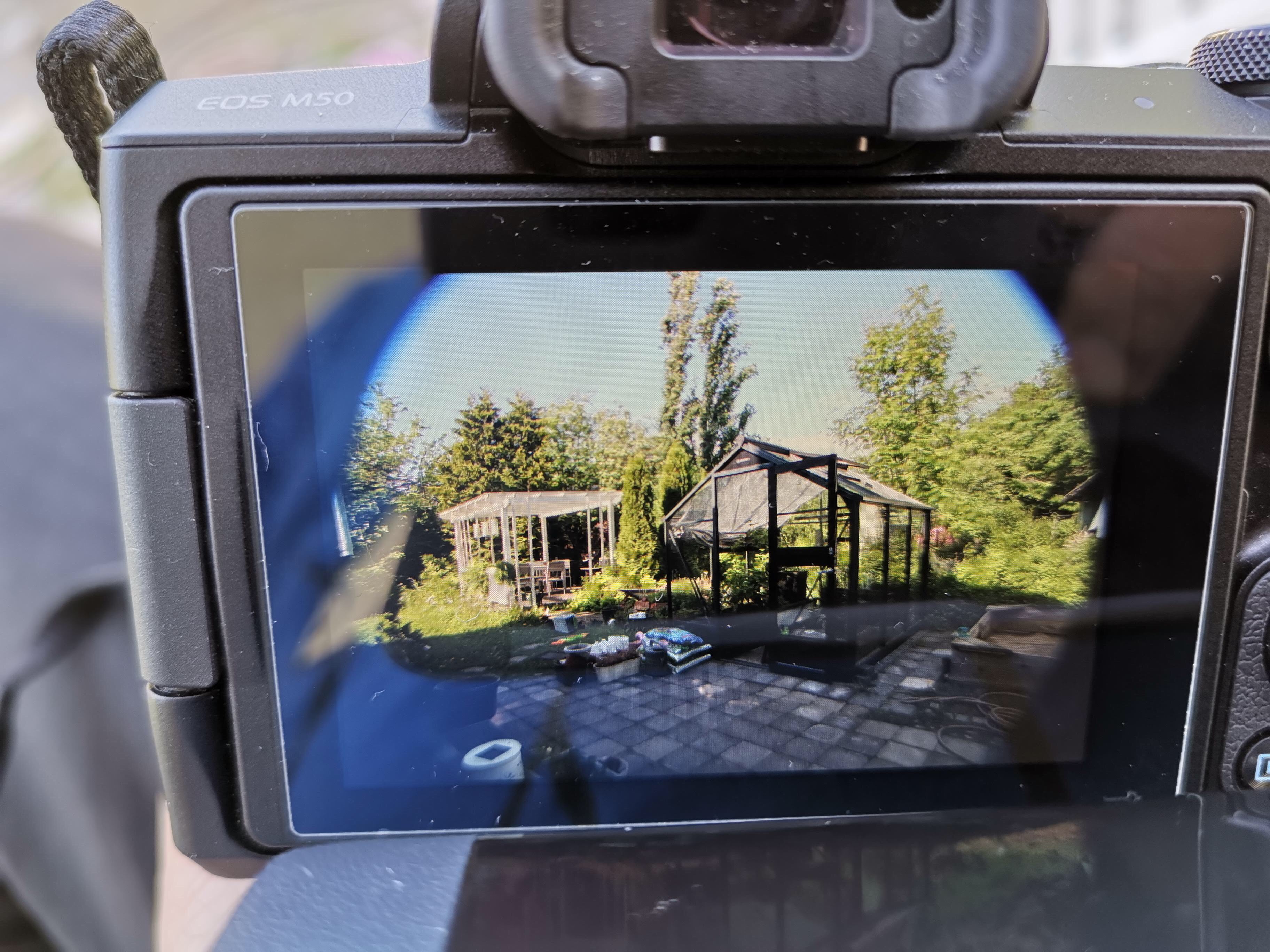
Most interestingly, as the booster collects more light into the sensor, this also has an effect of increasing the maximum aperture of my EF/EF-S lenses in an M mount camera. When I attach Viltrox into my 70-200 mm F4, it appears to my M50 camera as an F2.8 lens (with that constant aperture over the entire zoom range). The image quality that these “active speed booster adapters” produce is apparently a somewhat contested topic among camera enthusiasts. In my personal, initial tests, I have been pretty happy: the sharpness and corner vignetting also appear to be well controlled and the images produced of rather good quality – or good enough for me, at least.

When I put this into my 50 mm F2.8 portrait lens, this lens functions as having F1.2 maximum aperture. This is pretty cool, e.g. the capability to shoot in lower-light conditions is much better this way, and the narrow depth of field is similar to much more heavy and expensive, full frame camera system when using this adapter.

In my tests so far, all my Canon EF lenses have worked perfectly with Viltrox. However, when testing with the Tamron 16-300 mm F/3.5-6.3 Di II VC PZD super-zoom lens, there are issues. The adapter focuses light in a wrong manner when using this lens, and the result is that the corners are cut away from images (see the picture below). So, your mileage may vary. I have written to Viltrox customer service and asked what they suggest in the Tamron case (I have updated the adapter into the most recent available firmware – this can be done very simply using a PC and the built-in micro-usb connector in the adapter).

You can read a bit more about this technology (in connection to the first, Metabones product) from here: https://www.newsshooter.com/2013/01/14/metabones-speed-booster-adapter-gives-lenses-an-extra-fstop-and-nearly-full-frame-focal-lengths-on-aps-c-sensors/

Going mirrorless (EOS M50)

I have today started to learn to take photos with an ultra-compact EOS M50, after using the much bigger SLR or DSLR cameras for decades. This is surely an interesting experience. Some of the fundamentals of photography are still the same, but some areas I clearly need to study more, and learn new approaches.

Canon EOS M50 (photo credit: Canon).

These involve particularly learning how to collaborate with the embedded computer (DIGIG 8 processor) better. It is fascinating to note how fast e.g. the automatic focusing system is – I can suddenly use an old lens like my trusty Canon EF 70-200mm f/4 L USM to get in-flight photos of rather fast birds. The new system tracks moving targets much faster and in a more reliable manner. However, I am by no means a bird photographer, having mostly worked with still life, landscapes and portraits. Getting to handle the dual options of creating the photo either through the electronic viewfinder, or, the vari-angle touchscreen takes some getting used to.

Also, there are many ways to use this new system, and finding the right settings among many different menus (there must be hundreds of options in all) takes some time. Also, coming from much older EOS 550D, it was weird to realise that the entire screen is now filled with autofocus points, and that it is possible to slide the AF point with a thumb (using the touchscreen as a “mouse”) into the optimal spot, while simultaneously composing, focusing, zooming and shooting – 10 frames per second, maximum. I am filling up the memory card fast now.

My Canon EOS 550D and M50, side by side. Note that I am using a battery grip on 550D, which is rather small DSLR camera in itself.

It is easy to do many basic photo editing tasks in-camera now. It actually feels like there is small “Photoshop” built into the camera. However, there is a fundamental decision that needs to be made: of either using photos as they come, directly from camera, or after some post-processing in the computer. This is important since JPG or RAW based workflows are a bit different. These days, I am using quite a lot of mobile apps and tools, and the ability to wirelessly copy photos from the camera into a smartphone or tablet computer (via Wi-Fi, Bluetooth + NFC), in the field, is definitely something that I like doing. Currently thus the JPG options make most sense for me personally.

Pelillinen ja leikillinen kulttuuri

SKR Pirkanmaan rahasto, vuosijuhla 10.5.2019
Juhlapuhe, Frans Mäyrä

Mitä leikki on?

Googlen haku vastaa: leikki on lapsen työtä.

Toisaalta, ja ehkä mielenkiintoisemmin, hakuikkunaan täydentyy myös: ”Leikki on totta”, ja: ”Leikki on tutkimisen korkein muoto”. Nämä toisaalta Albert Einsteiniin, toisaalta leikkikasvatukseen viittaavat ilmaukset kertovat leikin suosiosta ja iäti säilyvistä, laajoista merkityksistä. Leikki liitetään arkiajattelussa erityisesti lapsiin, ja leikkikenttineen sekä leikkivälineineen leikin kulttuurinen paikka on erityisesti lasten luona. Lapselle leikki on totta – tai, lapsille leikin erityinen todellisuus on tuttua. Leikin asemaa laajemmin kulttuurin ja yhteiskunnan piirissä voi olla haastavampaa tunnistaa, mutta se ei merkitse sitä, että esimerkiksi aikuisten leikki olisi vähämerkityksellisempää.

”Ei tänne leikkimään olla tultu!”

Leikin arvostamisen vastapoolina kulttuurissa vaikuttavat leikkikielteiset näkemykset. Työ ja leikki asettuvat vastakohdiksi, ja aikuisuutta määrittää kasvu ulos leikki-iästä ja leikillisyydestä. Kypsää aikuisuutta on vakavuus, määrätietoisuus ja tavoiterationaalinen, tehokas toiminta. Tosin tutkijat ovat tuoneet esiin kuinka jopa ankarimman puritaanisen, työkeskeisen kulttuurin piiristä on aina ollut tunnistettavissa myös leikillisyyden, luovuuden ja hauskanpidon muotoja ja hetkiä. Kulttuurin pohjavirettä ovat kuitenkin yleensä verrattain hitaasti muuttuvat arvot, normit ja merkitykset. Länsimaisessa kulttuurielämässä hyödytön leikillisyys on liitetty synnillisyyteen, kun sen sijaan kurinalainen ja kieltäymykseen perustuva, lähes askeettinen työnteko on sävyttynyt eettisesti ja uskonnollisestikin aikuisen kansalaisen hyväksi ja oikeaksi elämänasenteeksi.

Perinteistä suomalaista kulttuuria usein luonnehditaan stereotyyppisin termein sangen jäyhäksi, jopa ilottomaksi. Onneksi meille on säilynyt runsaasti vastakkaista todistusaineistoa. Suosittelen kaikille perehtymistä esimerkiksi Kalevalaseuran vuosikirjaan 61: Pelit ja leikit.

Tämä vuonna 1981 julkaistu, kansanrunousarkiston johtajan Pekka Laaksosen toimittama antologia valottaa suomalaisen kansankulttuurin pelillistä ja leikillistä puolta. Niin säilyneet kirjalliset leikki- ja pelikuvaukset, kuin rikas kuvallinen aineistokin tarjoavat välähdyksiä niihin moniin eri tapoihin, joilla leikillisyys eri muodoissaan oli punoutunut osaksi niin aikuisten kuin lastenkin elämää – myös suomalaisten heimojen kansankulttuurissa. Piiritanssit ja rinkileikit, arvoitukset ja sanaleikit, laululeikit, perinteiset urheilumuodot ja voimannäytöt, ennustaminen ja vedonlyönti, vitsit ja kepposet, nuket, kaarnaveneet, pikkuautot, pallot ja kuulat – vaikuttaa siltä, että menneiden vuosisatojen ihmisten energiaa ja kekseliäisyyttä on riittänyt runsaasti pelkän hengissä selviämisen yli ja ulkopuolelle.

Leikki kulttuurin kulmakivenä

Nykyaikaisen peli- ja leikkikulttuuritutkimuksen uranuurtaja, hollantilainen kulttuurihistorioitsija Johan Huizinga esitti vuonna 1938 valmistuneessa Leikkivä ihminen (Homo Ludens) -teoksessaan että kaikessa kulttuurissa on syvälle ulottuva leikkielementti. Taide ja urheilu, teatteri ja uskonnolliset rituaalit ovat Huizingan tulkinnan mukaan leikki-impulssin läpitunkemia, itsetarkoituksellisia ja tietynlaisiin (usein implisiittisiin) sopimuksiin ja sääntöihin pohjaavia ilmiöitä. Peli ja leikki nostetaan erilleen arkisen puurtamisen ja ravinnonhankkimisen todellisuudesta, omaksi ”taikapiirin” tapaan rajatuksi vaihtoehtoiseksi maailmakseen. Pelissä tai leikissä vallitsevat toiset pelisäännöt kuin arkitodellisuudessa. Huizinga väitti, että leikki on ei-vakavaa toimintaa, mutta monet hänen esimerkkinsä osoittivat, että vaikkapa oikeuden istuntoa tai tiettyjä sotanäyttämön rituaalisia muotoja on myöskin mahdollista analysoida leikin tai pelin termein. Ja tällainen ”leikki” voi olla, ja usein onkin, kuoleman vakavaa. On myös esimerkiksi urheilulajeja, joissa toistuvasti tapahtuu jopa kuolemaan johtavia onnettomuuksia. Ne ovat kuitenkin asettuneet kulttuurin osaksi, ja tällaista ”leikkiä omalla hengellä” siis sallitaan.

Amerikkalainen leikkitutkija Brian Sutton-Smith kirjoitti leikin ristiriitaisesta monimielisyydestä, ambiguiteetista. Leikki ja peli voivat olla harmitonta ja rentouttavaa hauskanpitoa, tai äärimmäisen keskittynyttä ja kuolemanvakavaa kamppailua. Kilpailullinen peli voi pönkittää ryhmäidentiteettiä ja ylläpitää raja-aitoja vaikkapa eri kansallisuuksien välillä – ja yhteistoiminnallinen, luova leikki ja peli puolestaan voivat purkaa stressiä ja rohkaista kokeilemaan. Sutton-Smith kuvaa kuinka kulttuurien historiassa pelit ja leikit on puhe- ja ajattelutavoissa liitetty niin yhteisön suuntaa määrääviin kohtalon voimiin, valtapeleihin, sekä yksilön kasvuun ja kehitykseen – kuin toisaalta täysin naurettavaan turhuuteen. Nykypäivän digitaalisten pelien ja leikkien tutkijat ovat samaan tapaan tunnistaneet kuinka peleissä kukoistavat luovuus, energia ja huimat taidonnäytteet; mutta toisaalta digitaalinen pelaaminen voi olla pakonomaista, ilotonta ja jopa sisältää henkiseksi väkivallaksi asti yltyvää kiusantekoa.

Tietoyhteiskunta – vai peliyhteiskunta?

Elämme nykyään yhteiskunnassa, jota – hyvässä ja pahassa – sävyttävät digitaaliset informaatio- ja viestintäteknologiat. Tälle yhteiskunnalle annettiin erityisesti 1990-luvulla ja 2000-luvun alussa erilaisia teknologiakeskeisiä nimityksiä: tietoyhteiskunta, informaatioyhteiskunta, verkostoyhteiskunta. Vähitellen huomio on alkanut kääntyä teknologisesta murroksesta niihin sisällöllisiin ja merkityksellisiin muutoksiin, mitä ihmisten välisissä suhteissa, olemisen ja tietämisen muodoissa on tapahtumassa. Innostuksen jälkeen ovat esiin nousseet kriittiset ja pessimistiset äänenpainot. On siirrytty totuuden jälkeiseen aikaan, missä sosiaalisen median kuplat eristävät ihmisiä toisistaan sekä rohkaisevat vihaa ja tietämättömyyttä levittäviä joukkoliikkeitä. Globaali ympäristökatastrofi uhkaa, mutta eripuran ja valheiden kylvämisellä pakollisia toimia kehityksen suunnan muuttamiseksi jatkuvasti jarrutetaan ja pysäytetään. Vaihtoehtoiset ja optimistiset näkemykset yhteiskunnan tulevaisuudesta ovat harvassa.

Yksi tällainen optimistinen visio viime vuosilta on ajatus siirtymisestä pelilliseen kulttuuriin ja leikilliseen yhteiskuntaan. Tämän ajattelun kehittelijät ovat pelisuunnittelijoita, tutkijoita, taiteilijoita ja harrastajia, jotka ovat kiinnittäneet huomiota niihin myönteisiin mahdollisuuksiin ja voimavaroihin, joita pelillinen ja leikillinen käänne kulttuurissa voisi tuoda mukanaan. Yksi huomio kytkeytyy pelaamisen ja leikkimisen levittäytymiseen: pelejä alkaa olla lähes kaikkialla, ja lähes kaikki pelaavat ja leikkivät. Oman Pelaajabarometri-tutkimuksemme mukaan vähintään kerran kuukaudessa jotain peliä pelaa noin 88 prosenttia suomalaisista. Kun antropologian ja kansatieteen kartoittamat perinteiset pelimuodot voidaan ryhmitellä esimerkiksi onnen- ja taitopelien perusryhmiin, tai ulko-, piha-, kortti- tai lautapelaamisen tyyppisiin klassisiin muotoihin, on digitaalisen teknologian vapauttama pelillisyys kokenut valtaisan kehitysharppauksen. Perustavasti erilaisia pelimuotoja on laskentatavoista riippuen jo kymmeniä, tai satoja, julkaistuja pelejä satoja tuhansia. Suosituimpien pelien virtuaalimaailmoissa on eräiden laskelmien mukaan vietetty yhteensä jo kymmeniä miljardeja tunteja peliaikaa. Kaikki tämä jättää jälkensä: toimintamallit, kyvyt ja valmiudet muuttuvat, neurologisella tasolla tapahtuu muutosta, ihmisten vuorovaikutus ja päivittäinen toimintaympäristö muuttuvat.

Kohti pelillistyvää yhteiskuntaa

Amerikkalainen pelisuunnittelija ja -tutkija Eric Zimmerman on kirjoittanut ”Leikillisen vuosisadan manifestin” (Manifesto for a Ludic Century, 2013). Siinä hän kiinnittää huomiota itseilmaisun, vuorovaikutuksen ja kulttuurin muodoissa tapahtuvaan muutokseen. Hän nostaa esimerkkeinä esiin verkossa reaaliaikaisena liikkuvan kuvan, suurien data-aineistojen ja ohjelmoitavien toiminnallisuuksien kasvavan roolin kirjoitetun sanan ja klassisten teosmuotojen aiemmin hallitsemilla kulttuurin ja yhteiskunnan foorumeilla. ”Elämme systeemien, järjestelmien todellisuudessa”, Zimmerman julistaa. Pelit ovat dynaamisia järjestelmiä, ja monipuolinen ”pelilukutaitoisuus” (Ludic Literacy) on tehokas tapa oppia ymmärtämään monimutkaisten järjestelmien toimintaa. On eri asia vaikkapa lukea hiilen kiertokulusta, kuin osallistua pelilliseen simulaatioon, missä jokainen oma teko aiheuttaa välittömästi koettavia vaikutuksia ja muutoksia ilmakehässä ja luonnon tasapainossa.

Mutta pelilukutaito ei itsessään riitä. Meidän täytyy myös omaksua kirjoitustaidon uusi ulottuvuus: valmiudet suunnitella, muokata ja luoda pelillisiä järjestelmiä itse, ja yhdessä toisten kanssa. Monipuolinen pelianalyyttinen ja kriittiseen pelisuunnitteluun pohjautuva ymmärrys ja tietotaito voivat olla tehokas tapa kohdata ongelmia, kehittää ratkaisumalleja ja muuttaa todellisuutta. Tai kuten toinen pelitutkija-suunnittelija Jane McGonigal on julistanut: todellisuus on rikki – mutta käsittelemällä epäreilua, tehotonta tai tuhoon matkaavaa yhteiskunnallista todellisuutta viallisena pelinä, pystymme aiempaa tehokkaammin tunnistamaan ja muuttamaan sitä hallitsevia, vinoutuneita pelisääntöjä ja toiminnan logiikkoja.

Leikillisen kulttuurin ja pelillisen yhteiskunnan kasvatti on toimelias: hän ei jää kuuntelemaan auktoriteetteja, pänttäämään manuaaleja, vaan hän kokeilee itse. Hyvässä ja pahassa.

Leikki, taide ja kulttuuri

Leikillistyvää kulttuuria halkovat omanlaisensa, perustavat jännitteet. Kuten Sutton-Smith kirjoitti, leikkiä leimaa ambiguiteetti. Jos esimerkiksi palaa tarkastelemaan 1900-luvun modernin ja avantgardistisen taide-elämän leikkielementtejä, tavoittaa helposti vaikkapa dadan, surrealismin ja situationismin kokeilevat traditiot.

Dadaistiset kollaasitekniikat pyrkivät vapauttamaan mielikuvituksen luovia, vapaan assosiatiivisia potentiaaleja silppuamalla ja satunnaisesti yhdistelemällä. Samalla haastettiin auktoriteetteja, kumottiin konventioita ja tehtiin vallankumousta, ainakin ajatuksen tasolla. Dadan perimmäinen anti ja merkitys ei ehkä kuitenkaan kanna kovin kauas, ainakaan jokaisen ihmisen kohdalla. Anarkistinen leikki lakkaa, kun ei enää ole mitään raja-aitoja kaadettavana tai tabuja rikottavana.

Surrealistit myös leikittelivät satunnaisuutta hyödyntävillä ja kollektiivisilla taiteen tekemisen mekanismeilla. Esimerkiksi ketjukirjeen tapaan toteutettavat, ihmisruumiin ja taiteen konventioita haastavat exquisite corpse -kokeilut tai vaikkapa räjähdyksestä tai roiskeesta lähtevä luomistyö eivät ole kaukana nykypäivän algoritmeja ja koneoppimista hyödyntävistä taidesuuntauksista.

Situationistien perintöä tähän päivään voi puolestaan halutessaan seurata vaikkapa Pokémon GO -paikkatietopeliin asti.

Guy Debord ja kumppanit pyrkivät 1950-luvun lopulla taistelemaan kapitalistisen, kuvien ja spektaakkelin yhteiskunnan vieraannuttavia kehityskulkuja vastaan muun muassa ”psykogeografisen tutkimuksen” keinoin. Kaduilla satunnaisesti tai mielivaltaisten sääntöjen mukaan tapahtuva ”ajelehtiminen” (la dérive) tuotti yllättäviä kohtaamisia ja vaihtoehtoista ymmärrystä ihmisten, tilojen ja paikkojen vuorovaikutuksesta. Pokémon GO -peli on omien tutkimustemme mukaan kyennyt monien pelaajien kohdalla samaan tapaan rohkaisemaan peliä pelaavien ihmisten satunnaisia kohtaamisia toistensa, ja arkisen, lähes näkymättömäksi muuttuneen ympäristönsä kanssa.

Leikillisyys ja elämän voimavarat

Leikillinen ja pelillinen kulttuuri ei välttämättä rajaudu arjessamme vain viihteellisten pelien tai avantgardistisen taiteen piiriin. Kyse on laajimmin ymmärrettynä kehityskulusta, missä uudenlaisten pelien asettuminen kulttuurin ilmaisukieleen on yksi ulottuvuus, osallistuvuus, kokeilevuus ja erilaiset pelaamisen muodot toinen. Kulttuurin sisältöjen ja toimintamallien lisäksi kannattaa huomioida kuitenkin myös yleensä näkymättömiin jäävät muutokset arvopohjassa ja ajattelumalleissa. Ehkä leikillisyys, luovuus ja kokeilevuus olisi kaikkialle levittäytyvän pelillisyyden myötä saamassa hieman enemmän hyväksyntää – jopa arvostusta – osakseen? Oma lukunsa on sitten se, missä määrin pelillisyys ja leikillisyys oikeasti pystyvät muuttamaan esimerkiksi yhteiskunnan valtarakenteita, ansaintalogiikkaa, tai ihmisten kykyä sopeutua ja hyväksyä erilaisuutta.

Yksilön ja arjen tasolla persoonallisuuteen liittyvät piirteet ovat tässä suhteessa kiinnittäneet tutkijoiden huomiota. Eräiden määritelmien mukaan leikillisyys persoonallisuuden piirteenä tarkoittaa taipumusta osallistua leikillisiin ja pelillisiin toimintoihin, ja lisäksi kykyä kehystää erilaiset arjessa kohdatut ilmiöt tai tehtävät humoristisella ja luovalla otteella.

Erityisesti vastoinkäymisten ja kovien aikojen kohdalla tämä ulottuvuus leikillisyyttä on kullan arvoinen. Leikillisten taidemuotojen tai pelisuunnittelun mestarien lisäksi kannattaakin nostaa esiin ne kaikki tavalliset ihmiset, jotka jaksavat ylläpitää iloa ja luovuutta päivittäisen elämän pohjavireenä. Leikillisyyden harjoittamisen myötä kehittyy resilienssi – psyykkinen palautumiskyky, sisäinen voima ja taittumattoman sitkeä elämänilo.

Kaunista kevättä ja leikillisempää tulevaisuutta kaikille!

(Juhlapuheen teksti on aiemmin julkaistu Suomen kulttuurirahaston sivuilla: https://skr.fi/serve/pi-juhlapuhe-2019
Puheen kuvituskuvat: Creative Commons - Flickr.com, Wikipedia.)

Lens trumps the camera?

It is sort of interesting to think that maybe cameras have already got “good enough”? By this I mean that the capabilities of the camera body are no longer the real bottleneck in photography. Following the field, it is easy to find anecdotal stories about professional photographers relying on their 10-year-old, even much older equipment, with no need to update or upgrade. And this does not count in the “retro” photographers who for various reasons prefer the film cameras and vintage equipment.

As digital cameras include microprocessors, and the light-sensitive sensors are based on semiconductor technologies, the development of new cameras has gained a lot from the “Moore’s Law”, and quick progress in manufacturing faster and faster silicon chips. It is today particularly in the design and marketing of smartphones where this “speedrun” is obvious, with the next generation following the previous one in every six months or so. But even in smartphones, the sales are slowing down, and one reason appears to be that the existing phones are already – good enough.

The brains of a digital camera are its processor, the system chip. This is where sensor information gets processed, operations such as AF (automatic focus systems) are coming from, and where any in-camera postprocessing of photos takes place. I have been mostly following the evolution of DIGIC series of image processors by Canon, and it is obvious that many genuinely useful features for photographers have come from the new processor generations. In addition to being able to fit in data from lens and light sensors to produce more-or-less optimally exposed photos, the newer generations have e.g. introduced face-detection autofocus, which can automatically find faces in a group photo, and set the depth of field so that all of them are sharp. Mostly the new generation usually just provides incremental improvements in the some fundamental areas such as speed of image processing, noise reduction in low-light conditions, or speed and preciseness of autofocus.

It is nice to have a fast-shooting, fast-focusing camera that does all sorts of intelligent things like scene detection, and is able to apply many settings automatically. On the other hand, much of the art and craft of photography is in learning to think about the key dimensions of photographs, and about developing the ability to make use of technology to produce a certain kind of creation. The “smart” processor might be useful in removing the danger of technically failed shots, but it might also slow down a bit the ability to experiment, and learn from mistakes? I know from my own experience how easy it is just to give the “Program” (the ‘semi-auto’ mode in Canon) the reigns, and then end up living in somewhat smaller creative sandbox, as the result.

Putting over-emphasis on the latest features in cameras has also the danger of missing out other important dimensions of cameras as physical tools. The mechanical construction of a camera, the size and shape of it, how the physical dials and control buttons work – all of this have a very significant effect on the handling and ergonomics that matter a lot while taking photographs. Consider the latest smartphones, for example. In many cases the wide-angle and normal focal length photos can be shot with a smartphone with technically excellent results. However, most professionals still prefer to have a tool that is designed to be a camera also in ergonomic terms, while taking photographs all day long. The slippery smartphone with virtual, on-screen buttons just does not provide same kind of experience and sense of control.

Thus, in many cases one can actually save some money by settling for an older-generation model in the camera body, and investing into lenses instead. This can be a bit tricky, of course, as new camera and lens generations sometimes also come with new lens mounts; the autofocus and metering systems, for example, might rely on new pins for exchanging information between the lens and the body in new ways, or -as in the case of mirrorless cameras – the lenses are redesigned to take advantage from the smaller shape of mirrorless body (that is, moving the lenses physically closer to the image sensor). In many cases, however, the manufacturer standard lens mount still applies, or there is a perfectly working adapter available, to fit new lenses to older generation bodies, or the other way around.

Thus, one way for an enthusiast photographer to move forward in the actual image quality and range of photos one can achieve, is to stick with a bit older camera technology, but put the available savings into updating the lenses. In interchangeable lens cameras there are different basic options for the lens selection, and this relates to the style of photography one is working on. A street photographer, or one that mostly shoots people and events, can do nicely with a “normal” lens – or in portraiture with a short telephoto. In this lens range, the maximum aperture, sharpness and absence of various distortions what one is paying for, in a good quality (or “professional”) lens versions.

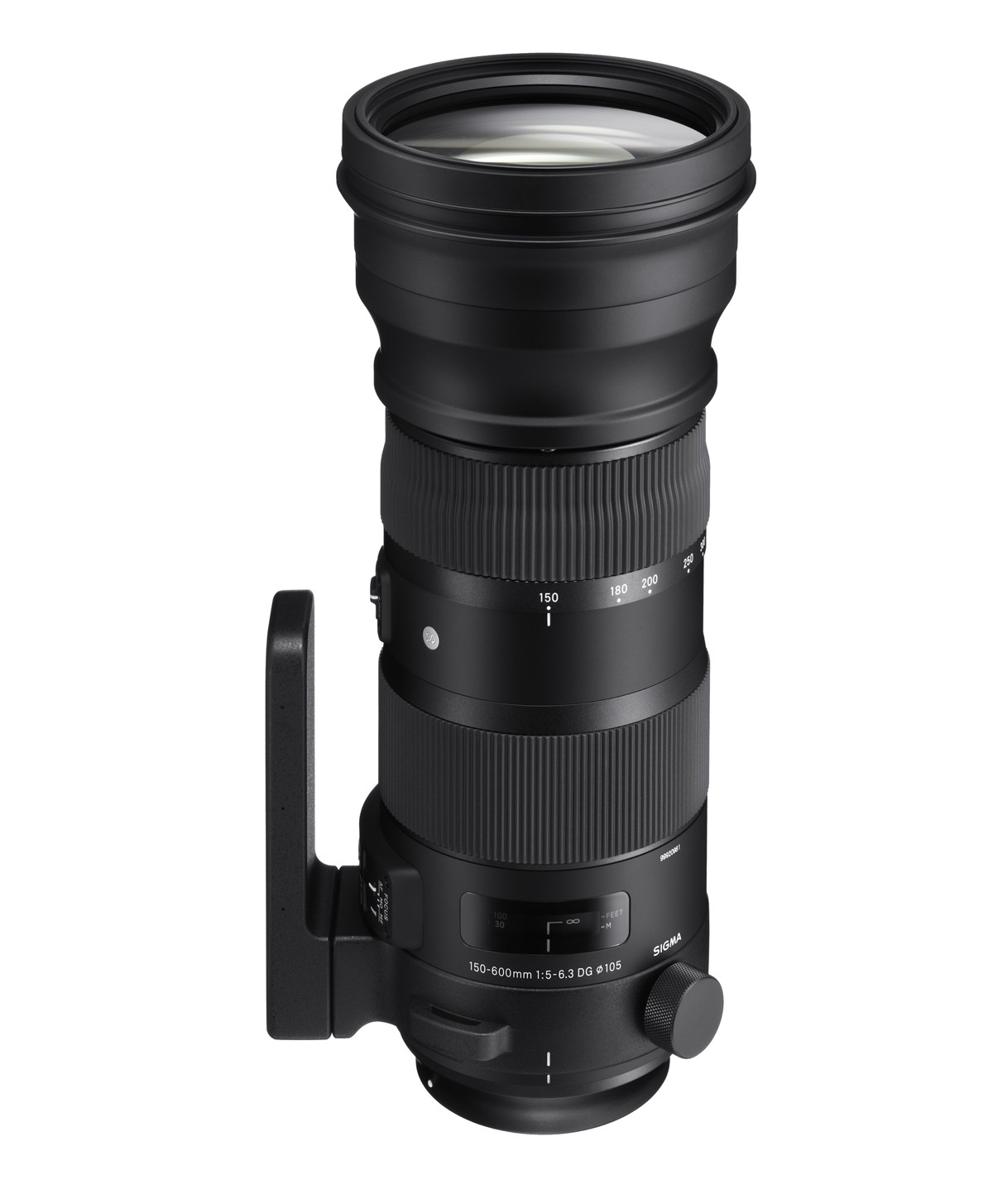
I think that I have pretty decent situation in wide angle and normal focal lenght photography at the moment, but there is much to improve in the longer telephoto lenses. Particularly my growing interest in nature photography translates into need for long-range, bit-aperture and sharp lenses. And unfortunately those things do not come cheap. Below are a couple of interesting alternatives for a Canon EF mount – I’d be interested to hear any comments or experiences you might have of these, or other EF mount telephoto lenses!

Canon EF 100-400mm f/4.5-5.6L IS II USM (Photo credit: Canon.)
Sigma 150-600mm F5-6.3 DG OS HSM | S. (Photo credit: Sigma.)

There is no perfect camera

One of the frustrating parts of upgrading one’s photography tools is the realisation that there indeed is no such thing as “perfect camera”. Truly, there are many good, very good and excellent cameras, lenses and other tools for photography (some also very expensive, some more moderately priced). But none of them is perfect for everything, and will found lacking, if evaluated with criteria that they were not designed to fulfil.

This is particularly important realisation at a point when one is both considering of changing one’s style or approach to photography, at the same time while upgrading one’s equipment. While a certain combination of camera and lens does not force you to photograph certain subject matter, or only in a certain style, there are important limitations in all alternatives, which make them less suitable for some approaches and uses, than others.

For example, if the light weight and ease of combining photo taking with a hurried everyday professional and busy family life is the primary criteria, then investing heavily into serious, professional or semi-professional/enthusiast level photography gear is perhaps not so smart move. The “full frame” (i.e. classic film frame sensor size: 36 x 24 mm) cameras that most professionals use are indeed excellent in capturing a lot of light and details – but these high-resolution camera bodies need to be combined with larger lenses that tend to be much more heavy (and expensive) than some alternatives.

On the other hand, a good smartphone camera might be the optimal solution for many people whose life context only allows taking photos in the middle of everything else – multitasking, or while moving from point A to point B. (E.g. the excellent Huawei P30 Pro is built around a small but high definition 1/1.7″ sized “SuperSensing”, 40 Mp main sensor.)

Another “generalist option” used to be so-called compact cameras, or point-and-shoot cameras, which are in pocket camera category by size. However, these cameras have pretty much lost the competition to smartphones, and there are rather minor advances that can be gained by upgrading from a really good modern smartphone camera to a upscale, 1-inch sensor compact camera, for example. While the lens and sensor of the best of such cameras are indeed better than those in smartphones, the led screens of pocket cameras cannot compete with the 6-inch OLED multitouch displays and UIs of top-of-the-line smartphones. It is much easier to compose interesting photos with these smartphones, and they also come with endless supply of interesting editing tools (apps) that can be installed and used for any need. The capabilities of pocket cameras are much more limited in such areas.

There is an interesting exception among the fixed lens cameras, however, that are still alive and kicking, and that is the “bridge camera” category. These are typically larger cameras that look and behave much like an interchangeable-lens system cameras, but have their single lens permanently attached into the camera. The sensor size in these cameras has traditionally been small, 1/1.7″ or even 1/2.3″ size. The small sensor size, however, allows manufacturers to build exceptionally versatile zoom lenses, that still translate into manageable sized cameras. A good example is the Nikon Coolpix P1000, which has 1/2.3″ sensor coupled with 125x optical zoom – that is, it provides similar field of view as a 24–3000 mm zoom lens would have in a full frame camera (physically P1000’s lenses have a 4.3–539 mm focal length). As a 300 mm is already considered a solid telephoto range, a 3000 mm field of view is insane – it is a telescope, rather than a regular camera lens. You need a tripod for shooting with that lens, and even with image stabilisation it must be difficult to keep any object that far in the shaking frame and compose decent shots. A small sensor and extreme lens system means that the image quality is not very high: according to reviews, particularly in low light conditions the small sensor size and “slow” (small aperture) lens of P1000 translates into noisy images that lack detail. But, to be fair, it is impossible to find a full frame equivalent system that would have a similar focal range (unless one combines a full frame camera body with a real telescope, I guess). This is something that you can use to shoot the craters in the Moon.

A compromise that many hobbyists are using, is getting a system camera body with an “APS-C” (in Canon: 22.2 x 14.8 mm) or “Four-Thirds” (17.3 × 13 mm) sized sensors. These also cannot gather as much light as a full frame cameras do, and thus also will have more noise at low-light conditions, plus their lenses cannot operate as well in large apertures, which translate to relative inability to achieve shallow “depth of field” – which is something that is desirable e.g. in some portrait photography situations. Also, sports and animal photographers need camera-lens combinations that are “fast”, meaning that even in low-light conditions one can take photos that show the fast-moving subject matter in focus and as sharp. The APS-C and Four-Thirds cameras are “good enough” compromises for many hobbyists, since particularly with the impressive progress that has been made in e.g. noise reduction and in automatic focus technologies, it is possible to produce photos with these camera-lens systems that are “good enough” for most purposes. And this can be achieved by equipment that is still relatively compact in size, light-weight, and (importantly), the price of lenses in APS-C and Four-Thirds camera systems is much lower than top-of-the-line professional lenses manufactured and sold to demanding professionals.

A point of comparison: a full-frame compatible 300 mm telephoto Canon lens that is meant for professionals (meaning that is has very solid construction, on top of glass elements that are designed to produce very sharp and bright images with large aperture values) is priced close to 7000 euros (check out “Canon EF 300mm f/2.8 L IS II USM”). In comparison, and from completely other end of options, one can find a much more versatile telephoto zoom lens for APS-C camera, with 70-300 mm focal range, which has price under 200 euros (check our e.g. “Sigma EOS 70-300mm f/4-5.6 DG”). But the f-values here already tell that this lens is much “slower” (that is, it cannot achieve large aperture/small f-values, and therefore will not operate as nicely in low-light conditions – translating also to longer exposure times and/or necessity to use higher ISO settings, which add noise to the image).

But: what is important to notice is that the f-value is not the whole story about the optical and quality characteristics of lenses. And even if one is after that “professional looking” shallow depth of field (and wants to have a nice blurry background “boukeh” effect), it can be achieved with multiple techniques, including shooting with a longer focal range lens (telephoto focal ranges come with more shallow depth of fields) – or even using a smartphone that can apply the subject separation and blur effects with the help of algorithms (your mileage may vary).

And all this discussion has not yet touched the aesthetics. The “commercial / professional” photo aesthetics often dominate the discussion, but there are actually interesting artistic goals that might be achieved by using small-sensor cameras better, than with a full-frame. Some like to create images that are sharp from near to long distance, and smaller sensors suit perfectly for that. Also, there might be artistic reasons for hunting particular “grainy” qualities rather than the common, overly smooth aesthetics. A small sensor camera, or a smartphone might be a good tool for those situations.

One must also think that what is the use situation one is aiming at. In many cases it is no help owning a heavy system camera: if it is always left home, it will not be taking pictures. If the sheer size of the camera attracts attention, or confuses the people you were hoping to feature in the photos, it is no good for you.

Thus, there is no perfect camera that would suit all needs and all opportunities. The hard fact is that if one is planning to shoot “all kinds of images, in all kinds of situations”, then it is very difficult to say what kind of camera and lens are needed – for curious, experimental and exploring photographers it might be pretty impossible to make the “right choice” regarding the tools that would truly be useful for them. Every system will certainly facilitate many options, but every choice inevitably also removes some options from one’s repertoire.

One concrete way forward is of course budget. It is relatively easier with small budget to make advances in photographing mostly landscapes and still-life objects, as a smartphone or e.g. an entry-level APS-C system camera with a rather cheap lens can provide good enough tools for that. However, getting into photography of fast-moving subjects, children, animals – or fast-moving insects (butterflies) or birds, then some dedicated telephoto or macro capabilities are needed, and particularly if these topics are combined with low-light situations, or desire to have really sharp images that have minimal noise, then things can easily get expensive and/or the system becomes really cumbersome to operate and carry around. Professionals use this kinds of heavy and expensive equipment – and are paid to do so. Is it one’s idea of fun and good time as a hobbyist photographer to do similar things? It might be – or not, for some.

Personally, I still need to make up my mind where to go next in my decades-long photography journey. The more pro-style, full-frame world certainly has its certain interesting options, and new generation of mirrorless full-frame cameras are also bit more compact than the older generations of DSLR cameras. However, it is impossible to get away from the laws of physics and optics, and really “capable” full frame lenses tend to be large, heavy and expensive. The style of photography that is based on a selection of high-quality “prime” lenses (as contrasted to zooms) also means that almost every time one changes from taking photos of the landscape to some detail, or close-up/macro subject, one must also physically remove and change those lenses. For a systematic and goal oriented photographer that is not a problem, but I know my own style already, and I tend to be much more opportunistic: looking around, and jumping from subject and style to another all the time.

One needs to make some kinds of compromises. One option that I have been considering recently is that rather than stepping “up” from my current entry level Canon APS-C system, I could also go the other way. There is the interesting Sony bridge camera, Sony RX10 IV, which has a modern 1″ sensor and image processor that enables very fast, 315-point phase-detection autofocus system. The lens in this camera is the most interesting part, though: it is sharp, 24-600mm equivalent F2.4-4 zoom lens designed by Zeiss. This is a rather big camera, though, so like a system cameras, this is nothing you can put into your pocket and carry around daily. In use, if chosen, it would complement the wide-angle and street photography that I would be still doing with my smartphone cameras. This would be a camera that would be dedicated to those telephoto situations in particular. The UI is not perfect, and the touch screen implementation in particular is a bit clumsy. But the autofocus behaviour, and quality of images it creates in bright to medium light conditions is simply excellent. The 1″ sensor cannot compete with full frame systems in low-light conditions, though. There might be some interesting new generation mirrorless camera bodies and lenses coming out this year, which might change the camera landscape in somewhat interesting ways. So: the jury is still out!

Some links for further reading:

The right camera lens?

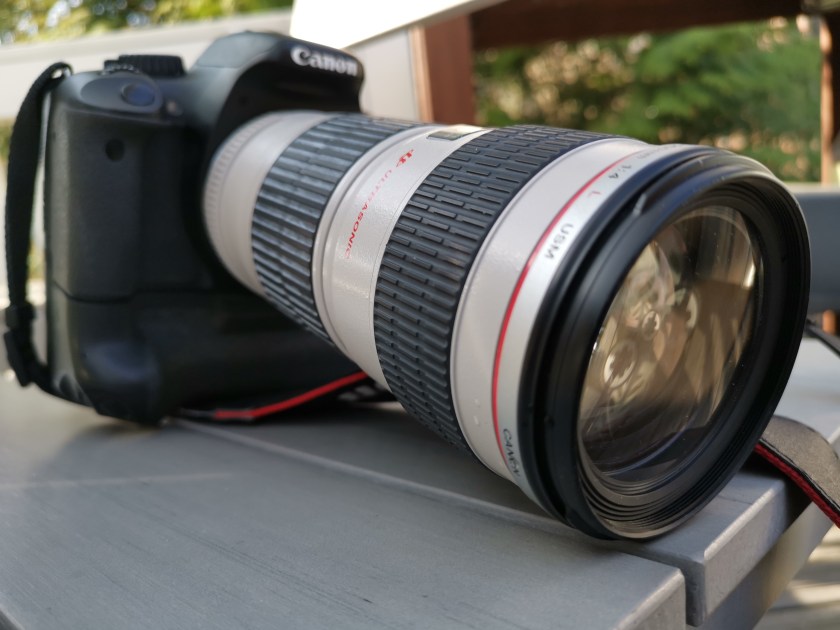
Currently in the Canon camp, my only item from their “Lexus” line – of the more high-quality professional L lenses – is the old Canon EF 70-200mm f/4 L USM (pictured). The second picture, the nice crocus close-up, is however not coming from that long tube, but is shot using a smartphone (Huawei Mate 20 Pro). There are professional quality macro lenses that would definitely produce better results on a DSLR camera, but for a hobbyist photographer it is also a question of “good enough”. This is good enough for me.

The current generation of smartphone cameras and optics are definitely strong in the macro, wide angle to normal lens ranges (meaning in traditional terms the 10-70 mm lenses on full frame cameras). Going to telephoto territory (over 70 mm in full frame terms), a good DSLR lens is still the best option – though, the “periscope” lens systems that are currently developed for smartphone cameras suggest that the situation might change in that front also, for hobbyist and everyday photo needs. (See the Chinese Huawei P30 Pro and OPPO’s coming phones’ periscope cameras leading the way here.) The powerful processors and learning, AI algorithms are used in the future camera systems to combine data coming from multiple lenses and sensors for image-stabilized, long-range and macro photography needs – with very handy, seamless zoom experiences.

My old L telephoto lens is non-stabilized f/4 version, so while it is “fast” in terms of focus and zoom, it is not particularly “fast” in terms of aperture (i.e. not being able to shoot in short exposure times with very wide apertures, in low-light conditions). But in daytime, well-lighted conditions, it is a nice companion to the Huawei smartphone camera, even while the aging technology of Canon APS-C system camera is truly from completely different era, as compared to the fine-tuning, editing and wireless capabilities in the smartphone. I will probably next try to set up a wireless SD card & app system for streaming the telephoto images from the old Canon into the Huawei (or e.g. iPad Pro), so that both the wide-angle, macro, normal range and telephoto images could all, in more-or-less handy manner, meet in the same mobile-access photo roll or editing software. Let’s see how this goes!

(Below, also a Great Tit/talitiainen, shot using the Canon 70-200, as a reference. In an APS-C crop body, it gives same field of view as a 112-320 mm in a full frame, if I calculate this correctly.)

Talitiainen (shot with Canon EOS 550D, EF 70-200mm f/4 L USM lens).