All-in-one: still not there

HP-elite-x2
HP Elite X2 1012 press photo (image © HP).
Some time ago, I blogged about tablets as productivity devices, and then I also have written about some early experiences as a user of Microsoft Surface Pro 4: a Windows 10, 2-in-one tablet PC that relies on combination of touch screen, pen computing, and keyboard and touchpad cover (plus Cortana voice assistant, if you are a US/English user). It just might be that I am restless and curious by nature, but these days I find myself jumping from Microsoft to Apple to Google ecosystems, and not really finding what I am looking for from any of them.

When I am using an iOS or Android tablet, the file management is usually a mess, external keyboard and mouse inputs are not working reliably, and multitasking between several apps and services, copy-pasting or otherwise sharing information between them all is a pain.

When I am on a regular Windows laptop or PC, keyboard and mouse/touchpad usually are just fine, and file management, multitasking and copy-pasting work fine. Touch screen inputs and the ease of use lag behind tablet systems, though. (This is true also to the Apple OS X desktop environment, but I have pretty much given up the use of Macs for my work these days, I just could not configure the system to work and behave in the ways I want – as a Microsoft OS/PC user who has hacked his way around DOS, then Windows 3.0 etc., and thus has certain things pretty much “hard-wired” in the way I work.)

Surface Pro 4 is the most optimal, almost “all-in-one” system I have found so far, but I have started to increasingly dislike its keyboard cover. Surface Pro 4 cover is not that bad, but if you are a touch-typist, it is not perfect. There is still slight flex in the plastic construction and shallow key movement that turns me off, and produces typing errors exactly when you are in a hurry and you’d need to type fast. I am currently trying to find a way to get rid of the type cover, and instead use my favorite, Logitech K810 instead. But: I am not able to attach it to Surface Pro in solid enough way, and there is no touchpad in K810, so workflow with all those mouse right-clicks becomes rather complex.

I really like the simplicity of Chromebooks, and this blog note, for example, is written with my trusty Toshiba Chromebook 2, which has excellent, solid keyboard (though not backlighted), and a good, crisp Full HD IPS screen plus a responsive, large touchpad. However, I keep reaching out and trying to scroll the screen, which is not a touch version. (Asus Chromebook Flip would be one with a touch screen.) And there is nothing comparable to the Surface Pen, which is truly useful when one e.g. reads and makes notes to a pile of student papers in PDF/electronic formats. Also, file management in a Chrome OS is a mess, and web versions of popular apps still respond more slowly and are more limited than real desktop versions.

So, I keep on looking. Recently I tested the HP Elite X2 1012 (pictured), which is pretty identical to the Surface Pro systems that Microsoft produces, but has an excellent, metallic and solid keyboard cover, as well as other productivity oriented enhancements like the optional 4G/LTE sim card slot, USB C port with Thunderbolt technology, and a decent enough screen, pen and kickstand design. However, Elite X2 falls short in using less powerful Intel Core M series processors (Surface Pro 4 goes for regular Core i5 or i7 after the entry-level model), by being rather expensive, and according to the reviews I have read, also the battery life of Elite X2 is not something a real mobile office worker would prefere.

Maybe I can find a way to connect the Elite X2 metallic keyboard cover to the Surface Pro 4? Or maybe not.

(Edit: The battery life of Elite X2 actually appears to be good; the screen on the other hand only so-and-so.)

Greenhouse: container for growing bags

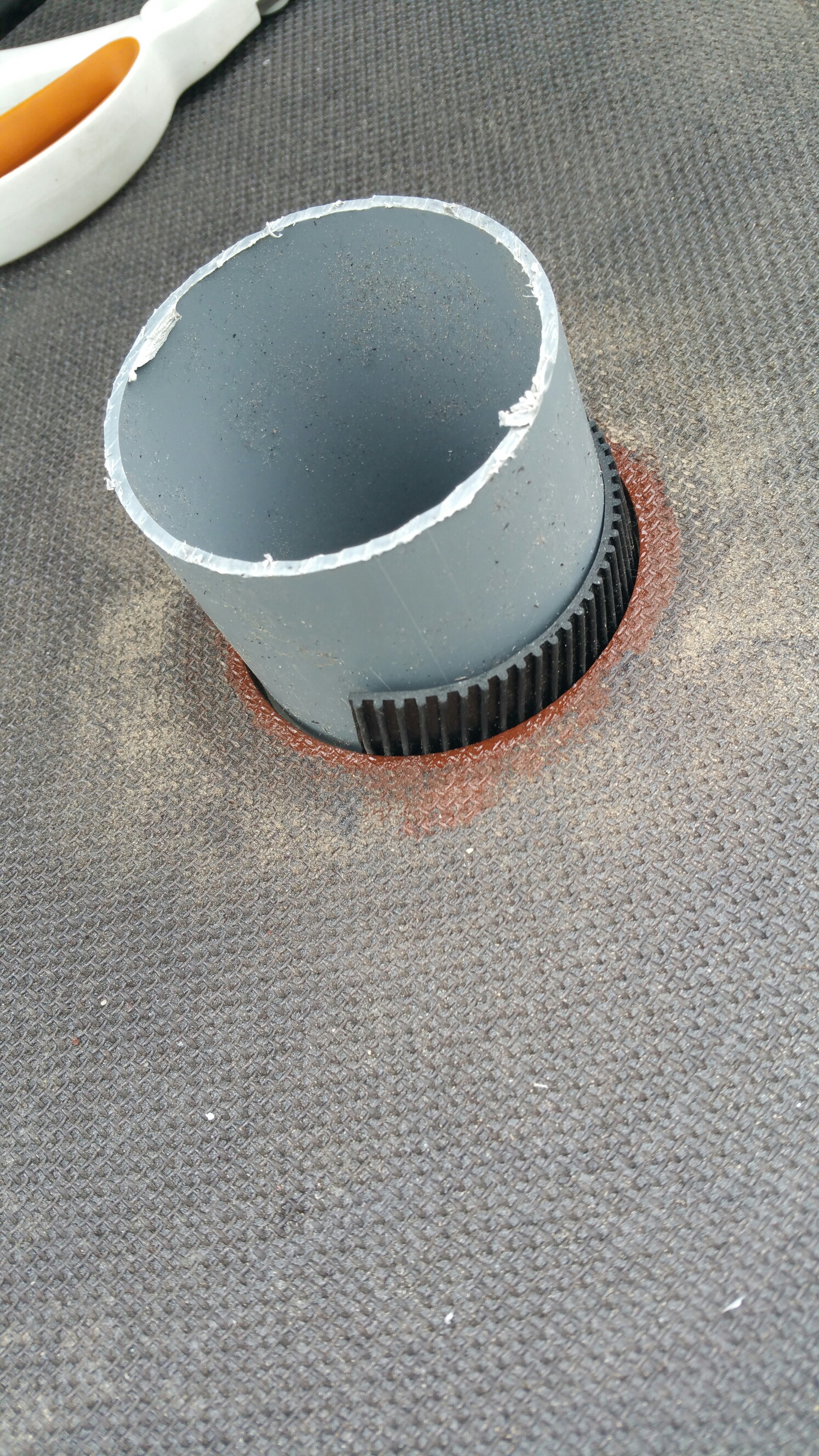
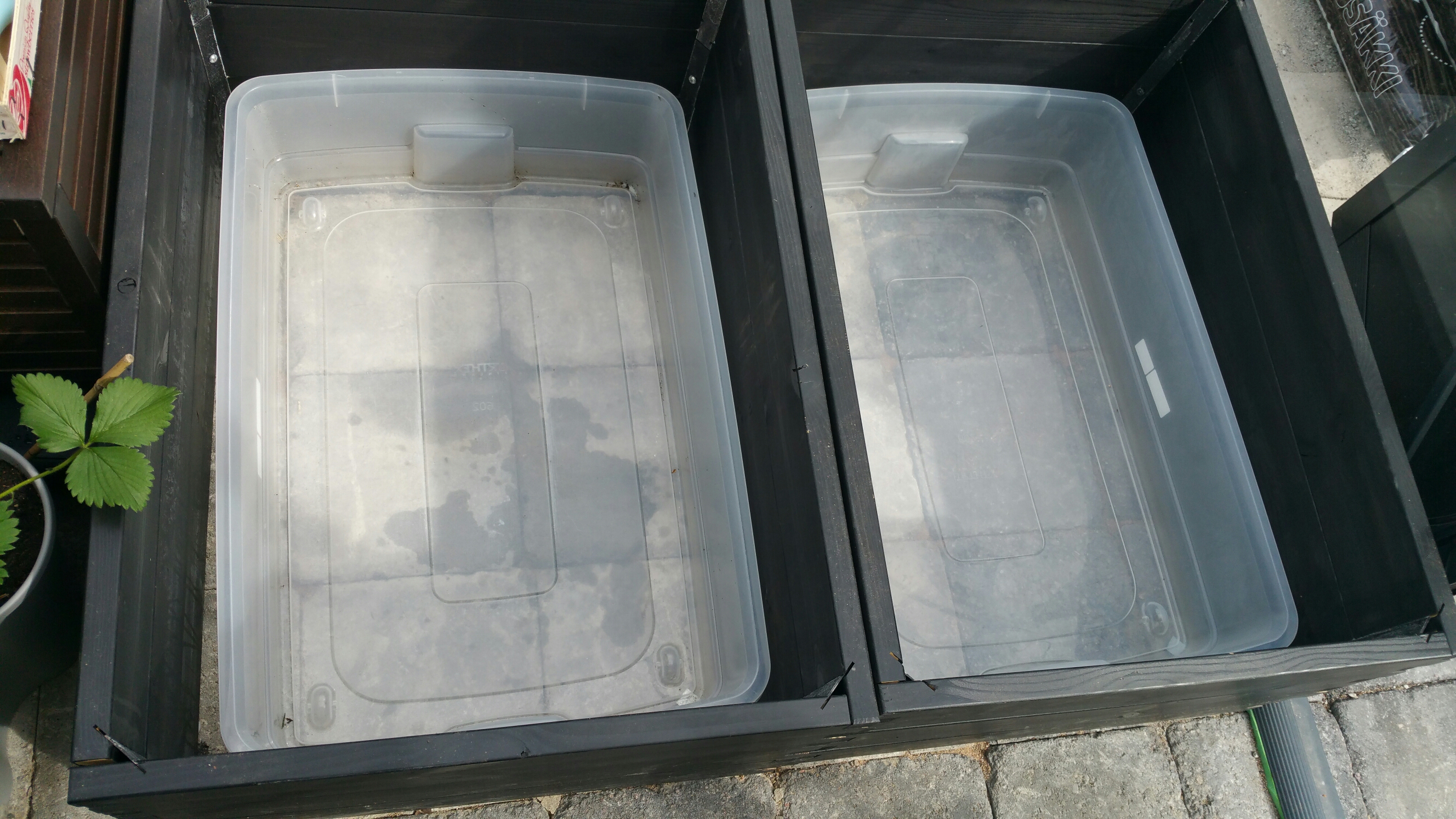
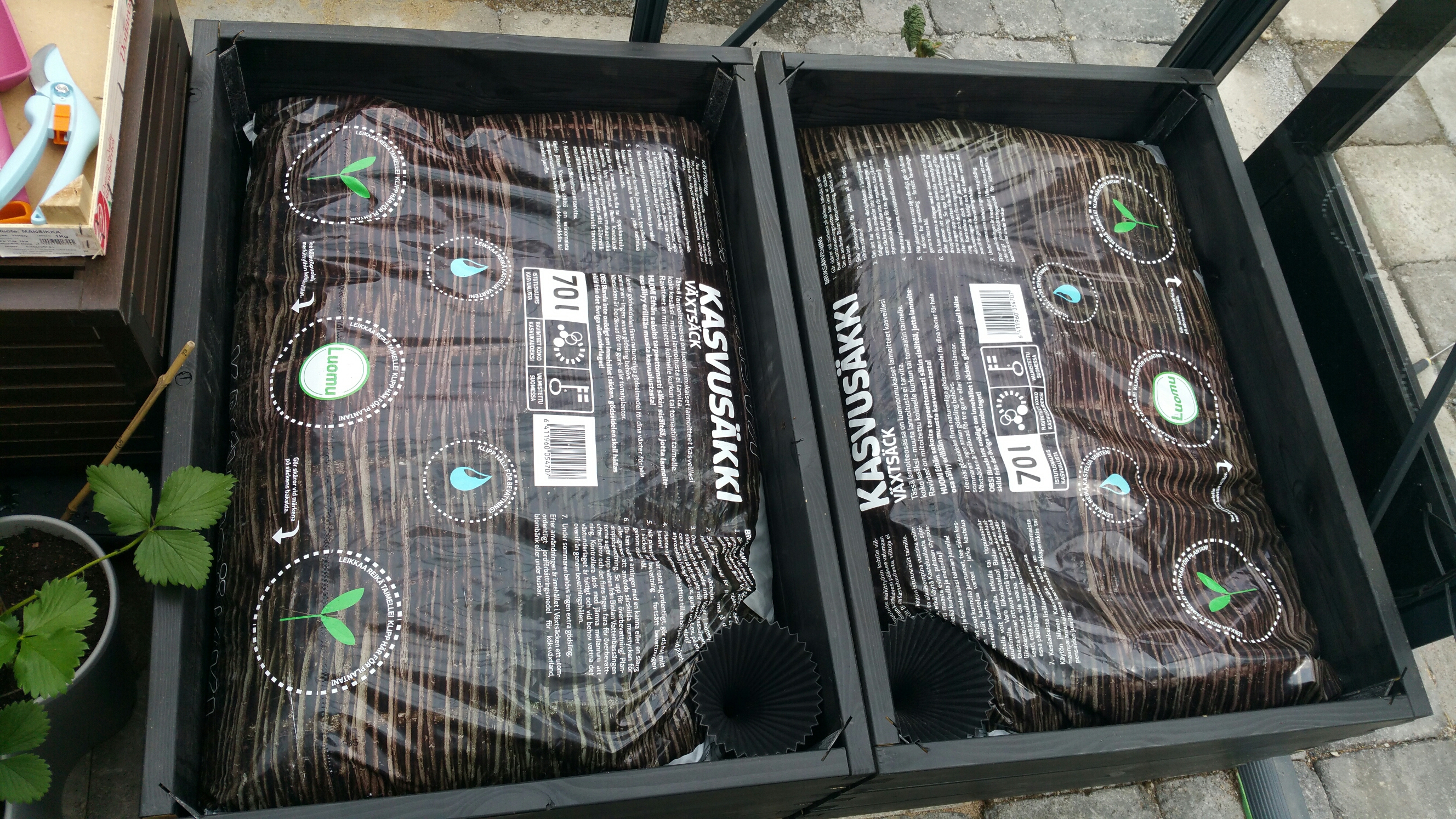
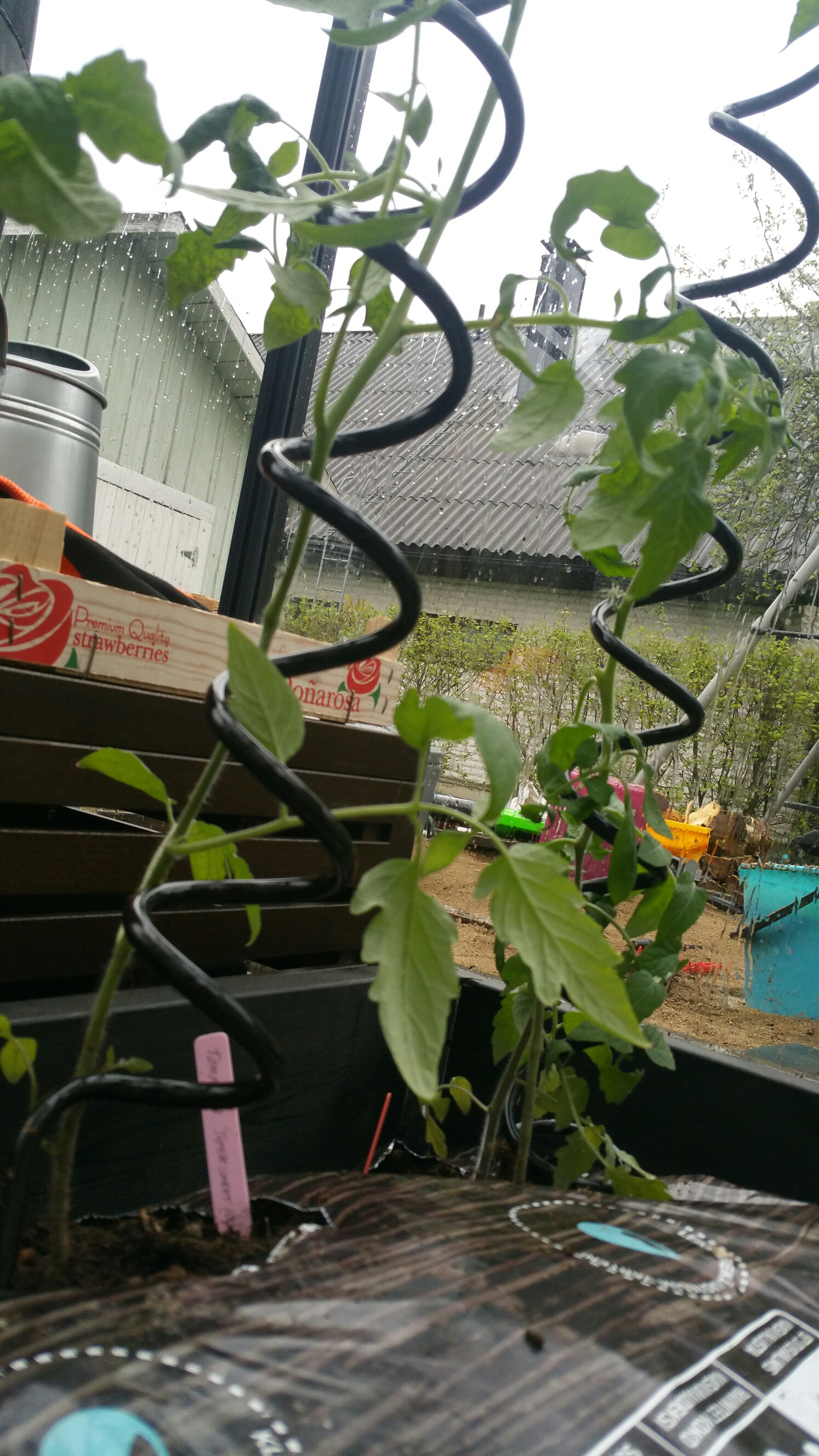
Today another key element for our greenhouse was completed. Tomatoes will be cultivated in Biolan brand growing bags (“kasvusäkki”), and our DIY version involves preparing containers that include water tanks and soil-filled pipes that connect the growing bags with the water reservoir. The setup is completed with spiral-shaped, aluminium supports of Juliana that help tomatoes to grow upwards.
image

image

image

image

image

image

image

image

image

image

Greenhouse project, continued.

New summer is approaching, and the greenhouse project of course continues (see the previous parts of the story, starting from Part 1 onwards). The greenhouse itself, and its foundation with its freezing protection structures appear to have survived the first winter just fine, which is a good starting point. The next challenges are related to temperature and water. The dual challenges of temperature control in a small greenhouse connect to it’s small air-mass getting excessively hot in daytime, and the near-freezing temperatures affecting it to the other extreme in the night time, particularly early in the spring (or late in the autumn). The automatic ventilation of our Juliana greenhouse is based on the single roof window being opened by the gas spring when the air at the top part of the greenhouse gets hot enough. In sunny days though one ventilation window is not necessarily enough, so opening the greenhouse door as well might be necessary. Also, the sensitive young plants need to be protected from direct sunlight somehow; our solution now is based on reflective, aluminium shade fabric that mirrors enough radiation from the sun so that the temperature and light conditions are now closer to optimum.

The plans for the watering system involve the use of Blumat automated watering system and a dark plastic water tank – this will both help to keep the moisture levels good, and dark water tank will also store warmth during daytime, and release it at night, helping to balance cold nights. While our chilies will be fed by Blumat system the tomatoes will get their own, handmade plant pot/water tank system. (This is still under construction.) Temperature and hydrometer functions are provided by the outdoor Netatmo unit, which has a nice smartphone app.

Today, there were many spring tasks in the garden, and one involved moving the chilli saplings (which had overgrown their small pots) into larger pots, with some fresh soil. It would be so nice to be able to just leave the chillies into the greenhouse already, but nights in Finland in early May are just too cold – so, since we do not have a petrol or electric heater for nights, the chilli plants need to be carried indoors every night, and back in the morning, as long as the cold nights go on. Let’s see how long it takes for me to go out and get that heater…

New Touran: The Era of AI-Human Hybrids Is Here?

2016-04-01 14.58.26Due to some practical reasons, we had to update our personal car this spring. Our previous car was a VW Touran that we got in 2011 (when it was necessary for us to fit three kids or baby seats into the back row – Touran is among those very few cars that are sold in Finland that can handle this). Volkswagen’s reputation got really badly tarnished in the pollution cheating scandal in 2015, and it took us some time to consider our options. Finally we nevertheless ended up with a Touran again – there are just too few car models that get right most of the essential specs that our family needs, in the price range we still can afford. There has been some interesting changes in how cars – or at least this particular, German car model – have evolved during the five years that have passed between spring 2011 and 2016, so here are some quick notes.

Firstly: it is a bit disappointing to notice that the fuel economy, climate control or energy consumption elements of Touran have not apparently been at the top priority of VW’s R&D efforts. The excellent TSI motor of VW group has been around for a long time already (I think 1.4 liter TSI was introduced in 2005), and it was ahead of its curve at the time; the emissions were clearly lower than comparable other petrol motors, the power efficiency was so good that VW could make family cars / MPVs (multipurpose vehicles/minivans) that could be moved with 1.4 or 1.2 liter petrol motor. Coupled with the DSG automatic, VW cars have been easy to drive and provide balanced behaviour with well designed interiors that fit need of families with flexible, separate seat arrangements that can fold completely flat when moving cargo of various kinds – all this kind of details help to explain their success. The 2016 Touran model differs from our previous 1.4 TSI model by delivering a bit more power with same cylinders (150 vs. 140 horse powers) and it also has the start/stop system that automatically switches off the motor when the car is stopped in traffic lights, for example.

The key differences that the Touran driver notices are in the assistive, “smart systems” that have taken considerable leaps and entered regular, mainstream cars during the last five years. I am interested enough in futuristic technologies to order this Touran with most (but not all) available “smart” options; these included adaptive cruise control (ACC, utilizing a radar sensor), Front Assist, Park Assist 3.0, Side Assist Plus, Lane Assist, Emergency Assist, and the Traffic Jam Assist. There is also a Traffic Sign Regocnition system that uses camera to keep track of speed limit signs. The Discover Media infotainment system is also from a completely new era, as compared to the basic car radio we had in our 2011 Touran. This one has large capacitive touch screen, Europe-wide navigation system, support for Apple Carplay, Android Auto and MirrorLink standards for getting smartphones with their apps and services linked with the car (though I think Android Auto is not yet working here in Finland?) We also got some extra fuel economy, comfort and security services installed (DEFA WarmUp Link system, with its apps). On the other hand, the “Volkswagen Car-Net” service with its smartphone apps appears to be a work-in-progress; we have not been able to get either iOS or Android versions working at all.

After a couple of test drives, the new car does indeed seem to combine the traditional German stable driving and quality feel with a more informative and “alive” layer of new technologies. (In the mechanical parts side, though, we had a bit too stiff gas spring holding up the hood of our new Touran, so we could not get the hood closed without some expert assistance – there seems to be some holes in VW quality control.) The “operating system” of the new Touran takes considerably more effort than before to really learn and understand. There are both the mechanical controls and switches, the physical buttons in the dashboard that relate to certain key functionalities, and then the touchscreen controls that go deeper into setup of all those multiple smart assisting functions, as well as into controlling the infotainment system. (There is also Voice Control, but that is not supported in Finland/Finnish.) This car also has a multifunction steering wheel, which our old car did not have, and there are loads of more buttons now to learn in there, too. While driving, one can of course ignore most of all this new tech, and just concentrate on the essentials of traffic, but one will notice that the “Assistants” will every now and then engage with the steering, breaks or launch a warning or notice signal of some kind. If one wants to understand and make best use of all assistants, it is necessary to spend some time reading and testing to learn their abilities and also limitations. Driving in the regular country road, one could in principle use now the combination of Lane Assist to steer the car and keep it on the road, and rely on the ACC with its radars to maintain regular speed and safe distance to other road users. However, the systems will flash warning signs if you try to take your hands off the steering wheel for too long, or if you show other signs of losing control – or even consciousness: the Emergency Assist system can show the car and stop it at the side of the road warning lights flashing, if it fails to get proper response from the driver.

I think we are currently at the early stages of hybrid and symbiotic systems in everyday use, and car technology is at the forefront of this evolution. As the learning algorithms, data analytics and artificial intelligence gets better, it is clear that some things really suit better for humans to understand and decide upon, whereas the speed, sensing range and problem-solving capabilities of artificial intelligence systems suit better other kinds of challenges. Learning how to do this basic task division is the key element that a smart car (or smart house, smart environment etc.) user needs to handle first. The new Touran apparently tries to learn the driving habits of its human partner, and adapt to them – but currently I think the human is the one who needs to do more of the adapting. Smart systems are not yet that smart.

(More info, see e.g. VW pages about ACC at: http://www.volkswagen.co.uk/technology/adaptive-cruise-control-acc )

On university mergers, and “Tampere 3”

As UTA staff representative in the Tampere 3 steering group, I have been asked to talk next week in the UTA professors’ forum event. Much is still in the air, and open, but here are some key themes that relate to this topic:

  • The primary goals of the university merger. There has been some unclarity how various parties (state government, university administration, students, staff, etc.) see the primary aims of this merger, but often the primary driver for starting this kind of merger processes has been economic one: consolidating education, research and services into larger units will supposedly open doors for savings. The quality reasons for improvements on the other hand are commonly expressed in terms of the “big is beautiful” model: various reports and policy statements have long claimed that there are too many Finnish universities as compared to the population size of the country (the wide geographical reach is rarely commented in these) and that there is too much fragmentation – small one/two person programs or disciplines have no “critical mass” to systematically evolve and carry out high quality research, or provide strong education. (What is clear is that the effectiveness and focus provided by smaller units is insufficiently understood in these discussions.) It now seems that Tampere 3 merger is moving forward and that it has aspects that both are related to rationalizing, as well as aspects that relate to profiling: i.e. that Tampere region takes a stronger role in some areas (and is then also expected to scale down involvement in some others). There is much need for wisdom and hearing of experts while such crucial strategic decisions are being made. Professors, teachers, other staff and students all have their important contributions to make in this process.
  • Innovation potential vs. realities of work. Change is always a burden, and (if my memory serves me) in UTA for example, the number of staff has already gone down from c. 2.500 to 2.000 in a few years. As there has not been a radical drop in bureaucracy (new requirements for reporting, quality controlling, etc., rather have been introduced in this period), this has meant that numerous tasks that have previously been handled by some assisting personnel, are today handled by professors and other key staff members themselves. There is no longer someone who would quickly and efficiently take care of your travel receipts: after each trip (which there are many, if you collaborate nationally and internationally, as is expected), a professor will stay late at work to do a few extra hours to scan documents, manually input all numbers and explanations of cost items into the travel system, or otherwise fill in and check working hours or budget numbers of his team’s projects into various spreadsheets and administrative databases. This takes its toll, on top of research funding (to give another example) becoming an increasingly competitive and collaborative effort, which, in turn, also means an increase in meetings of various kinds, as well as plenty of grant and plan writing, report writing and form filling work. The university staff is already overburdened, some are seriously struggling in keeping up with the various requests coming into their overflowing inboxes and shared electronic calendars, and the atmosphere towards starting yet another radical round of restructuration is therefore not exactly optimal. In UTA, there used to be over 30 discipline-based departments and a mid-layer of faculty structures on top of that, but in 2011 this was restructured into nine larger Schools, and some aspects of that change have yet not been properly processed, and continue to create their own challenges (see: http://www.uta.fi/ajankohtaista/yliopistouutiset/1010/0510/yksikkojako.pdf). Yet, that said, there is nevertheless also genuine potential to find mutually complementing counterparts in the Tampere 3 restructuration – or at least get an opportunity to fix some of the errors that were made in the previous restructuration rounds. “Change is good” mantra might sound like a joke for a tired and overworked academic staff member, but there truly is also catalysing potential and opportunities for genuine innovation when the wide range of UTA, TUT and TAMK education, research and societal collaboration activities are brought together in sensible and clever, new ways. But this sense and cleverness requires that the best expertise in understanding complex phenomena, and the true substance of research and other academic work is used and activated as this process moves forward.
  • Resources and promises. Much of this boils down to how the extra overhead related to the merger will be resourced and managed. Many members of staff are currently cautious, due to seeing all too well the dangers of committing to overambitious objectives with insufficient resources. On the other hand, there is also pent-up energy and need for taking the next steps and building the new university: there are highly dynamic young (and older) researchers, teachers and administrators who have witnessed the societal transformations, seen the potential for innovation, who have published research or piloted new models in their individual projects, but who have not yet been provided an opportunity to apply these lessons to wider scale in their own institution. Such best experts and research-based solutions are now in crucial demand, as the excellent opportunity potential in Tampere 3 finally starts to open up in a big way. The unique profile of Tampere 3 in societal, cultural, technical and health related research areas, as well as the strong expertise in some really interesting, collaborative and experimental work that has been carried out in Tampere means that a new and interesting university can be created that can in flexible and multidisciplinary manner tackle many of the challenges related to the future societal developments. But that creation process requires a lot of work. And when work needs to be done, both energy, enthusiasm, expertise – and money – need to come together, and be channelled in a wise manner. Let’s hope that we are lucky enough to have that wisdom in Tampere, as well as in the Finnish government.

Tablets as productivity devices

Logitech Ultrathin Keyboard for iPad Air
Professionally, I have a sort of on-off relationship with tablets (iPads, Android tablets, mainly, but I count also touch-screen small-size factor Windows 2-in-1’s in this category). As small and light, tablets are a natural solution when you have piles of papers and books in your bag, and want to travel light. There are so many things that every now and then I try to make and do with a tablet – only to clash again against some of the limitations of them: the inability to edit some particular file quickly in the native format, inability to simply copy and paste data between documents that are open in different applications, limitations of multitasking. Inability to quickly start that PC game that you are writing about, or re-run that SPSS analysis we urgently need for that paper we are working on.

But when you know what those limitations are, tablets are just great for those remaining 80 % or so of the stuff that we do in mobile office slash research sort of work. And there are actually features of tablets that may make them even stronger as productivity oriented devices than personal computers or fully powered laptops can be. There is the small, elite class of thin, light and very powerful laptop computers with touch screens (running Windows 10) which probably can be configured to be “best of both worlds”, but otherwise – a tablet with high dpi screen, fast enough processor (for those mobile-optimized apps) and excellent battery life simply flies above using a crappy, under-powered and heavy laptop or office PC from the last decade. The user experience is just so much better: everything reacts immediately, looks beautiful, runs for hours, and behaves gracefully. Particularly in iOS / Apple ecosystem this is true (Android can be a bit more bumpy ride), as the careful quality control and fierce competition in the iOS app space takes care that only those applications that are designed with the near-perfect balance of functionality and aesthetics get into the prime limelight. Compare that to the typical messy interfaces and menu jungles of traditional computer productivity software, and you’ll see what I mean.

The primary challenge of tablets for me is the text entry. I can happily surf, read, game, and watch video content of various kinds in a tablet, but when it comes to making those fast notes in a meeting where you need to have two or three background documents open at the same time, copy text or images from them, plus some links or other materials from the Internet, the limitations of tablets do tend to surface. (Accidentally, Surface 4 Pro or Surface Book by Microsoft would be solutions that I’d love to test some of these days – just in case someone from MS sales department happens to read this blog…) But there are ways to go around some of these limitations, using a combination of cloud services running in browser windows and dedicated apps and quickly rotating between them, so that the mobile operating system does not kill them and lose the important data view in the background. Also, having a full keyboard connected with the tablet device is a good solution for that day of work with a tablet. iPad Air with a premium wireless keyboard like Logitech K811 is shoulders above the situation where one is forced to slowly tap in individual letters with the standard virtual keyboard of a mobile device. (I am a touch-typist, which may explain my perspective here.)

In the future, it is increasingly likely that the differences between personal computers and mobile devices continues to erode and vanish. The high standards of ease of use, and user experience more generally, set by mobile device already influence the ways in which also computer software is being (re-)designed. The challenges waiting there are not trivial, though: when a powerful, professional tool is suddenly reduced into a “toy version” of itself, in the name of usability, the power users will cry foul. There are probably few lessons in the area of game (interface) design that can inform also the design of utility software, as the different “difficulty levels” or novice/standard/expert modes are being fine-tuned, or the lessons from tutorials of various kinds, and adaptive challenge levels or information density is being balanced.

The Bard of the Postmodern has Gone

There are people who defy definitions. David Bowie created beauty, then something ugly, next, something just plain weird. He was the crystallization of curiosity of spirit – never resting for long, never completely satisfied with the peaks already reached. Always reaching out, towards something new, unseen, something never experienced before.

The range of Bowie’s experimentation respected no boundaries, and inspired not only other creators, but opened up new worlds for identity expression for entire generations. Like Goethe’s Faust two centuries before, Bowie embraced changes, sought ever new challenges – in the words of Faust to Mephistopheles: “If I be quieted with a bed of ease / Then let that moment be the end of me”…

David Bowie never stopped. Even in his dying days, he worked and sought new avenues to expressing what human condition is, how it can be seen – transforming his own death into a work of art in the process.

Fly with the angels, Spaceboy.

Year in review – my 2015 in game studies

The year 2015 was a busy year, and hard to summarise as it feels like there never really was any time to stop and reflect; thus I welcome this short review note as such opportunity. Much of my time this year was spent on administrative things, related processes, projects, work contracts and plans of restructuring at the multiple levels of the Finnish university system, Tampere 3 university fusion, internal University of Tampere structures, the School of Information Sciences, our degree programmes and the IGS master’s degree programme, TRIM as the research centre and our Game Research Lab, and its individual research projects and other work.

In terms of published research, it was delightful to follow how many interesting book projects were finished and came out during 2015 (many of these are already out and available, even if their official publication year is 2016). Particularly the Routledge Advances in Game Studies series was in high gear, as several important research volumes were published there; my research articles were included in The Dark Side of Game Play, The Video Game Debate and Video Game Policy books. (There were other important books in the series, too, including Rachel Kowert’s Video Games and Social Competence, and Ashley ML Brown’s Sexuality in Role-Playing Games.) For more, see: https://www.routledge.com/series/RAIGS My own work included analysing the subversive uses of chidren’s games, exploring the gaming communities, and (together with Gareth Schott) re-conceptualizing game violence.

In other published work, I was proud to be part of the editorial board of Finnish Yearbook of Game Studies (Pelitutkimuksen vuosikirja; with the new editor-in-chief Raine Koskimaa), have in-depth analyses of our game researcher survey study come out in esteemed Journal of Communication (Thorsten Quandt, Jan Van Looy as the main authors in this article). I also published a historically oriented overview of Finnish games and game culture in the Video Games Around the World volume, edited by the amazingly productive Mark Wolf for the MIT Press. I also wrote an article exploring the character and development of mobile games that was published in the International Encyclopedia of Digital Communication & Society (Wiley-Blackwell). Last but not least, the long-waited book, Playful Identities: The Ludification of Digital Media Cultures came out from Amsterdam University Press. My piece there deals with the culture and identity of casual online play.

Our research team’s work in 2015 again covered a large part of the games, player experiences, design research and game cultures landscapes. Our particular emphasis is on the emerging and transforming aspects of these, multiple and interconnected phenomena and research topics. In 2015 we wrapped up the research projects Hybridex – The User Experience in the Future Playful Hybrid Services and Free2Play – Best Practices for Free-to-Play Game Services. Some of the research publications, including the full final reports from these projects are still coming out, but you can find some of this work at: https://free2playproject.wordpress.com/publications/ and https://hybridex.wordpress.com/ . Our work in the emerging, and newly re-configured borderlines of physical and digital dimensions in play also included also practical design experiments in the TSR funded OASIS research that studied intermixing of work and play, as well as with the playful MurMur chairs (originating from the Hybridex project). Featured in local as well as in international media, such practical implementations of fundamental research particularly appear to attract the attention of wider audiences. The high-quality research on gamification was also getting wider notice this year, including many publications that were coming out from Koukku, Neuroeconomics of Gaming and Free2Play research projects on this theme. Many thanks to all members of our research team, from these, as well as other research projects.

Much of such research that includes direct applications and links with games industry and other end user or interest groups were funded by Tekes, the Finnish Funding Agency for Innovation, as well as by various industry partners. Many thanks to all our collaborating partners, and Tekes in particular for their interest and belief in the significance of games and games related research. The Skene games programme ended in 2015, but everyone very much hopes that the huge funding cuts to Tekes, Academy of Finland and directly to the basic funding of Finnish universities does not stop work in themes that are important for the advancement of fundamental knowledge, cultural richness, and capacity for innovation – be those related to arts, technology, humanities, social sciences or e.g. human well-being (studies of games, play, gamification and playfulness relate and touch upon all those research areas).

Our work continues in active mode also in 2016, thanks to two new Tekes research projects (Hybrid Social Play; STREAM/eSports), the Academy of Finland funded Ludification of Culture and Society project, and other ongoing work that is based on individual research grants that members of our research teams have won, as well as other continuing research projects. There are many important themes that are logical continuation of the earlier work we have done (and I have probably forgot to mention many important achievements above), but there are also new innovations and expansions into new areas that are going on. Directing my time and energy into new research on e.g. hybrid play applications while simultaneously participating in other ongoing work will probably mean that in 2016 there will not be as many publications coming out from myself, but that is part of the natural rhythm, ebb and flow of academic life. It is also important that the new tenure-track associate professor in game culture studies position, announded in summer 2015, will be filled hopefully in early 2016. We are also joining forces among the Finnish game scholars to have more supportive structures and collaborative initiatives to start in 2016.

Again: many thanks for everyone in our team, project collaborators and international friends who have made 2015 such a successful and productive year – wishing you all the best, and hoping to make 2016 also a great year together!

Edit: Oh yes – Jaakko Stenros defending his PhD thesis should of course be mentioned here; every doctoral dissertation from our research team is a major milestone!

Gaming station, next generation

As I wrote around Christmas 2011, I made my latest big PC upgrade then, going for Asus P8Z68-V, GEN3 motherboard and ASUS GTX 560 Ti DirectCU II TOP based system. This served me four, rather than planned five years though. Apparently the motherboard peripherals failed, and then BIOS upgrade went astray, plus botched CMOS reset attempt finally killed the motherboard completely – some nice components were left to my hands, but this system lives no more: https://fransmayra.fi/2011/12/28/the-five-year-upgrade-plan/.

I must say that while setting up your own PC is interesting in itself, the compatibility and driver issues are also bit stressful and tiresome (particularly now, having spent most of last night fighting to revive the old PC system). Thus, this time I decided to submit an order to a store that sells pre-configured, pre-installed and tested PCs that also have the operating system set up. After comparing prices and configurations a bit, I ended up with SystemaStore shop from Oulu. These are some of the highlights of this new gaming station:

Processor: INTEL Core i5-6500 3.2GHz LGA1151 6MB BOXED
Cooler Master HYPER 212 EVO
Motherboad: ASUS Z170-P LGA1151 ATX DDR4 (max. 64GB ram)
Memory: Kingston HyperX Fury 8GB(2x4GB) DDR4 2133Mhz
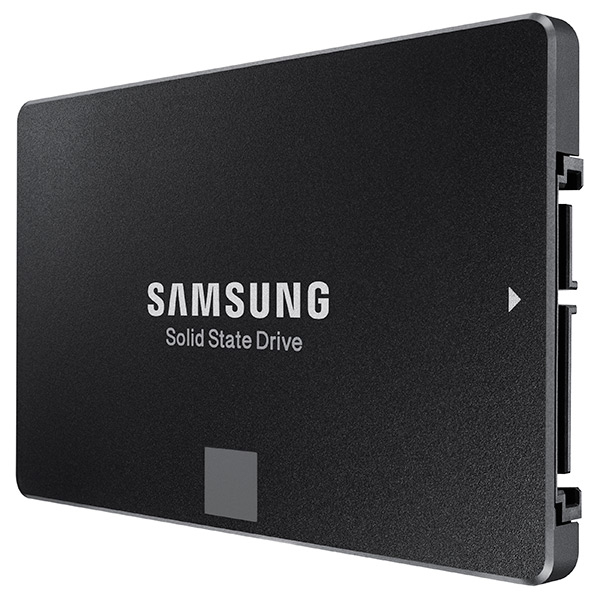
SSD: Samsung 850 EVO 250GB SSD SATA3
HDD: 1TB 7200RPM SATA3 (Seagate barracuda st1000dm003)
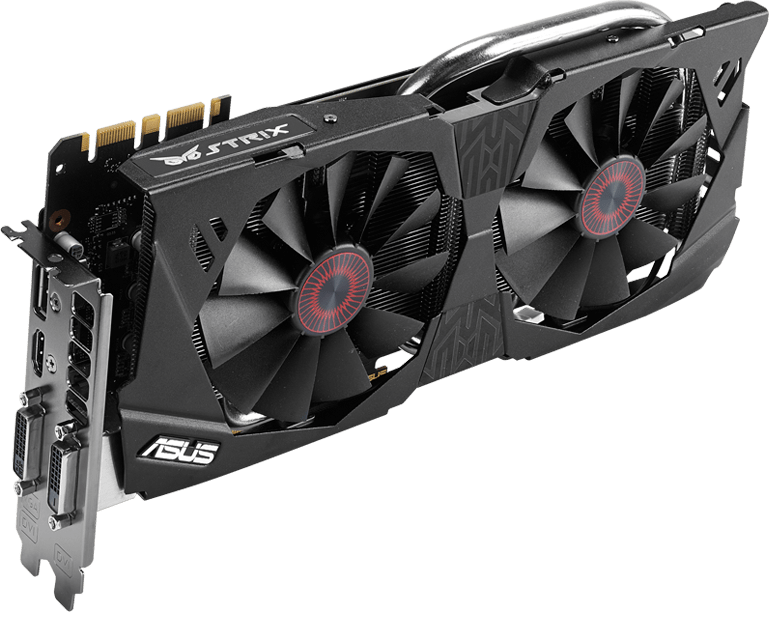
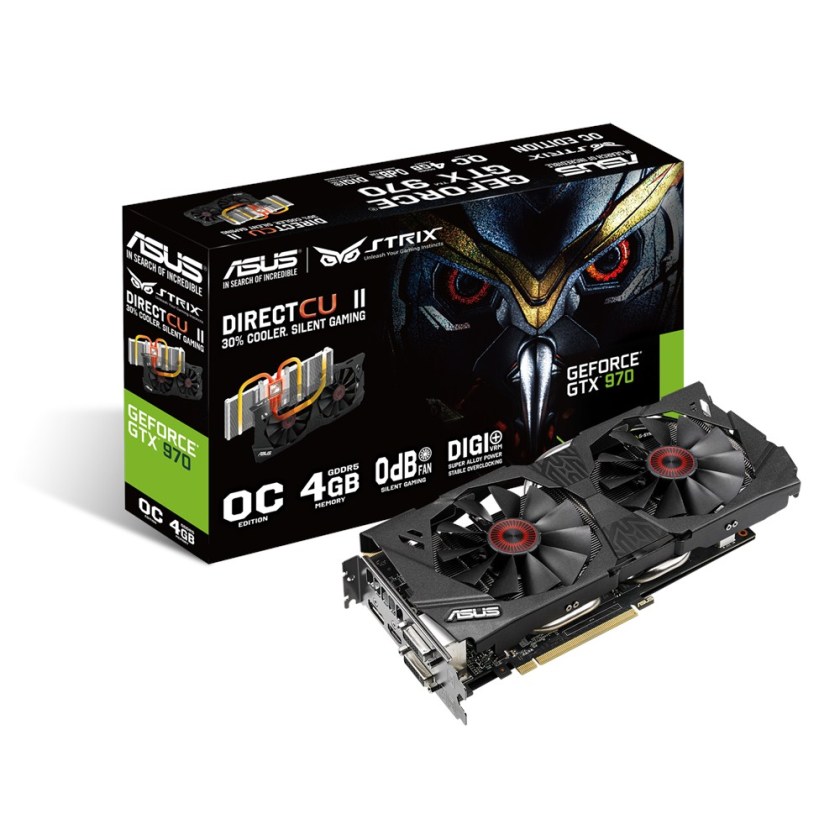
Graphics card: ASUS Strix GeForce GTX 970 OC 4GB (0dB IDLE)
DVD drive: 24X DVD+-RW SATA
Case: Corsair Carbide 200R USB3.0 ATX kotelo
Power source: Corsair 650W 80Plus® Certified ATX (VS650)
Connections: USB2.0/USB3.0/USB type C
OS: Windows 10 64-bit home FI

Let’s see how long it takes before this arrives and I will be able to do the tests (and start working and playing with it – hopefully before my Christmas vacation is over!)

Some product photos:

ASUS-P170-sideways
ASUS Z170-P LGA1151 ATX DDR4

Asus-STRIX-970
ASUS Strix GeForce GTX 970 OC 4GB

Asus-STRIX-970-box
ASUS Strix GeForce GTX 970, box

Cooler-Master-EVO
Cooler Master Hyper 212 EVO

Corsair-200r
Corsair Carbide 200R case

intel_core_i5-6500_32ghz_lga1151_6mb_cache_up_to_360ghz_fc-lga14c_skylake_box-34173680-2
Intel Core i5 processor box

Kingston-Fury
Kingston HyperX Fury DDR memory

Samsung-EVO-SSD
Samsung EVO 250 GB SSD


Corsair VS650 power source
 
More about the motherboard here: https://www.asus.com/fi/Motherboards/Z170-P/

More about the graphics card here: https://www.asus.com/fi/Graphics-Cards/STRIXGTX970DC2OC4GD5/

Best of both worlds: Windows 10?

2015-12-15 23.40.26
Win10 on Vivobook X202E.

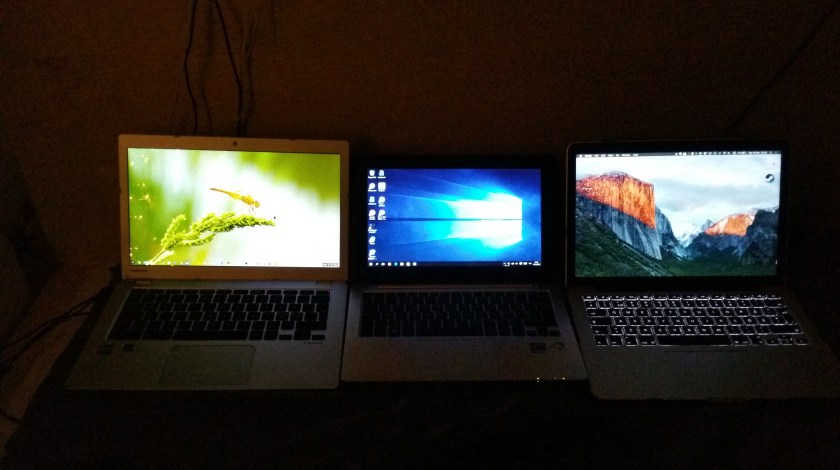
I have been running some small workflow tests on doing basic daily tasks – writing, surfing the web, doing email and project budgets – comparatively on three environments: Chromebook, Windows 10 touchscreen PC, and a Macbook Pro.

While the Mac is the most efficient and beautifully designed of them all (and the retina display is a pleasure to behold), the shallow-move chiclet keyboard does not suit my style of touch-typing. Also, I am still a bit uncomfortable with the way OS X handles maximized apps and keyboard shortcuts to move between them.

2015-12-15 23.23.39
Side by side: Toshiba Chromebook 2, Asus Vivobook X202E (with Win10), and Macbook Pro (with OS X El Capitan).

My Toshiba Chromebook 2 has excellent keyboard, beautiful screen and even the keyboard shortcuts and touchpad controls are simple and clear enough. The problem for a power-user is in the way Chrome OS is often a bit slow to respond, as it needs to load every app and file from the cloud. Also, basic operations such as copy and paste of data between cloud-based apps does not always work, which can be really painful when you are busy working on a deadline.

Windows systems are the basic workhorses of many industry professionals and office workforce in general. I recently updated my old Asus Vivobook X202E into Windows 10, and I have actually been positively surprised how snappy this underpowered, “netbook class” PC can be under the new OS. I also like the flexible, two-handed way of managing the OS and apps simultaneously via both touchscreen, touchpad and keyboard. The trick is to stick to the bare essentials in the software – for example, Chrome is too much work for this old machine to handle these days, but the native Edge browser of Win10 is not (yet) burdened by various extensions and it runs light and fast enough so that I can actually get into the web-based data before my patience runs out. Also, the classic office software and some interesting “modern style” apps work fine in Windows – e.g. this post was written in the new native WordPress desktop app, which can be from found here: https://desktop.wordpress.com/ .

Your mileage may vary, e.g. depending on which cloud service and app ecosystem you are primarily located in. I am a mixed user of iCloud, OneDrive and Dropbox myself (and Android, iOS, PC, Mac, Chrome devices), and while I think that all major OS & service ecosystems have their strengths, I am particularly happy with the Windows 10 style of doing things at the moment. (If only my touchscreen laptop would be a bit more capable and up to date model…)