Year in review – my 2015 in game studies

The year 2015 was a busy year, and hard to summarise as it feels like there never really was any time to stop and reflect; thus I welcome this short review note as such opportunity. Much of my time this year was spent on administrative things, related processes, projects, work contracts and plans of restructuring at the multiple levels of the Finnish university system, Tampere 3 university fusion, internal University of Tampere structures, the School of Information Sciences, our degree programmes and the IGS master’s degree programme, TRIM as the research centre and our Game Research Lab, and its individual research projects and other work.

In terms of published research, it was delightful to follow how many interesting book projects were finished and came out during 2015 (many of these are already out and available, even if their official publication year is 2016). Particularly the Routledge Advances in Game Studies series was in high gear, as several important research volumes were published there; my research articles were included in The Dark Side of Game Play, The Video Game Debate and Video Game Policy books. (There were other important books in the series, too, including Rachel Kowert’s Video Games and Social Competence, and Ashley ML Brown’s Sexuality in Role-Playing Games.) For more, see: https://www.routledge.com/series/RAIGS My own work included analysing the subversive uses of chidren’s games, exploring the gaming communities, and (together with Gareth Schott) re-conceptualizing game violence.

In other published work, I was proud to be part of the editorial board of Finnish Yearbook of Game Studies (Pelitutkimuksen vuosikirja; with the new editor-in-chief Raine Koskimaa), have in-depth analyses of our game researcher survey study come out in esteemed Journal of Communication (Thorsten Quandt, Jan Van Looy as the main authors in this article). I also published a historically oriented overview of Finnish games and game culture in the Video Games Around the World volume, edited by the amazingly productive Mark Wolf for the MIT Press. I also wrote an article exploring the character and development of mobile games that was published in the International Encyclopedia of Digital Communication & Society (Wiley-Blackwell). Last but not least, the long-waited book, Playful Identities: The Ludification of Digital Media Cultures came out from Amsterdam University Press. My piece there deals with the culture and identity of casual online play.

Our research team’s work in 2015 again covered a large part of the games, player experiences, design research and game cultures landscapes. Our particular emphasis is on the emerging and transforming aspects of these, multiple and interconnected phenomena and research topics. In 2015 we wrapped up the research projects Hybridex – The User Experience in the Future Playful Hybrid Services and Free2Play – Best Practices for Free-to-Play Game Services. Some of the research publications, including the full final reports from these projects are still coming out, but you can find some of this work at: https://free2playproject.wordpress.com/publications/ and https://hybridex.wordpress.com/ . Our work in the emerging, and newly re-configured borderlines of physical and digital dimensions in play also included also practical design experiments in the TSR funded OASIS research that studied intermixing of work and play, as well as with the playful MurMur chairs (originating from the Hybridex project). Featured in local as well as in international media, such practical implementations of fundamental research particularly appear to attract the attention of wider audiences. The high-quality research on gamification was also getting wider notice this year, including many publications that were coming out from Koukku, Neuroeconomics of Gaming and Free2Play research projects on this theme. Many thanks to all members of our research team, from these, as well as other research projects.

Much of such research that includes direct applications and links with games industry and other end user or interest groups were funded by Tekes, the Finnish Funding Agency for Innovation, as well as by various industry partners. Many thanks to all our collaborating partners, and Tekes in particular for their interest and belief in the significance of games and games related research. The Skene games programme ended in 2015, but everyone very much hopes that the huge funding cuts to Tekes, Academy of Finland and directly to the basic funding of Finnish universities does not stop work in themes that are important for the advancement of fundamental knowledge, cultural richness, and capacity for innovation – be those related to arts, technology, humanities, social sciences or e.g. human well-being (studies of games, play, gamification and playfulness relate and touch upon all those research areas).

Our work continues in active mode also in 2016, thanks to two new Tekes research projects (Hybrid Social Play; STREAM/eSports), the Academy of Finland funded Ludification of Culture and Society project, and other ongoing work that is based on individual research grants that members of our research teams have won, as well as other continuing research projects. There are many important themes that are logical continuation of the earlier work we have done (and I have probably forgot to mention many important achievements above), but there are also new innovations and expansions into new areas that are going on. Directing my time and energy into new research on e.g. hybrid play applications while simultaneously participating in other ongoing work will probably mean that in 2016 there will not be as many publications coming out from myself, but that is part of the natural rhythm, ebb and flow of academic life. It is also important that the new tenure-track associate professor in game culture studies position, announded in summer 2015, will be filled hopefully in early 2016. We are also joining forces among the Finnish game scholars to have more supportive structures and collaborative initiatives to start in 2016.

Again: many thanks for everyone in our team, project collaborators and international friends who have made 2015 such a successful and productive year – wishing you all the best, and hoping to make 2016 also a great year together!

Edit: Oh yes – Jaakko Stenros defending his PhD thesis should of course be mentioned here; every doctoral dissertation from our research team is a major milestone!

Gaming station, next generation

As I wrote around Christmas 2011, I made my latest big PC upgrade then, going for Asus P8Z68-V, GEN3 motherboard and ASUS GTX 560 Ti DirectCU II TOP based system. This served me four, rather than planned five years though. Apparently the motherboard peripherals failed, and then BIOS upgrade went astray, plus botched CMOS reset attempt finally killed the motherboard completely – some nice components were left to my hands, but this system lives no more: https://fransmayra.fi/2011/12/28/the-five-year-upgrade-plan/.

I must say that while setting up your own PC is interesting in itself, the compatibility and driver issues are also bit stressful and tiresome (particularly now, having spent most of last night fighting to revive the old PC system). Thus, this time I decided to submit an order to a store that sells pre-configured, pre-installed and tested PCs that also have the operating system set up. After comparing prices and configurations a bit, I ended up with SystemaStore shop from Oulu. These are some of the highlights of this new gaming station:

Processor: INTEL Core i5-6500 3.2GHz LGA1151 6MB BOXED
Cooler Master HYPER 212 EVO
Motherboad: ASUS Z170-P LGA1151 ATX DDR4 (max. 64GB ram)
Memory: Kingston HyperX Fury 8GB(2x4GB) DDR4 2133Mhz
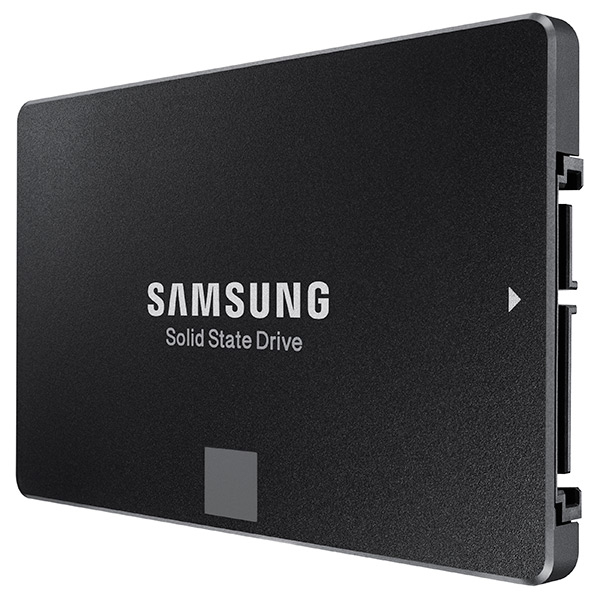
SSD: Samsung 850 EVO 250GB SSD SATA3
HDD: 1TB 7200RPM SATA3 (Seagate barracuda st1000dm003)
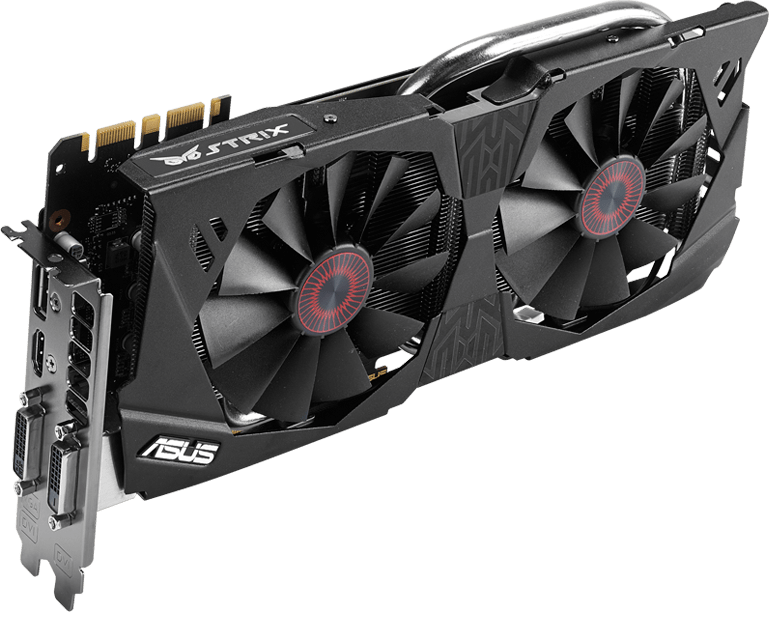
Graphics card: ASUS Strix GeForce GTX 970 OC 4GB (0dB IDLE)
DVD drive: 24X DVD+-RW SATA
Case: Corsair Carbide 200R USB3.0 ATX kotelo
Power source: Corsair 650W 80Plus® Certified ATX (VS650)
Connections: USB2.0/USB3.0/USB type C
OS: Windows 10 64-bit home FI

Let’s see how long it takes before this arrives and I will be able to do the tests (and start working and playing with it – hopefully before my Christmas vacation is over!)

Some product photos:

ASUS-P170-sideways
ASUS Z170-P LGA1151 ATX DDR4

Asus-STRIX-970
ASUS Strix GeForce GTX 970 OC 4GB

Asus-STRIX-970-box
ASUS Strix GeForce GTX 970, box

Cooler-Master-EVO
Cooler Master Hyper 212 EVO

Corsair-200r
Corsair Carbide 200R case

intel_core_i5-6500_32ghz_lga1151_6mb_cache_up_to_360ghz_fc-lga14c_skylake_box-34173680-2
Intel Core i5 processor box

Kingston-Fury
Kingston HyperX Fury DDR memory

Samsung-EVO-SSD
Samsung EVO 250 GB SSD


Corsair VS650 power source
 
More about the motherboard here: https://www.asus.com/fi/Motherboards/Z170-P/

More about the graphics card here: https://www.asus.com/fi/Graphics-Cards/STRIXGTX970DC2OC4GD5/

Best of both worlds: Windows 10?

2015-12-15 23.40.26
Win10 on Vivobook X202E.

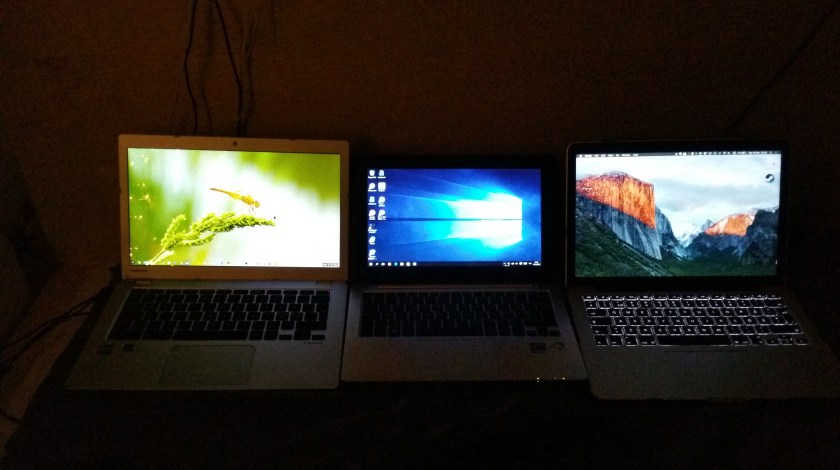
I have been running some small workflow tests on doing basic daily tasks – writing, surfing the web, doing email and project budgets – comparatively on three environments: Chromebook, Windows 10 touchscreen PC, and a Macbook Pro.

While the Mac is the most efficient and beautifully designed of them all (and the retina display is a pleasure to behold), the shallow-move chiclet keyboard does not suit my style of touch-typing. Also, I am still a bit uncomfortable with the way OS X handles maximized apps and keyboard shortcuts to move between them.

2015-12-15 23.23.39
Side by side: Toshiba Chromebook 2, Asus Vivobook X202E (with Win10), and Macbook Pro (with OS X El Capitan).

My Toshiba Chromebook 2 has excellent keyboard, beautiful screen and even the keyboard shortcuts and touchpad controls are simple and clear enough. The problem for a power-user is in the way Chrome OS is often a bit slow to respond, as it needs to load every app and file from the cloud. Also, basic operations such as copy and paste of data between cloud-based apps does not always work, which can be really painful when you are busy working on a deadline.

Windows systems are the basic workhorses of many industry professionals and office workforce in general. I recently updated my old Asus Vivobook X202E into Windows 10, and I have actually been positively surprised how snappy this underpowered, “netbook class” PC can be under the new OS. I also like the flexible, two-handed way of managing the OS and apps simultaneously via both touchscreen, touchpad and keyboard. The trick is to stick to the bare essentials in the software – for example, Chrome is too much work for this old machine to handle these days, but the native Edge browser of Win10 is not (yet) burdened by various extensions and it runs light and fast enough so that I can actually get into the web-based data before my patience runs out. Also, the classic office software and some interesting “modern style” apps work fine in Windows – e.g. this post was written in the new native WordPress desktop app, which can be from found here: https://desktop.wordpress.com/ .

Your mileage may vary, e.g. depending on which cloud service and app ecosystem you are primarily located in. I am a mixed user of iCloud, OneDrive and Dropbox myself (and Android, iOS, PC, Mac, Chrome devices), and while I think that all major OS & service ecosystems have their strengths, I am particularly happy with the Windows 10 style of doing things at the moment. (If only my touchscreen laptop would be a bit more capable and up to date model…)

Applications open: Masters’ Degree in Internet and Game Studies (IGS)

The application period is now open (until 27 January) for doing the Master’s Degree in Internet and Game Studies in the University of Tampere – if you want to work in your studies with the team of researchers and teachers at UTAgamelab, check out the information below:

Master’s Degree Programme in Internet and Game Studies aims to provide an in-depth view to the fundamental character and development of games and Internet. Games have grown into an important form of culture and human interaction, expanding from entertainment to other areas of life. Internet and social media form an increasingly vital part of communication, social life and distribution of media and services. Degree Programme in Internet and Game Studies is particularly targeted at the questions of analysis, design and application of online services and digital games from user- and culturally focused perspectives. The programme directs students to develop academic skills like critical thinking, scientific writing and carrying out research projects while encouraging active and comprehensive involvement with the practical processes and phenomena related to games and Internet.

The programme is offered by the School of Information Sciences. The school has high profile research groups that are focused on Internet and game studies. There has also been a long history of education in hypermedia and in Information Studies and Interactive Media that forms the basis of this degree programme.

Graduates typically combine the skills and knowledge derived from Degree Programme in Internet and Game Studies with studies and proficiencies that enable them to work as experts of games and Internet in various professional roles, in research, public sector as well as in industry. The need for knowledgeable workforce is growing in the fields related to games and interactive media, but the students should adopt an active attitude in fashioning their own specific area of expertise and professional profile. The possible jobs of graduates include researchers, developers, critics and specialists working with the interpretation, evaluation or implementation of games and social media.

More about admission: http://www.uta.fi/admissions/degreeprog/programmes/igs.html

More about IGS programme: http://www.uta.fi/admissions/degreeprog/programmes/igs.html

Short history of game studies in UTA: http://gameresearchlab.uta.fi/history/

Some featured alumni from IGS and UTAgamelab: http://gameresearchlab.uta.fi/igs-alumni/

Also, feel free to send us mail, if you want further information!

Best regards, professor Frans Mäyrä (frans.mayra [at] uta.fi)

Sony RX100: pocket, meet camera

Photography is an interesting thing – many interesting things. Take cameras, for example. For some people, cameras and lenses appear to mean perhaps more than the actual photographs they are supposed to use those equipment for. The global growth of revenue from digital camera industry continues its upwards trend, and by some estimates is expected to reach $46 billion by 2017. There are cameras for multiple uses, and the strengths of one system in one context turn into weaknesses in another. Compare DSLR “systems camera” to a cameraphone (or smartphone), for example: the versatility provided by multiple, interchangeable lenses combined to large image sensor and powerful image processing is unbeatable when the pure technical side of photography as a form of expression is being considered. On the other hand, in everyday daily lives, few people go about hauling their professional DSLR system everywhere. Having a good camera integrated into the mobile phone is your best bet to have camera at hand when the spontaneus opportunity for an interesting photo presents itself. Though, the limitations of small lens and small image sensor inevitably set its limits to what one can achieve with a smartphone camera.

I am going to experiment next by acquiring a compact, “pocket camera” that hopefully would be small enough to actually be feasible to carry around daily in my overcoat pocket, while also having better optics and more versatile feature set than a smartphone camera.

My choice (balancing budget and wish list) concluded into Sony Cyber-shot DSC-RX100 model. This is a compact camera that was introduced already in summer 2012, and there are already several more feature-rich, upgraded versions of RX100 available (Mark II, III, and now also IV, released in summer 2015). My priority here though was to focus on the essential aspects of solid optics combined with decent image sensor and build quality, and the original RX100 ranks high in that department, and the price is pretty competitive by now.

There are few things that smartphone cameras do really well, and extensive app ecosystem, strong computing power in compact form factor and excellent touch screen interfaces are among the key such elements. If the lens and sensor are priority in a compact camera, to get that high quality shot, and you are carrying a powerful smartphone also with you everywhere, it does not make sense to try to duplicate smartphone functions in the camera itself. It is enough to be able to get the photo from camera to the smartphone, and then do the post-processing and possible social media sharing, or archiving from there (or, via a cloud service and/or a PC, for that matter). RX100 does not have a built-in WiFi or other wireless functions, so I have now equipped my new Sony with the Eye-Fi Mobi Pro 32 GB SD memory card, which has the WiFi, and can connect to e.g. iPhone Eye-Fi Mobi app, where from you can take the editing and sharing business as far as you want.

I also invested to some other small add-ons: the official camera LCD screen protector (PCK-LM15) and the Sony AG-R2 Attachment Grip. The latter affects the slim, flat design of RX100 a bit, but is really good for getting reliable hold of the camera so that you can confidently work through multiple positions, without fear of dropping the camera.

RX100 is one of the most popular cameras in the relatively new “enthusiast compact” category, that I guess emerged out of Darwinian adaptation process, where mobile phones took over most of the “snapshot” market, and the compact camera manufacturers were forced to evolve and differentiate their offerings from the most basic and casual photography needs. The manual of RX100 is a rather thick volume, so it has fair number of various options and functions, and this camera has also a rather large, one-inch image sensor (of 20 megapixels), a Carl Zeiss Vario-Sonnar T lens (28-100mm equiv., f/1.8-4.9), image stabilization, automatic face recognition, customizable controls and the ability to shoot recording RAW images – something that the more professional (or nerdy) photo tweakers can value.

It is still too early to say whether the idea of having a daily pocket camera available actually makes any real sense, so that the extra 240 grams of weight in my jacket pocket really pays off. But I guess that in those conference trip breaks this would allow one to jump on and off the “tourist mode” with a bit more expressive range available than just a mobile phone camera would allow. We will see.

CFP: Fanitutkimuksen konferenssi “Nörttikulttuurin nousu” (3.-4.3.2016)

Levittäkää sanaa: Esitelmäkutsu/CFP:

NÖRTTIKULTTUURIN NOUSU
Kuudes valtakunnallinen fandom-tutkimuksen konferenssi

Jyväskylän yliopiston Taiteiden ja kulttuurin tutkimuksen laitoksella
3.–4.3.2016

Ketä voi haukkua nörtiksi – ja kuka puolestaan on “todellinen nörtti”?
Haittaako, että yhä useampi vastaantulija tuntee nettislangia ja
kulttifiktion sankareita? Entä onko tytöillä mitään asiaa videopeli-
ja sarjakuvakulttuureiden maskuliinisina pidettyihin maailmoihin?

Nörttikulttuuri (engl. geek culture) on viime vuosina kaapattu
marginaalista valtamedian materiaaliksi: niin sarjakuvat, genrefiktio
kuin video- ja roolipelitkin ovat löytäneet uuden teknologian kautta
uusia yleisöjä ja saattaneet samalla yhteen vanhoja faneja. Tämä yhä
jatkuva kasvu ja monimuotoistuminen on herättänyt monet pohtimaan
“nörttimäisten” harrastustensa motiiveja ja muuttanut nörttiyden
merkitystä. Eri sukupuolet, sukupolvet ja kulttuurit tuntuvat
käsittävän nörttiyden hyvin eri tavoin, mutta tavallisin nörtin
tuntomerkki  on tiedollinen omistautuminen jollekin (arkielämän
kannalta hyödyttömälle) asialle. Juuri perehtyminen tuntuu yhä
erottavan “todelliset” nörtit ja fanit tavallisista kuluttajista ja
satunnaisista harrastajista, mutta eri perehtymisen kohteet ovat
edelleen eri tavoin arvokkaita ja sallittuja eri ryhmille. Tämä on
paljastanut uudella tavalla myös eskapistisina pidettyjen,
nörttimäisten kulttuurimuotojen poliittisuuden.

Vaikka nörttiys on muodostunut keskeiseksi, joko valituksi tai
annetuksi identiteettitekijäksi lukemattomille ihmisille ympäri
maailman, sen muuttuva merkitys on edelleen sumea. Jyväskylän
yliopiston Taiteiden ja kulttuurin tutkimuksen laitoksella
järjestettävässä kaksipäiväisessä kansallisessa konferenssissa
haluamme avata suomalaisen akateemisen keskustelun siitä, mitä
nörttikulttuuri oikeastaan on, miten se on muuttunut ja miten se
vuorovaikuttaa niin sanotun valtavirran kanssa.

Etsimme tapahtumaan esitelmiä tai paneeleja, jotka tarkastelevat
nörttikulttuuria, eli erilaisten (aiemmin) marginaalisena pidettyjen
mediailmiöiden aktiivista ja/tai sosiaalista kuluttamista, minkä
tahansa tieteenalan näkökulmasta. Aiheet voivat liittyä esimerkiksi:

-nörttiyden ja nörttikulttuurin historiaan, määritelmiin ja
murroksiin; eroaako nörttiys tavallisesta faniudesta?
-sarjakuvakulttuuriin ja -markkinoihin, sarjakuvien keräilyyn tai
sarjakuvan transmedialisoitumiseen
– lauta- ja roolipelikulttuurien näkymiseen populaarikulttuurissa
– videopelien harrastajayhteisöihin ja videopelikulttuurin valtavirtaistumiseen
– hakkereihin, verkkoaktivismiin ja internet- ja hakkerikulttuurin
näkymiseen valtavirta- tai populaarikulttuurissa
– japanilaisen otaku-kulttuurin kansainvälisiin ja suomalaisiin
ilmenemismuotoihin
– kirjallisen, audiovisuaalisen ja muunlaisen genrefiktion ympärille
kehittyviin (verkko)keskusteluihin ja fanitoiminnan muotoihin, myös
antifaniuteen
– fanitapahtumiin eli coneihin, fanituotantoon, cosplayihin tai muihin
nörttikulttuurille leimallisiin harraste- ja fanitoimintoihi
– populaarikulttuurin sukupuolittumiseen ja poliittisuuteen.

Lähetä 200–300 sanan abstrakti n. 20 minuutin esitelmästä pdf-muodossa
10.1.2016 mennessä Jonne Arjorannalle (jonne.arjoranta[ät]jyu.fi).
Otamme vastaan ehdotuksia myös paneeleista ja muista laajemmista
esitelmäkokonaisuuksista. Laitathan liitetiedostoon näkyviin nimesi,
sähköpostiosoitteesi ja koti-instituutiosi.

Lisätietoja antaa Katja Kontturi (katja.j.kontturi[ät]jyu.fi).
Esitelmäkutsua saa levittää vapaasti.

Fanitutkijoiden tapaamisia on aiemmin järjestetty Tampereen ja
Jyväskylän yliopiston tutkijoiden yhteistyönä vuodesta 2006 lähtien.

Gestures and multi-touch: Logitech T650

As operating systems evolve, so do the ways of interacting with them. While older laptops might have still the processing power or even the disk space to run e.g. Win8 or Win10, it is often in the control, or human interface hardware where the support is lacking. Adding an external keyboard and touchpad might be a way to give some extra life to an older system, while the downside of such “hybrid system” will unavoidably be that you’ll lose the simplicity of being able to just open the laptop cover and quickly start working. Setting up the external keyboard and external touchpad might make nevertheless sense for longer working sessions. In my case, I suffer from chronic carpal tunnel syndrome and simply cannot work with non-ergonomic mouses, keyboards or touchpads – and I regularly rotate and try all sorts of mouse replacements and other add-ons.

Logitech T650
Logitech T650.

My optimal system at the moment is based on some very nice gear Logitech has developed. Both on my Macbook Pro and Vaio Z3 I have now set up the illuminated bluetooth keyboard by Logitech: K810 model for Vaio, K811 for Mac. The key travel in either of these, otherwise pretty excellent PCs is just too shallow to allow for high-speed typing – at least for me, your mileage may vary. Logitech K810/K811 is so excellent piece of design and engineering, with such an outstanding typing experience, that I just cannot stop marvelling at it every day I use these things – and I have purchased several, despite the rather steep price. My lurking nightmare is that Logitech will some day cancel this product, or somehow alter and ruin the design and functionality – so I just might again go out and get a couple extra ones to my spare parts closet, just to be on the safe side.

While I really like the touchpads of Macbooks, the touch behaviour in Windows systems has been much more problematic. In modern Windows 10 systems the touchpads apparently are getting closer to the Mac standard, and there is also the additional interaction affordance of touch screen in many Win10 models (something that Apple has stayed away in their laptops, while the touch interface of iPads and iPhones is of course very good). I happen to like the combination of touch screen and mouse/touchpad – it feels natural to handle screen directly, and it is also good for ergonomics to change the manner of manipulation every now and then – even while if touch screen would be the only mouse replacement, it would not really work.

For older Windows 7 devices like my Vaio Z3 there is no luxury of truly working multitouch gestures or anything like that – the touchpad in this Vaio is small, cramped and operates so erratically that it can pretty much drive you crazy, particularly if you have used something like Macbook Pro, with a really good touchpad and multigesture OS X that supports it.

While originally purchased for my other, Windows 8.1 equipped home computer, I recently took the Logitech T650 external touchpad to work and tried setting it up with my Vaio. While the small “Unifying” connector now takes up one precious USB port (no bluetooth in T650), I was surprised how well this Logitech touchpad works with Windows 7. The newest version of Logitech’s SetPoint software works really well also under Windows 7, and the two-finger, three-finger and even four-finger gestures really transform the speed and ease of use for scrolling and handling many documents and different software running simultaneously in my Vaio. The operating system is originally not really optimised for this kind of use, and there is no e.g. “expose” style overview mode in Win7, but Logitech add-on software provides that feature, as well as several others. The main problem is that if you are constantly running from meeting room to another like I do, there is not really time to set up the laptop, set up the keyboard and touchpad, switch on all of them, make sure that they connect correctly (sometimes they do not – a reboot might be required); and then, at the end of meeting to switch off and repack all three things again – just to repeat everything at the next room. But I guess I’ll just need to live with that at the moment. The multitouch gestures and solid typing experience that Logitech provides are so much better than the alternatives.

Logitech T650 multitouch gestures
Logitech T650 multitouch gestures.

The Video Game Debate, new book available for (pre)order

Video Game Debate (book cover)
The Video Game Debate.

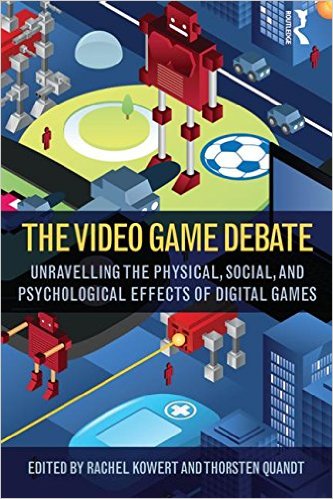
New book available for preorder: The Video Game Debate: Unravelling the Physical, Social, and Psychological Effects of Video Games (eds. Rachel Kowert & Thorsten Quandt; publisher: Routledge). Table of contents for this highly interesting, multidisciplinary volume is below:

1. A Brief History of Video Games – James D. Ivory

2. The Rise (and Refinement) of Moral Panic – Nicholas D. Bowman

3. Are Electronic Games Health Hazards or Health Promoters? – Cheryl K. Olson

4. The Influence of Digital Games on Aggression and Violent Crime – Mark Coulson and Christopher J. Ferguson

5. Gaming Addiction and Internet Gaming Disorder – Mark D. Griffiths

6. Social outcomes: Online game play, social currency, and social ability – Rachel Kowert

7. Debating How to Learn From Video Games – John L. Sherry

8. Video Games and Cognitive Performance – Gillian Dale and C. Shawn Green

9. Exploring Gaming Communities – Frans Mäyrä

10. No black and white in video game land! Why we need to move beyond simple explanations in the video game debate – Thorsten Quandt and Rachel Kowert

The publisher’s pages for the book are at: http://www.tandf.net/books/details/9781138831636/

There is also an Amazon.com page for pre-ordering: http://www.amazon.com/The-Video-Game-Debate-Psychological/dp/1138831638 .

Also, the author’s version of my chapter that discusses the study of “gaming communities” is available from here: http://people.uta.fi/~frans.mayra/Gaming_Communities.pdf.

4K Ultra HD monitor

Samsung U28D590D
Samsung U28D590D.
Sharper is better. I just booked the last remaining unit of Samsung U28D590D, an Ultra HD, 4K monitor from the local PC store (a display unit) at nice, 320 euros price. This is probably the most budget-consious alternative in 4K, 28″ monitors you can find; there are better, IPS screens (this is a high quality TN), and particularly professional models have better ergonomic in the stand (this is a completely fixed thing, and no VESA mounting either). But the colour reproduction, brightness are excellent, and particularly having 3840 x 2160 resolution at 60Hz, with 1 ms speed (over the Display Port 1.2) makes this pretty much what I have been looking for my gaming and photo editing needs. I am also regularly plugging in several computers (PC/gaming workstation, Macbook Pro Retina, Chromebook) to the same display at my desk, and there is interesting PIP (picture-in-picture) mode in U28D590D where you can keep an eye on the second PC while simultaneously working full screen on the other (let’s see how useful this will be in reality, though). If you think there is a better deal available from somewhere at the 300 euros price range, let me know. More information: http://www.samsung.com/levant/consumer/it/monitor/uhd-monitor/LU28D590DS/ZN.

Edit: this is the thread with instructions for getting 52 Hz at 4k on the retina MacBook Pro 13: http://forums.macrumors.com/threads/4k-display-and-retina-macbook-pro-13.1741440/

Talk in London about Hybrid Playful Experiences

I will give a talk about “Hybrid Playful Experiences – Bridging the Physical-Digital Divide” this Wednesday in London, at the Innovations for the Benefit of Packaging and Commercial Printing event. This research is related both the the ‘Hybrid Media COST Action’ (FP1104) that we collaborate with several European partners, as well as research on playfulness and hybrid experiences, carried out in such research projects of ours as Hybridex, OASIS, Ludification of Culture and Society and others. The vacation period is July in Finland, but there is still some work to do – this will be my last work trip though, before the summer vacation starts. More information about the event: http://wcpcswansea.com/events/24-06-2015/Innovations-for-the-Benefit-of-Packaging-and-Commercial-Printing#agenda .