

I am not sure whether this is true for other countries, but after a long, dark and cold winter, Finns want to be outdoors, when it is finally warm and sunny. Sometimes one might even do remote work outdoors, from a park, cafe or bar terrace, and that is when things can get interesting – with that “nightless night” (the sun shining even at midnight), and all.
Surely, for most aims and purposes, summer is for relaxing and dragging your work and laptop always with you to your summer cottage or beach is not a good idea. This is definitely precious time, and you should spend it to with your family and friends, and rewind from the hurries of work. But, if you would prefer (or, even need to, for a reason or another) take some of your work outdoors, the standard work laptop computer is not usually optimal tool for that.
It is interesting to note, that your standard computer screens even today are optimised for a different style of use, as compared to the screens of today’s mobile devices. While the brightest smartphone screens today – e.g. the excellent OLED screen used in Samsung Galaxy S9 – exceed 1000 nits (units of luminance: candela per square meter; the S9 screen is reported to produce max 1130 nits), your typical laptop computer screens max out around measly 200 nits (see e.g. this Laptop Mag test table: https://www.laptopmag.com/benchmarks/display-brightness ). While this is perfectly good while working in a typical indoor, office environment, it is very hard to make out any details of such screens in bright sunlight. You will just squint, get a headache, and hurt your eyes, in the long run. Also, many typical laptop screens today are highly reflective, glossy glass screens, and the matte surfaces, which help against reflections, have been getting very rare.
It is as the “mobile work” that is one of the key puzzwords and trends today, means in practice only indoor-to-indoor style of mobility, rather than implying development of tools for truly mobile work, that would also make it possible to work from a park bench in a sunny day, or from that classical location: dock, next to your trusty rowing boat?
I have been hunting for business oriented laptops that would also have enough maximum screen brightness to scale up to comfortable levels in brighly lit environments, and there are not really that many. Even if you go for tablet computers, which should be optimised for mobile work, the brightness is not really at level with the best smartphone screens. Some of the best figures come from Samsung Galaxy Tab S3, which is 441 nits, iPad Pro 10.5 inch model is reportedly 600 nits, and Google Pixel C has 509 nits maximum. And a tablet devices – even the best of them – do not really work well for all work tasks.
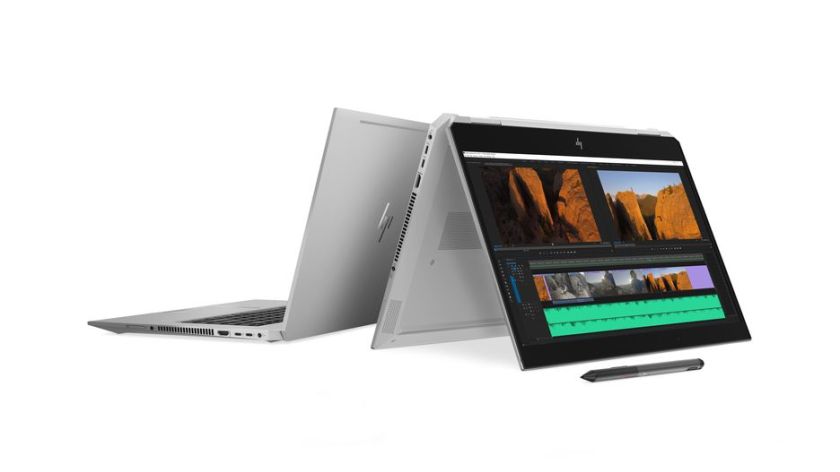
HP has recently introduced some interesting devices, that go beyond the dim screens that most other manufacturers are happy with. For example, HP ZBook Studio x360 G5 supposedly comes with a 4k, high resolution anti-glare touch display that supports 100 percent Adobe RPG and which has 600 nits of brightness, which is “20 percent brighter than the Apple MacBook Pro 15-inch Retina display and 50 percent brighter than the Dell XPS UltraSharp 4K display”, according to HP. With its 8th generation Xeon processors (pro-equivalent to the hexacore Core i9), this is a powerful, and expensive device, but I am glad someone is showing the way.
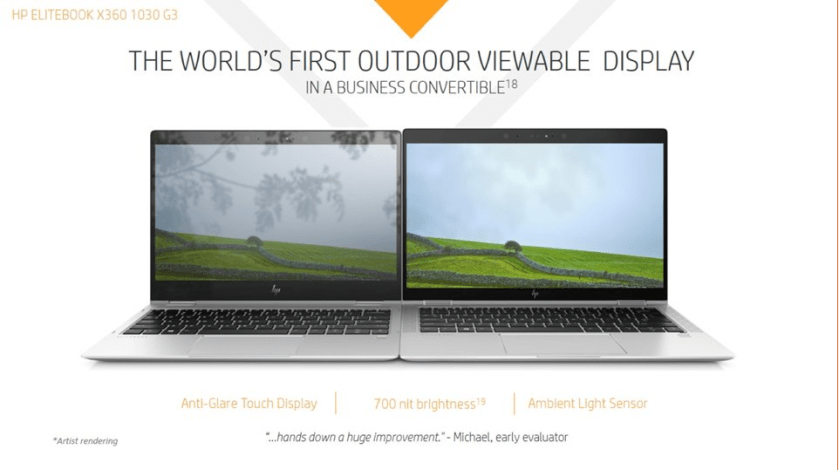
Even better, the upcoming, updated HP EliteBook x360 G3 convertible should come with a touchscreen that has maximum brightness of 700 nits. HP is advertising this as the “world’s first outdoor viewable display” for a business laptop, which at least sounds very promising. Note though, that this 700 nits can be achieved with only the 1920 x 1080 resolution model; the 4K touch display option has 500 nits, which is not that bad, either. The EliteBooks I have tested also have excellent keyboards, good quality construction and some productivity oriented enhancements that make them an interesting option for any “truly mobile” worker. One of such enhancement is a 4G/LTE data connectivity option, which is a real bless, if one moves fast, opening and closing the laptop in different environments, so that there is no reliable Wi-Fi connection available all the time. (More on HP EliteBook models at: http://www8.hp.com/us/en/elite-family/elitebook-x360-1030-1020.html.)

Apart from the challenges related to reliable data connectivity, a cloud-based file system is something that should be default for any mobile worker. This is related to data security: in mobile work contexts, it is much easier to lose one’s laptop, or get it robbed. Having a fast and reliable (biometric) authentication, encrypted local file system, and instantaneous syncronisation/backup to the cloud, would minimise the risk of critical loss of work, or important data, even if the mobile workstation would drop into a lake, or get lost. In this regard, Google’s Chromebooks are superior, but they typically lack the LTE connectivity, and other similar business essentials, that e.g. the above EliteBook model features. Using a Windows 10 laptop with either full Dropbox synchronisation enabled, or with Microsoft OneDrive as the default save location will come rather close, even if the Google Drive/Docs ecosystem in Chromebooks is the only one that is truly “cloud-native”, in the sense that all applications, settings and everything else also lives in the cloud. Getting back to where you left your work in the Chrome OS means that one just picks up any Chromebook, logs in, and starts with a full access to one’s files, folders, browser addons, bookmarks, etc. Starting to use a new PC is a much less frictionless process (with multiple software installations, add-ons, service account logins, the setup can easily take full working days).
 If I’d have my ideal, mobile work oriented tool from today’s tech world, I’d pick the business-enhanced hardware of HP EliteBook, with it’s bright display and LTE connectivity, and couple those with a Chrome OS, with it’s reliability and seamless online synchronisation. But I doubt that such a combo can be achieved – or, not yet, at least. Meanwhile, we can try to enjoy the summer, and some summer work, in bit more sheltered, shady locations.


 Worldcon 75 in Helsinki has generally been an excellent event with multiple cultures, diverse forms of art and innumerable communities of fandom coming together. However, what left bit of a bad taste to the mouth was the organizers’ decision yesterday to cancel a LARP (live action role-play), dealing with old people and dementia. The decision is highly controversial, and apparently based on some (non-Nordic) participants strongly communicating their upset at such a sensitive topic has been even allowed to be submitted in the form of a “game”, into the con program. On the other hand, same people would apparently be completely fine with Altzheimer and similar conditions being handled in form of a novel, for example.
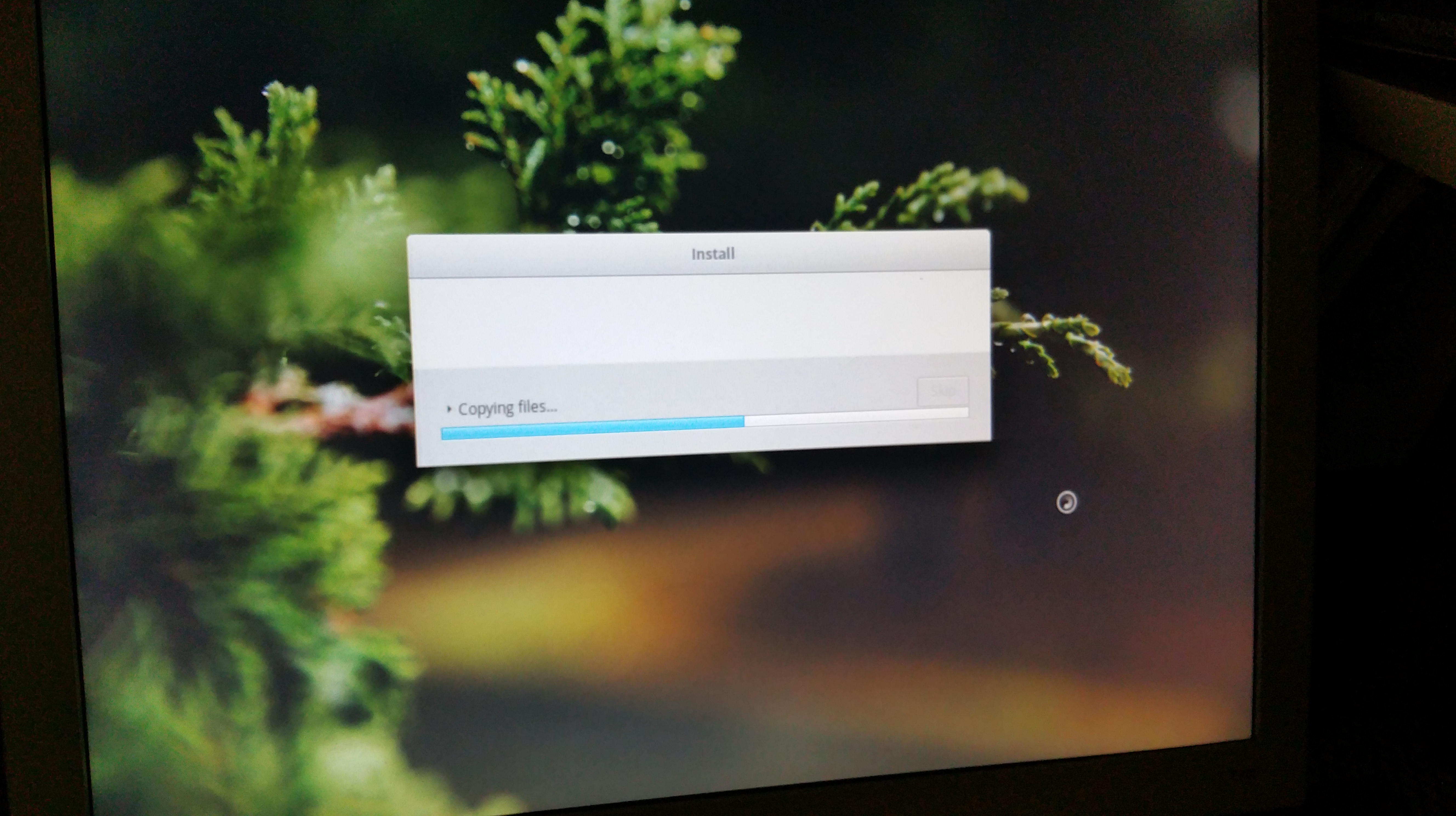
 At home, I have been setting up and testing a new, dual-boot Win10/Linux system. Lenovo Yoga 510 is a budget-class, two-in-one device that I am currently setting up as a replacement for my old Vivobook (unfortunately, it has a broken power plug/motherboard, now). Technical key specs (510-14ISK, 80S70082MX model, Signature Edition) include an Intel i5-6200U processor (a 2,30-2,80 GHz Skylake model), Intel HD Graphics 520 graphics, 4 GB of DDR4 memory, 128 GB SSD, IPS Full HD (1920 x 1080) 14″ touch-screen display, and a Synaptics touchpad and a backlit keyboard. There is a WiFi (802.11 a/b/g/n/ac) and Bluetooth 4.0. Contrasted to some other, thinner and lighter devices, this one has a nice set of connectors: one USB 2.0, two USB 3.0 ports (no Thunderbolt, though). There is also a combo headphone/mic jack, Harman branded speakers, a memory card slot (SD, SDHC, SDXC, MMC), 720p webcam, and a HDMI connector. There is also a small hidden “Novo Button”, which is needed to get to the BIOS settings.
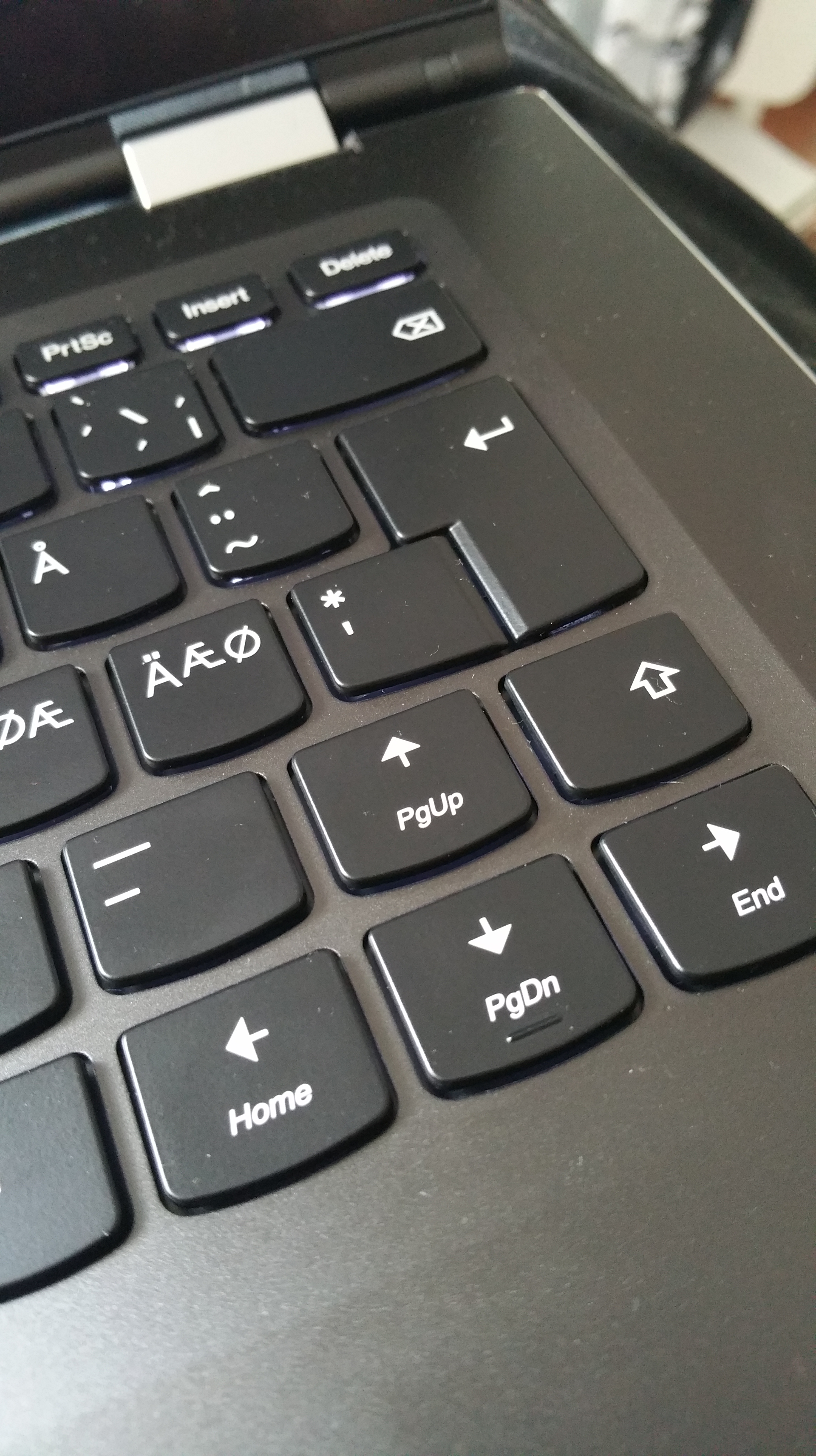 The high point of Lenovo Thinkpad laptops has traditionally been their keyboards. This Yoga model is not one of the professional Thinkpad line, but the keyboard is rather good, as compared to the shallow, non responsive keyboards that seem to be the trend these days. The only real problem is the non-standard positioning of up-arrow/PageUp and RightShift keys – it is really maddening to write, and while touch-typing every Right-Shift press produces erroneous keypress that moves the cursor up (potentially e.g. moving focus to “Send Email” rather than to typing, as I have already witnessed). But this can sort of be fixed by use of KeyTweak or similar tool, which can be used to remap these two keys to other way around. Not optimal, but a small nuisance, really.
 Installing dual boot Ubuntu requires the usual procedures (disabling Secure Boot, fast startup, shrinking the Windows partition, etc.), but in the end Linux runs on this Lenovo laptop really well. The touch screen and all special keys I have tested work flawlessly right after the standard Ubuntu 17.04 installation, without any gimmicky hacking. Having a solid (bit heavy though) laptop with a 14-inch touch-enabled, 360 degree rotating screen, and which can be used without issues in the most recent versions of both Windows 10 and Linux is a rather nice thing. Happy with this, at the moment.


 frans goes blog
You must be logged in to post a comment.